Coffee Press
Coffee Press

Coffee Press

Strategy

| Studio 42

Play on PC with BlueStacks or from our cloud

  • Overview
  • Game Features
  • How to Play

Page Modified On: September 18, 2026

Play Coffee Press on PC or Mac

Explore a whole new adventure with Coffee Press, a Strategy game created by Studio 42. Experience great gameplay with BlueStacks, the most popular gaming platform to play Android games on your PC or Mac.

About the Game

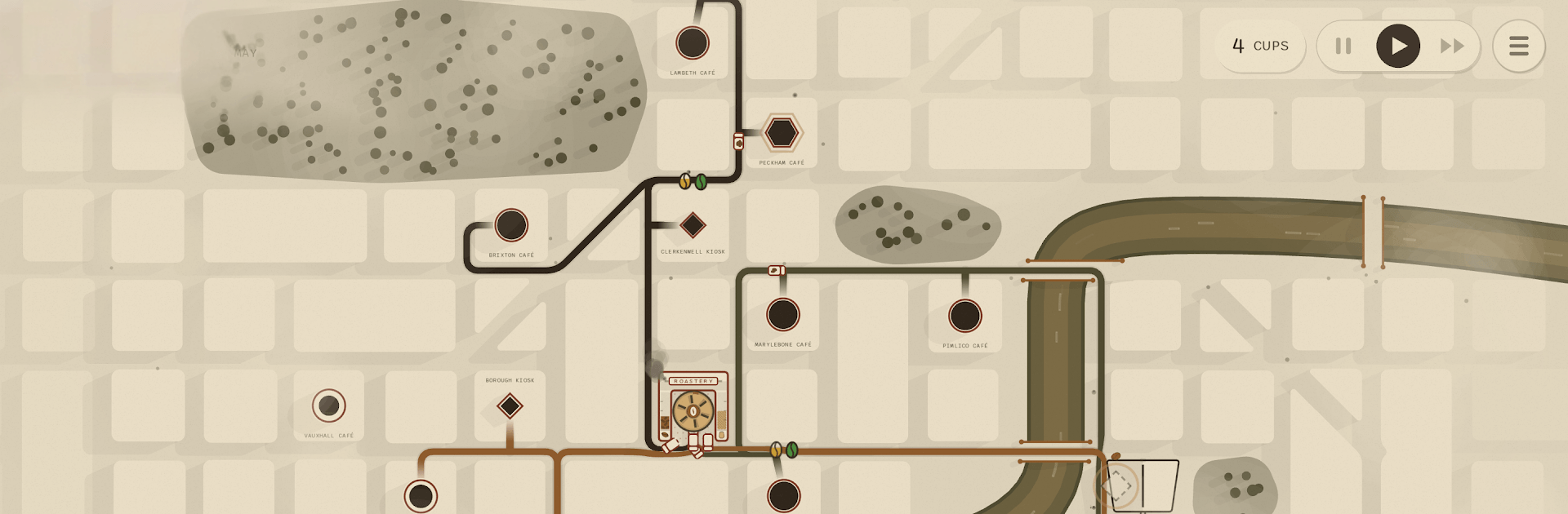
Coffee Press turns the bustle of a whole city into your personal coffee pipeline. It’s a Strategy game about drawing real-world routes, roasting the right beans, and keeping neighborhood cafés perfectly stocked while a pushy rival moves in on your turf. Easy to start, surprisingly tense once orders stack up—and it feels great on BlueStacks if you like playing on a bigger screen.

Game Features

  • Street-Smart Routing: Sketch delivery lines along actual city streets, snap them into place, and tweak them anytime—add stops, reroute, or reorder on the fly.
  • Freshness Matters: Beans peak fast; long detours mean stale cups and unhappy regulars. Let too many cafés fizzle and a competing fleet will snag your territory.
  • Roast, Blend, Repeat: Source green beans from gentle lowlands and risky high-altitude farms, then build blends and match roast profiles to each café’s taste.
  • Serve the Specialists: Keep everyday kiosks humming while stocking premium rooms with the rare stuff they demand—get it wrong and those picky spots go quiet.
  • Grow the Network: Open hubs, cold stores, and even a second roastery across town to move stock faster and keep shelves from running dry.
  • Monthly Boat Deals: A trade ship pulls in with two tempting cards; pick one to expand, knowing the option you leave behind is the real cost.
  • Cities With Rhythm: Watch commuters swell platforms, pedestrians fill sidewalks, and lights click on at dusk; start in Melbourne, then unlock London—each handcrafted with its own look and flow.
  • Pick-Up-and-Play Design: No dense manuals—just hop in, relax for a bit, and then juggle routes and supplies as your little coffee empire gets wonderfully hectic.

Start playing Coffee Press on BlueStacks and get a smoother, more comfortable PC or Mac setup.

Game Features

Enhancements

  • Macros
  • Multi Instance
  • Multi Instance Sync
  • Eco Mode
  • Enhancements
Macros

Macros

Skip the boring parts of a game. Play Coffee Press with Macros and get the edge. Simply record a sequence of commands and execute them at any moment.
Multi Instance

Multi Instance

Why limit to one game on your phone when you can play many on your PC? Open multiple instances of Coffee Press at once with Multi-Instance. Leverage the power of different accounts by doing more.
Multi Instance Sync

Multi Instance Sync

Get the best out of Coffee Press with Multi-Instance Sync. Play the game from different accounts and build your own empire. Use Multi-instance sync to repeat the action in the main BlueStacks instance on all other instances.
Eco Mode

Eco Mode

Find the rarest heroes by making multiple summons in Coffee Press. And while you are at it, reduce your PC’s resource consumption with the Eco Mode. Farm efficiently. Get the best results.
Read More

How to Download and Play Coffee Press on PC or Mac

  • Download and install BlueStacks on your PC or Mac

  • Complete Google sign-in to access the Play Store, or do it later

  • Look for Coffee Press in the search bar at the top right corner

  • Click to install Coffee Press from the search results

  • Complete Google sign-in (if you skipped step 2) to install Coffee Press

  • Click the Coffee Press icon on the home screen to start playing

video
Watch Video

Minimum System Requirements

With BlueStacks 5, you can get started on a PC that fulfills the following requirements.

  • Operating System

    Microsoft Windows 7 or above, macOS 11 (Big Sur) or above

  • Processor

    Intel, AMD or Apple Silicon Processor

  • RAM

    at least 4GB

  • HDD

    10GB Free Disk Space

Note:

* You must be an Administrator on your PC. Up to date graphics drivers from Microsoft or the chipset vendor.

Coffee Press - FAQs

  • How to play Coffee Press on Windows PC & Mac?

    Play Coffee Press on your PC or Mac by following these simple steps.

    • Click on 'Play Coffee Press on PC’ to download BlueStacks
    • Install it and log-in to Google Play Store
    • Launch and play the game.
  • Why is BlueStacks the fastest and safest platform to play games on PC?

    BlueStacks respects your privacy and is always safe and secure to use. It does not carry any malware, spyware, or any sort of additional software that could harm your PC.

    It is engineered to optimize speed and performance for a seamless gaming experience.

  • What are Coffee Press PC requirements?

    Minimum requirement to run Coffee Press on your PC

    • OS: Microsoft Windows 7 or above MacOS 11 (Big Sur) or above
    • Processor: Intel, AMD or Apple Silicon Processor
    • RAM: Your PC must have at least 4GB of RAM. (Note that having 4GB or more disk space is not a substitute for RAM)
    • HDD: 10GB Free Disk Space.
    • You must be an Administrator on your PC.