Dragonstone War
Dragonstone War

Dragonstone War

Strategy

| HONGKONG TENGYANG CO.,LIMITED

Play on PC with BlueStacks or from our cloud

  • Overview
  • Game Features
  • How to Play

Page Modified On: July 28, 2026

Play Dragonstone War on PC or Mac

Explore a whole new adventure with Dragonstone War, a Strategy game created by HONGKONG TENGYANG CO.,LIMITED. Experience great gameplay with BlueStacks, the most popular gaming platform to play Android games on your PC or Mac.

About the Game

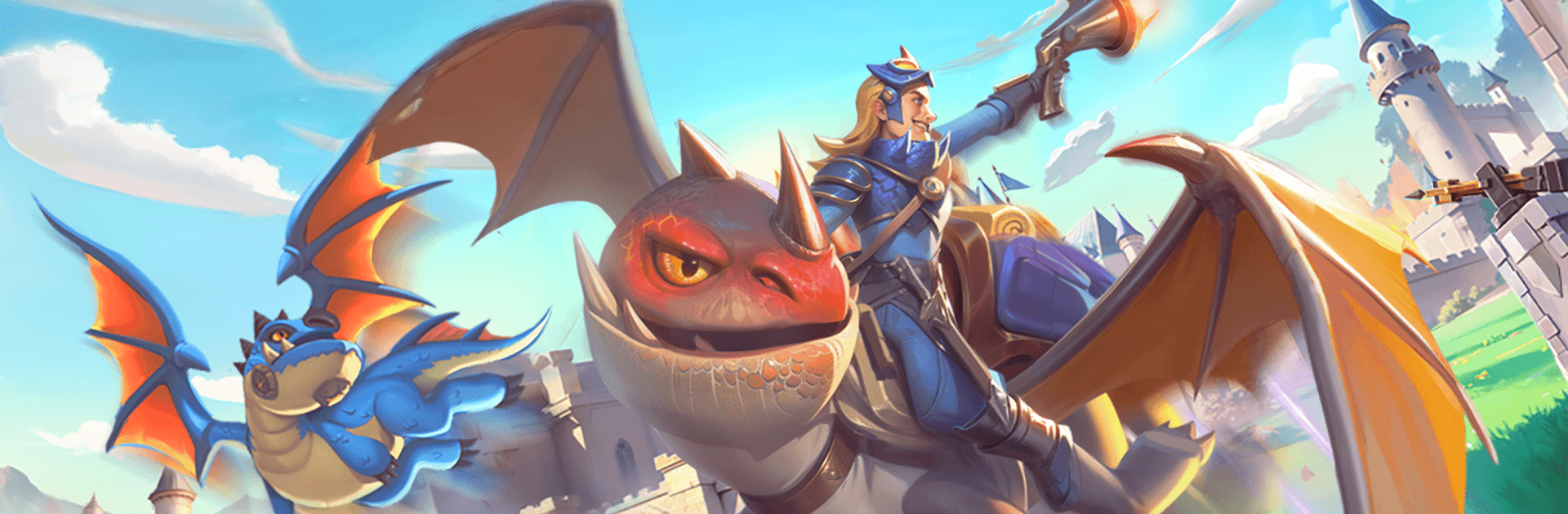
Dragonstone War is a Strategy game where massive armies, fire-breathing dragons, and spell-slinging heroes clash in real-time. You’ll build a kingdom, rally legions, and outthink rivals on a living 3D battlefield. Expect big sieges, smart counterplay, and that “one more move” feeling as you plan, pivot, and pull off clutch wins.

Game Features

  • Real-time battles and free marching: Move your legions on the fly, change paths mid-attack, and react to enemies in real time. No rails—just flexible tactics and fast decisions.
  • 3D tactical terrain: Mountains, cliffs, and rivers aren’t just scenery. Use high ground, choke points, and crossings to trap foes or escape a bad fight with minimal losses.
  • Ground and air warfare: Mix dragons, flying units, infantry, mages, and siege engines. Control the skies, break walls, and coordinate multi-lane pushes that actually feel coordinated.
  • Smart army building: Every unit has a job. Scouts spot ambushes, skirmishers bait, tanks hold, and glass cannons melt targets—if you protect them.
  • Hero roster with clutch skills: Recruit heroes and slot them into formations. Time their ultimates to break a stalemate or save a retreating line.
  • Monster hunts and island control: Team up to take down ancient beasts and giant dragons. Clear threats, grab resources, and secure territory piece by piece.
  • City building and capital sieges: Grow your stronghold, reinforce defenses, and launch full-scale sieges against enemy capitals when you’re ready to make a statement.
  • Alliances and global play: Coordinate with players worldwide, plan rallies, and strike as a team—or test your mettle solo against ambitious neighbors.
  • Play comfortably on PC: Prefer a bigger screen and crisp controls? Running Dragonstone War on BlueStacks keeps everything smooth and responsive.

Start playing Dragonstone War on BlueStacks and get a smoother, more comfortable PC or Mac setup.


Game Features

Enhancements

  • Macros
  • Multi Instance
  • Multi Instance Sync
  • Eco Mode
  • Enhancements
Macros

Macros

Skip the boring parts of a game. Play Dragonstone War with Macros and get the edge. Simply record a sequence of commands and execute them at any moment.
Multi Instance

Multi Instance

Why limit to one game on your phone when you can play many on your PC? Open multiple instances of Dragonstone War at once with Multi-Instance. Leverage the power of different accounts by doing more.
Multi Instance Sync

Multi Instance Sync

Get the best out of Dragonstone War with Multi-Instance Sync. Play the game from different accounts and build your own empire. Use Multi-instance sync to repeat the action in the main BlueStacks instance on all other instances.
Eco Mode

Eco Mode

Find the rarest heroes by making multiple summons in Dragonstone War. And while you are at it, reduce your PC’s resource consumption with the Eco Mode. Farm efficiently. Get the best results.
Read More

How to Download and Play Dragonstone War on PC or Mac

  • Download and install BlueStacks on your PC or Mac

  • Complete Google sign-in to access the Play Store, or do it later

  • Look for Dragonstone War in the search bar at the top right corner

  • Click to install Dragonstone War from the search results

  • Complete Google sign-in (if you skipped step 2) to install Dragonstone War

  • Click the Dragonstone War icon on the home screen to start playing

video
Watch Video

Minimum System Requirements

With BlueStacks 5, you can get started on a PC that fulfills the following requirements.

  • Operating System

    Microsoft Windows 7 or above, macOS 11 (Big Sur) or above

  • Processor

    Intel, AMD or Apple Silicon Processor

  • RAM

    at least 4GB

  • HDD

    10GB Free Disk Space

Note:

* You must be an Administrator on your PC. Up to date graphics drivers from Microsoft or the chipset vendor.

Dragonstone War - FAQs

  • How to play Dragonstone War on Windows PC & Mac?

    Play Dragonstone War on your PC or Mac by following these simple steps.

    • Click on 'Play Dragonstone War on PC’ to download BlueStacks
    • Install it and log-in to Google Play Store
    • Launch and play the game.
  • Why is BlueStacks the fastest and safest platform to play games on PC?

    BlueStacks respects your privacy and is always safe and secure to use. It does not carry any malware, spyware, or any sort of additional software that could harm your PC.

    It is engineered to optimize speed and performance for a seamless gaming experience.

  • What are Dragonstone War PC requirements?

    Minimum requirement to run Dragonstone War on your PC

    • OS: Microsoft Windows 7 or above MacOS 11 (Big Sur) or above
    • Processor: Intel, AMD or Apple Silicon Processor
    • RAM: Your PC must have at least 4GB of RAM. (Note that having 4GB or more disk space is not a substitute for RAM)
    • HDD: 10GB Free Disk Space.
    • You must be an Administrator on your PC.