Dynasty War - Hero Clash

Dynasty War - Hero Clash

Strategy

| i3Fun Hong Kong

Play on PC with BlueStacks or from our cloud

  • Overview
  • Game Features
  • How to Play

Page Modified On: December 05, 2025

Play Dynasty War - Hero Clash on PC or Mac

Join millions to experience Dynasty War – Hero Clash, an exciting Strategy game from i3Fun Hong Kong. With BlueStacks App Player, you are always a step ahead of your opponent, ready to outplay them with faster gameplay and better control with the mouse and keyboard on your PC or Mac.

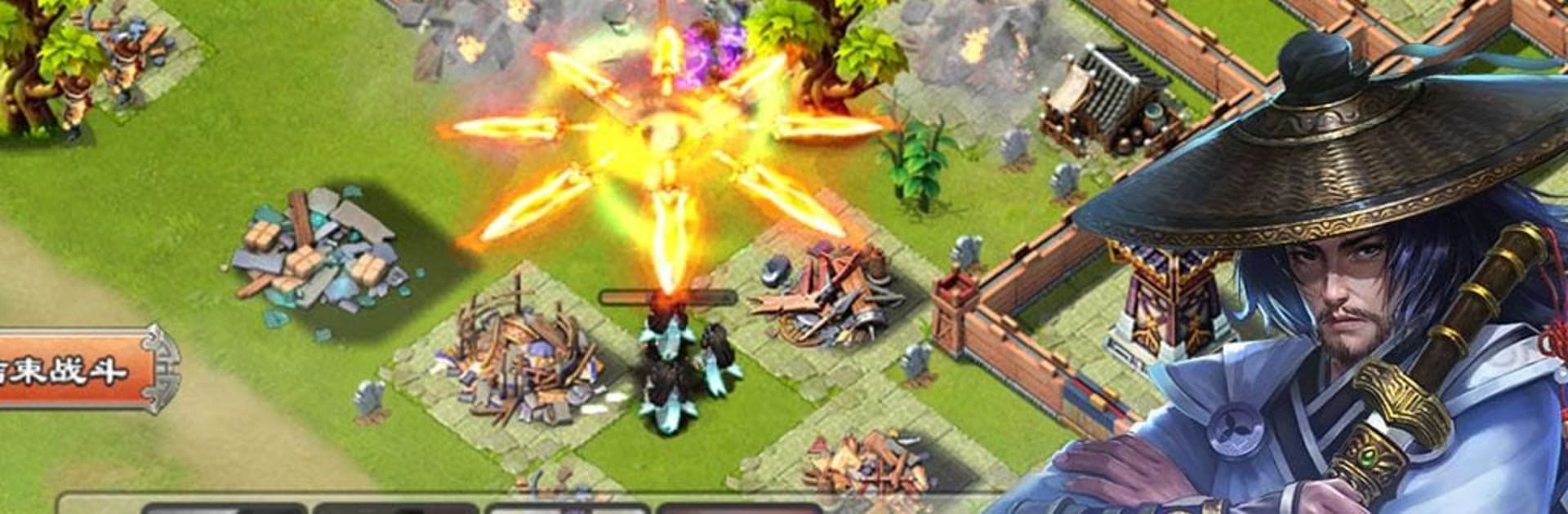
Dynasty War – Hero Clash plays like a mix of city builder and hero collector set in the Three Kingdoms era. The player upgrades a town, gathers resources, and sends armies across a big map while recruiting a bunch of famous generals to lead the squads. The battles are about formation and timing more than fast fingers. Frontline tanks keep things steady, backline damage dealers and healers do the heavy lifting, and each hero has flashy skills that can swing a fight if the lineup is right. It starts simple and grows into a puzzle of who goes where and which skills stack nicely, which is the hook here.

There is a lot to chew on: promoting officers, improving gear, training troops, and unlocking new buildings that open more options. Alliances matter, because rallies and coordinated attacks make tough targets doable, and the group perks help a ton with growth and defense. March timers, territory control, and protecting your walls give it that steady, check-in-and-plan rhythm. The art leans colorful and dramatic, with big portrait art for the heroes and chunky effects during clashes. On PC with BlueStacks it feels comfortable to manage, since clicking through menus, dragging formations, and running it while doing other stuff is easier. It suits anyone who enjoys long term strategy and team building, and is less for someone who wants direct action combat every minute.

Get ready for a buttery smooth, high-performance gaming action only on BlueStacks.

Game Features

Enhancements

  • Macros
  • Multi Instance
  • Multi Instance Sync
  • Eco Mode
  • Enhancements
Macros

Macros

Skip the boring parts of a game. Play Dynasty War - Hero Clash with Macros and get the edge. Simply record a sequence of commands and execute them at any moment.
Multi Instance

Multi Instance

Why limit to one game on your phone when you can play many on your PC? Open multiple instances of Dynasty War - Hero Clash at once with Multi-Instance. Leverage the power of different accounts by doing more.
Multi Instance Sync

Multi Instance Sync

Get the best out of Dynasty War - Hero Clash with Multi-Instance Sync. Play the game from different accounts and build your own empire. Use Multi-instance sync to repeat the action in the main BlueStacks instance on all other instances.
Eco Mode

Eco Mode

Find the rarest heroes by making multiple summons in Dynasty War - Hero Clash. And while you are at it, reduce your PC’s resource consumption with the Eco Mode. Farm efficiently. Get the best results.
Read More

How to Download and Play Dynasty War - Hero Clash on PC or Mac

  • Download and install BlueStacks on your PC or Mac

  • Complete Google sign-in to access the Play Store, or do it later

  • Look for Dynasty War - Hero Clash in the search bar at the top right corner

  • Click to install Dynasty War - Hero Clash from the search results

  • Complete Google sign-in (if you skipped step 2) to install Dynasty War - Hero Clash

  • Click the Dynasty War - Hero Clash icon on the home screen to start playing

video
Watch Video

Minimum System Requirements

With BlueStacks 5, you can get started on a PC that fulfills the following requirements.

  • Operating System

    Microsoft Windows 7 or above, macOS 11 (Big Sur) or above

  • Processor

    Intel, AMD or Apple Silicon Processor

  • RAM

    at least 4GB

  • HDD

    10GB Free Disk Space

Note:

* You must be an Administrator on your PC. Up to date graphics drivers from Microsoft or the chipset vendor.

Dynasty War - Hero Clash - FAQs

  • How to play Dynasty War - Hero Clash on Windows PC & Mac?

    Play Dynasty War - Hero Clash on your PC or Mac by following these simple steps.

    • Click on 'Play Dynasty War - Hero Clash on PC’ to download BlueStacks
    • Install it and log-in to Google Play Store
    • Launch and play the game.
  • Why is BlueStacks the fastest and safest platform to play games on PC?

    BlueStacks respects your privacy and is always safe and secure to use. It does not carry any malware, spyware, or any sort of additional software that could harm your PC.

    It is engineered to optimize speed and performance for a seamless gaming experience.

  • What are Dynasty War - Hero Clash PC requirements?

    Minimum requirement to run Dynasty War - Hero Clash on your PC

    • OS: Microsoft Windows 7 or above MacOS 11 (Big Sur) or above
    • Processor: Intel, AMD or Apple Silicon Processor
    • RAM: Your PC must have at least 4GB of RAM. (Note that having 4GB or more disk space is not a substitute for RAM)
    • HDD: 10GB Free Disk Space.
    • You must be an Administrator on your PC.