Energy Nexus
Energy Nexus

Energy Nexus

Strategy

| Gameloops

Play on PC with BlueStacks or from our cloud

  • Overview
  • Game Features
  • How to Play

Page Modified On: April 13, 2026

Play Energy Nexus on PC or Mac

Bring your A-game to Energy Nexus, the Strategy game sensation from Gameloops. Give your gameplay the much-needed boost with precise game controls, high FPS graphics, and top-tier features on your PC or Mac with BlueStacks.

About the Game

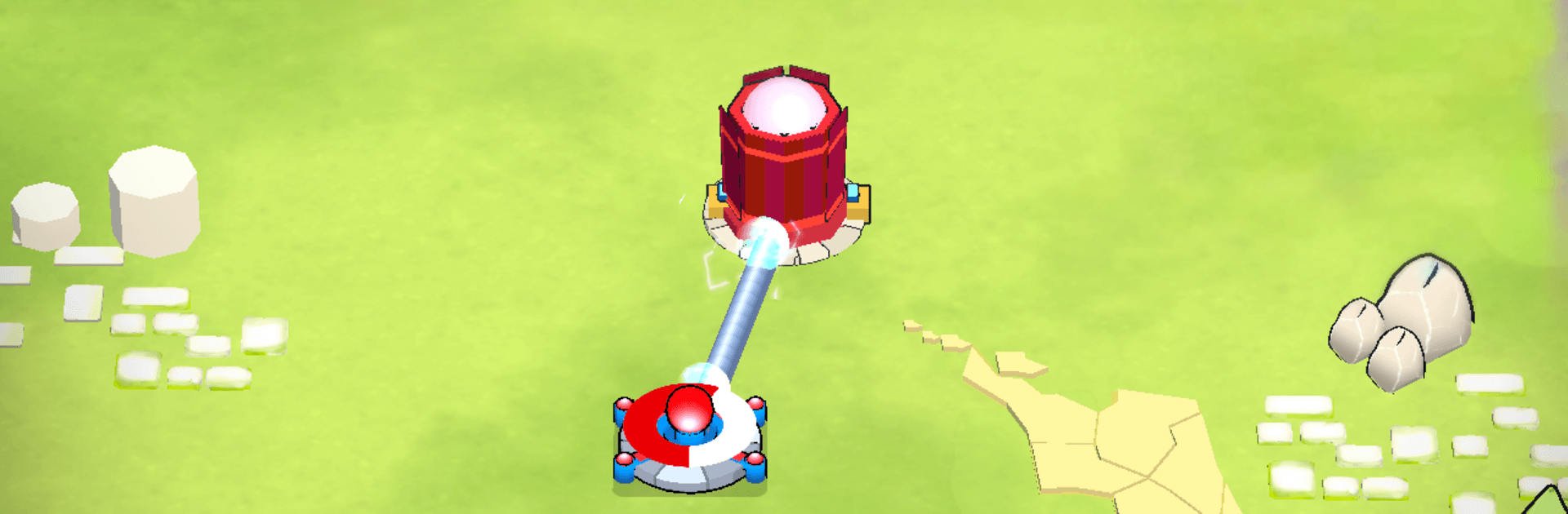
Energy Nexus is a head-to-head Strategy game from Gameloops where smart moves matter more than fast fingers. Instead of marching down preset lanes, you’re stitching together a living web of connections in real time. Expand your reach, outmaneuver your opponent, and keep your structure stable—because one careless link can put the whole thing at risk.

Game Features

  • Real-time 1v1 Duels: Face off in fast, focused matches where decisions happen on the fly. No waiting around—every second shapes the board and the outcome.

  • Networks, Not Lanes: Build a branching grid of nodes and links that becomes your territory. The shape of your web decides your attack angles, your defenses, and your next move.

  • High-Risk, High-Reward Placement: Drop a node to reinforce your line or leap forward for a bold grab. Overextend, and you’ll open gaps your rival can exploit.

  • Cutoffs and Counterplay: Snip a key connection and watch entire sections fold. Keep an eye on chokepoints, bait overreaches, and punish sloppy structure.

  • Momentum You Can Feel: Push, pause, pivot—your network breathes with your choices. Aggressive rushes and patient builds both work if your links hold.

  • Simple to Learn, Hard to Master: Clean, intuitive controls let you place and connect quickly, while the depth comes from timing, spacing, and map awareness.

  • Smooth on Mobile or PC: Play on your phone, or use BlueStacks if you’d rather click and drag with a mouse and keep everything in full view.

Get ready for a buttery smooth, high-performance gaming action only on BlueStacks.

Game Features

Enhancements

  • Macros
  • Multi Instance
  • Multi Instance Sync
  • Eco Mode
  • Enhancements
Macros

Macros

Skip the boring parts of a game. Play Energy Nexus with Macros and get the edge. Simply record a sequence of commands and execute them at any moment.
Multi Instance

Multi Instance

Why limit to one game on your phone when you can play many on your PC? Open multiple instances of Energy Nexus at once with Multi-Instance. Leverage the power of different accounts by doing more.
Multi Instance Sync

Multi Instance Sync

Get the best out of Energy Nexus with Multi-Instance Sync. Play the game from different accounts and build your own empire. Use Multi-instance sync to repeat the action in the main BlueStacks instance on all other instances.
Eco Mode

Eco Mode

Find the rarest heroes by making multiple summons in Energy Nexus. And while you are at it, reduce your PC’s resource consumption with the Eco Mode. Farm efficiently. Get the best results.
Read More

How to Download and Play Energy Nexus on PC or Mac

  • Download and install BlueStacks on your PC or Mac

  • Complete Google sign-in to access the Play Store, or do it later

  • Look for Energy Nexus in the search bar at the top right corner

  • Click to install Energy Nexus from the search results

  • Complete Google sign-in (if you skipped step 2) to install Energy Nexus

  • Click the Energy Nexus icon on the home screen to start playing

video
Watch Video

Minimum System Requirements

With BlueStacks 5, you can get started on a PC that fulfills the following requirements.

  • Operating System

    Microsoft Windows 7 or above, macOS 11 (Big Sur) or above

  • Processor

    Intel, AMD or Apple Silicon Processor

  • RAM

    at least 4GB

  • HDD

    10GB Free Disk Space

Note:

* You must be an Administrator on your PC. Up to date graphics drivers from Microsoft or the chipset vendor.

Energy Nexus - FAQs

  • How to play Energy Nexus on Windows PC & Mac?

    Play Energy Nexus on your PC or Mac by following these simple steps.

    • Click on 'Play Energy Nexus on PC’ to download BlueStacks
    • Install it and log-in to Google Play Store
    • Launch and play the game.
  • Why is BlueStacks the fastest and safest platform to play games on PC?

    BlueStacks respects your privacy and is always safe and secure to use. It does not carry any malware, spyware, or any sort of additional software that could harm your PC.

    It is engineered to optimize speed and performance for a seamless gaming experience.

  • What are Energy Nexus PC requirements?

    Minimum requirement to run Energy Nexus on your PC

    • OS: Microsoft Windows 7 or above MacOS 11 (Big Sur) or above
    • Processor: Intel, AMD or Apple Silicon Processor
    • RAM: Your PC must have at least 4GB of RAM. (Note that having 4GB or more disk space is not a substitute for RAM)
    • HDD: 10GB Free Disk Space.
    • You must be an Administrator on your PC.