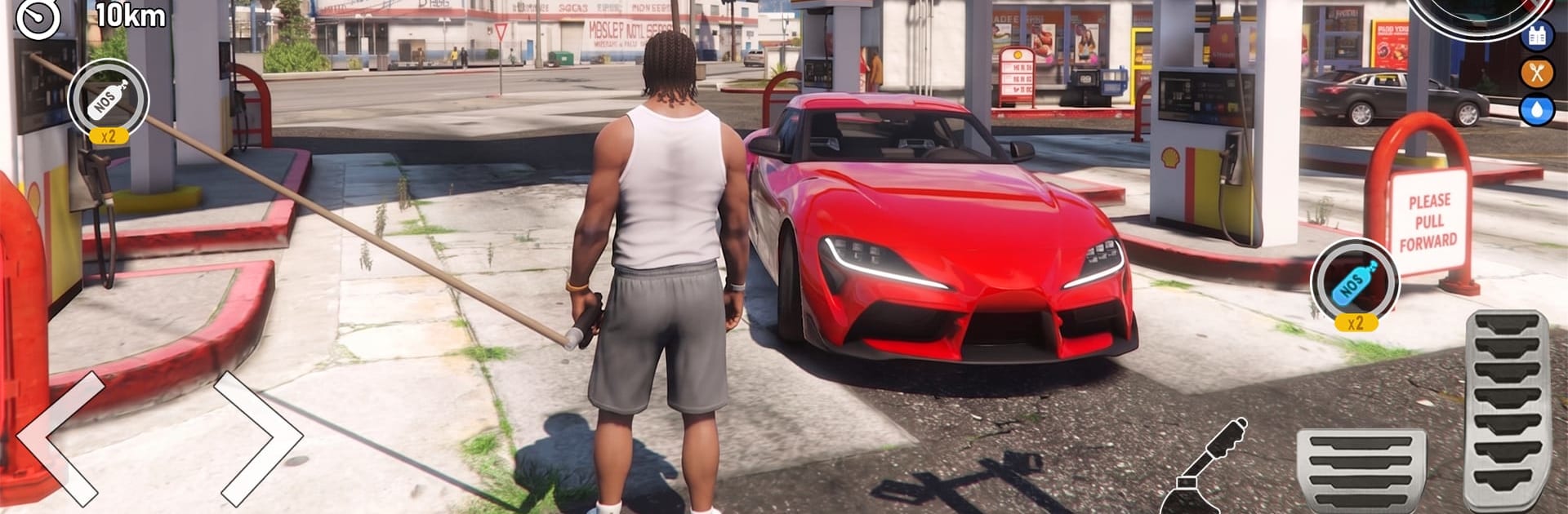
Extreme Car Simulator Car Game

Extreme Car Simulator Car Game

Strategy

| Nexon Studio

Play on PC with BlueStacks or from our cloud

  • Overview
  • Game Features
  • How to Play

Page Modified On: August 21, 2026

Play Extreme Car Simulator Car Game on PC or Mac

Step into the World of Extreme Car Simulator Car Game, a thrilling Strategy game from the house of Nexon Studio. Play this Android game on BlueStacks App Player and experience immersive gaming on PC or Mac.

About the Game

Extreme Car Simulator Car Game turns fast driving into a thinking person’s playground. It lives in the Strategy space, asking you to plan your line, manage throttle and brake timing, and pick the right setup to nail each corner. Expect roaring engines, tight drifts, and a steady flow of challenges that reward smart choices as much as raw speed.

Game Features

  • Realistic Drifting Physics: Feel the car load up, break traction, and slide with control thanks to weighty handling and believable tire grip.
  • Varied Locations: Cut through city blocks, open highways, and purpose-built drift arenas that push different skills every time you roll out.
  • Missions and Challenges: Tackle precision tests, time trials, and drift targets designed to sharpen technique and consistency.
  • Unlockable Rides: Grow your garage with punchy muscle machines and razor-sharp sports cars, each with a distinct personality.
  • Customization That Matters: Tweak looks and performance to match your style, from slide-friendly setups to grippy, race-ready builds.
  • Precision Controls: Smooth steering, a responsive handbrake, and clean throttle modulation make linking long drifts feel natural.
  • Authentic Sight and Sound: Crisp engine notes, tire squeal, and detailed environments sell the speed and make every run satisfying.
  • Open-Road Practice: Free-roam routes let you experiment with lines, practice transitions, and warm up before going for records.
  • Progress Your Skills: Gradual difficulty ramps encourage better corner entries, smoother exits, and smarter car choices over time.
  • Play on BlueStacks: Prefer a larger display and steady performance? It runs comfortably on BlueStacks without changing how the game feels.

Get ready for a buttery smooth, high-performance gaming action only on BlueStacks.

Game Features

Enhancements

  • Macros
  • Multi Instance
  • Multi Instance Sync
  • Eco Mode
  • Enhancements
Macros

Macros

Skip the boring parts of a game. Play Extreme Car Simulator Car Game with Macros and get the edge. Simply record a sequence of commands and execute them at any moment.
Multi Instance

Multi Instance

Why limit to one game on your phone when you can play many on your PC? Open multiple instances of Extreme Car Simulator Car Game at once with Multi-Instance. Leverage the power of different accounts by doing more.
Multi Instance Sync

Multi Instance Sync

Get the best out of Extreme Car Simulator Car Game with Multi-Instance Sync. Play the game from different accounts and build your own empire. Use Multi-instance sync to repeat the action in the main BlueStacks instance on all other instances.
Eco Mode

Eco Mode

Find the rarest heroes by making multiple summons in Extreme Car Simulator Car Game. And while you are at it, reduce your PC’s resource consumption with the Eco Mode. Farm efficiently. Get the best results.
Read More

How to Download and Play Extreme Car Simulator Car Game on PC or Mac

  • Download and install BlueStacks on your PC or Mac

  • Complete Google sign-in to access the Play Store, or do it later

  • Look for Extreme Car Simulator Car Game in the search bar at the top right corner

  • Click to install Extreme Car Simulator Car Game from the search results

  • Complete Google sign-in (if you skipped step 2) to install Extreme Car Simulator Car Game

  • Click the Extreme Car Simulator Car Game icon on the home screen to start playing

video
Watch Video

Minimum System Requirements

With BlueStacks 5, you can get started on a PC that fulfills the following requirements.

  • Operating System

    Microsoft Windows 7 or above, macOS 11 (Big Sur) or above

  • Processor

    Intel, AMD or Apple Silicon Processor

  • RAM

    at least 4GB

  • HDD

    10GB Free Disk Space

Note:

* You must be an Administrator on your PC. Up to date graphics drivers from Microsoft or the chipset vendor.

Extreme Car Simulator Car Game - FAQs

  • How to play Extreme Car Simulator Car Game on Windows PC & Mac?

    Play Extreme Car Simulator Car Game on your PC or Mac by following these simple steps.

    • Click on 'Play Extreme Car Simulator Car Game on PC’ to download BlueStacks
    • Install it and log-in to Google Play Store
    • Launch and play the game.
  • Why is BlueStacks the fastest and safest platform to play games on PC?

    BlueStacks respects your privacy and is always safe and secure to use. It does not carry any malware, spyware, or any sort of additional software that could harm your PC.

    It is engineered to optimize speed and performance for a seamless gaming experience.

  • What are Extreme Car Simulator Car Game PC requirements?

    Minimum requirement to run Extreme Car Simulator Car Game on your PC

    • OS: Microsoft Windows 7 or above MacOS 11 (Big Sur) or above
    • Processor: Intel, AMD or Apple Silicon Processor
    • RAM: Your PC must have at least 4GB of RAM. (Note that having 4GB or more disk space is not a substitute for RAM)
    • HDD: 10GB Free Disk Space.
    • You must be an Administrator on your PC.