Van Simulator Mini Bus Game 3D

Van Simulator Mini Bus Game 3D

Strategy

| Elites Hub

Play on PC with BlueStacks or from our cloud

  • Overview
  • Game Features
  • How to Play

Page Modified On: July 06, 2026

Play Van Simulator Mini Bus Game 3D on PC or Mac

Explore a whole new adventure with Van Simulator Mini Bus Game 3D, a Strategy game created by Elites Hub. Experience great gameplay with BlueStacks, the most popular gaming platform to play Android games on your PC or Mac.

About the Game

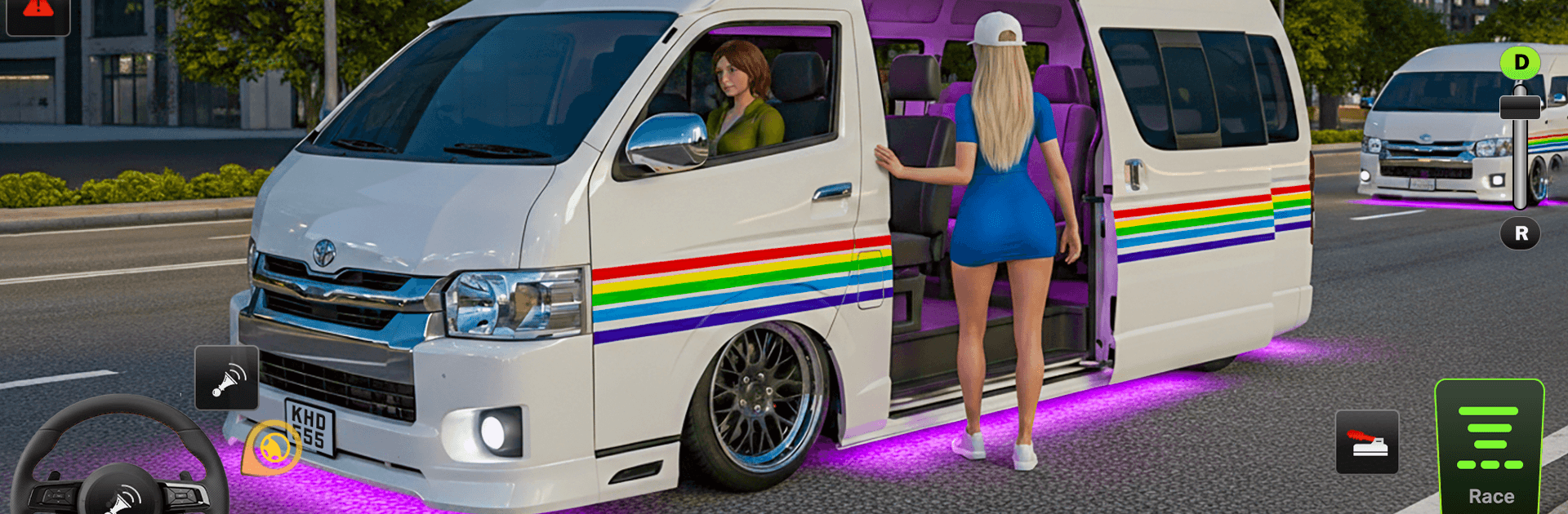
Van Simulator Mini Bus Game 3D hands you the keys to a calm, city-focused driving experience. It’s all about steady, thoughtful driving—picking up transport gigs, making deliveries, and sticking to the rules while you get to know the streets. Want to relax, zone in on smooth handling, and enjoy the rhythm of urban roads? This one’s built for that.

Game Features

  • Realistic city driving: Navigate detailed urban roads with intersections, traffic signals, lanes, and everyday street situations that reward careful, confident driving.
  • Different vans to master: Try out a range of van types and find the one that fits your style—whether you prefer something nimble or a roomier ride for bigger jobs.
  • Smooth, responsive controls: Steering, braking, and acceleration feel natural, so you can focus on timing your turns, parking neatly, and keeping things safe.
  • Missions with purpose: Tackle delivery and transport tasks across the city, from quick drop-offs to longer routes that ask you to plan ahead and drive smart.
  • Follow the rules: Respect speed limits, signal properly, and stop when you should. Good habits pay off here, and it’s surprisingly satisfying.
  • Relaxed free-roam: Not in the mood for a job? Cruise around, explore new neighborhoods, and practice tricky maneuvers at your own pace.
  • Clear guidance: Helpful prompts and route cues make it easy to stay on track without cluttering your view.
  • Easy to enjoy on PC: Prefer a bigger screen and steady inputs? You can play it with BlueStacks for a comfy, clear view of the road.

BlueStacks gives you more room to focus on the game and less time adjusting around mobile limitations.


Game Features

Enhancements

  • Macros
  • Multi Instance
  • Multi Instance Sync
  • Eco Mode
  • Enhancements
Macros

Macros

Skip the boring parts of a game. Play Van Simulator Mini Bus Game 3D with Macros and get the edge. Simply record a sequence of commands and execute them at any moment.
Multi Instance

Multi Instance

Why limit to one game on your phone when you can play many on your PC? Open multiple instances of Van Simulator Mini Bus Game 3D at once with Multi-Instance. Leverage the power of different accounts by doing more.
Multi Instance Sync

Multi Instance Sync

Get the best out of Van Simulator Mini Bus Game 3D with Multi-Instance Sync. Play the game from different accounts and build your own empire. Use Multi-instance sync to repeat the action in the main BlueStacks instance on all other instances.
Eco Mode

Eco Mode

Find the rarest heroes by making multiple summons in Van Simulator Mini Bus Game 3D. And while you are at it, reduce your PC’s resource consumption with the Eco Mode. Farm efficiently. Get the best results.
Read More

How to Download and Play Van Simulator Mini Bus Game 3D on PC or Mac

  • Download and install BlueStacks on your PC or Mac

  • Complete Google sign-in to access the Play Store, or do it later

  • Look for Van Simulator Mini Bus Game 3D in the search bar at the top right corner

  • Click to install Van Simulator Mini Bus Game 3D from the search results

  • Complete Google sign-in (if you skipped step 2) to install Van Simulator Mini Bus Game 3D

  • Click the Van Simulator Mini Bus Game 3D icon on the home screen to start playing

video
Watch Video

Minimum System Requirements

With BlueStacks 5, you can get started on a PC that fulfills the following requirements.

  • Operating System

    Microsoft Windows 7 or above, macOS 11 (Big Sur) or above

  • Processor

    Intel, AMD or Apple Silicon Processor

  • RAM

    at least 4GB

  • HDD

    10GB Free Disk Space

Note:

* You must be an Administrator on your PC. Up to date graphics drivers from Microsoft or the chipset vendor.

Van Simulator Mini Bus Game 3D - FAQs

  • How to play Van Simulator Mini Bus Game 3D on Windows PC & Mac?

    Play Van Simulator Mini Bus Game 3D on your PC or Mac by following these simple steps.

    • Click on 'Play Van Simulator Mini Bus Game 3D on PC’ to download BlueStacks
    • Install it and log-in to Google Play Store
    • Launch and play the game.
  • Why is BlueStacks the fastest and safest platform to play games on PC?

    BlueStacks respects your privacy and is always safe and secure to use. It does not carry any malware, spyware, or any sort of additional software that could harm your PC.

    It is engineered to optimize speed and performance for a seamless gaming experience.

  • What are Van Simulator Mini Bus Game 3D PC requirements?

    Minimum requirement to run Van Simulator Mini Bus Game 3D on your PC

    • OS: Microsoft Windows 7 or above MacOS 11 (Big Sur) or above
    • Processor: Intel, AMD or Apple Silicon Processor
    • RAM: Your PC must have at least 4GB of RAM. (Note that having 4GB or more disk space is not a substitute for RAM)
    • HDD: 10GB Free Disk Space.
    • You must be an Administrator on your PC.