Frost Kingdom
Frost Kingdom

Frost Kingdom

Strategy

| NEXUS

Play on PC with BlueStacks or from our cloud

  • Overview
  • Game Features
  • How to Play

Page Modified On: June 17, 2026

Play Frost Kingdom on PC or Mac

Explore a whole new adventure with Frost Kingdom, a Strategy game created by NEXUS. Experience great gameplay with BlueStacks, the most popular gaming platform to play Android games on your PC or Mac.

About the Game

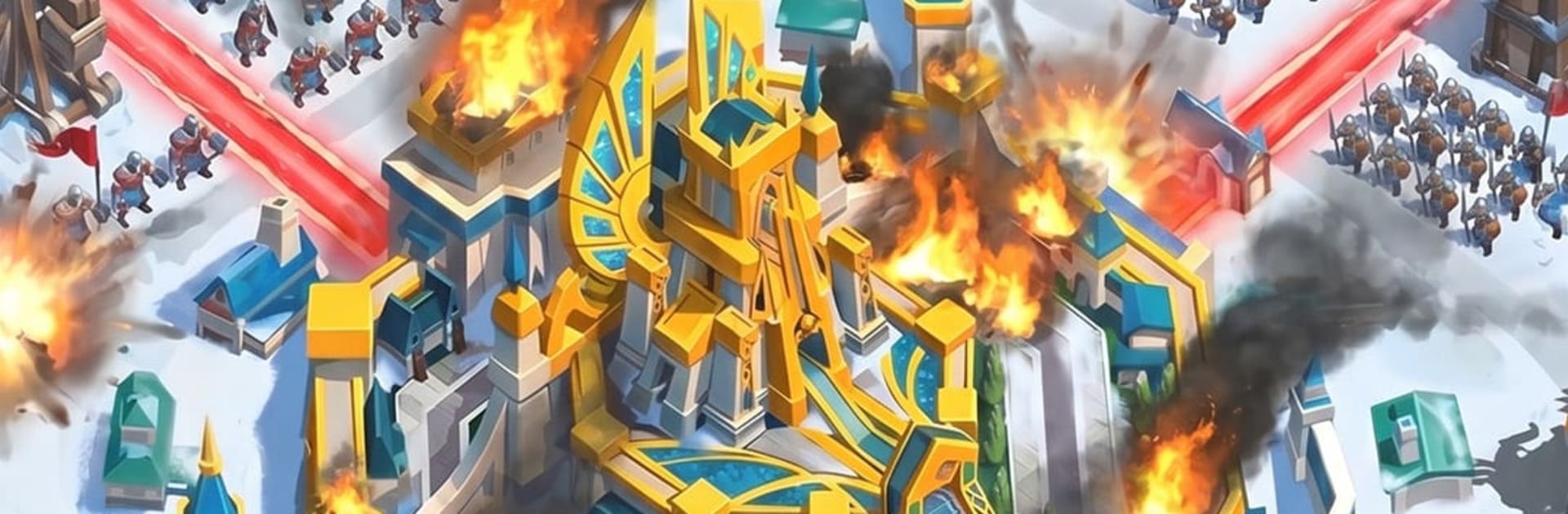
Frost Kingdom is a Strategy game set on a frozen frontier where slick merge upgrades meet thoughtful city building and tactical battles. You’re the new lord of a land that never thaws, shaping a growing stronghold, raising specialized squads, and testing clever formations against monsters and other players. Prefer playing on a bigger screen? It also runs smoothly on BlueStacks.

Game Features

  • Snap Merges, Zero Waiting: Combine matching units or buildings to power them up instantly—no timers, no queues. Jump from rookie troops to elite squads in a couple of taps.

  • Build a Living City: Upgrade your hall, academy, alchemy lab, medical tent, and more. Push back the Dark Legion to claim new tiles, accelerating production and training across your realm.

  • Formation-Driven Battles: Infantry, cavalry, and archers lock into a tight counter system. Read enemy setups, shuffle your lineup, and outplay forces that look stronger on paper.

  • Heroes That Change Everything: Recruit War, Development, and Support heroes across multiple rarities. Pair two leaders to command nine squads and stack team buffs for potent synergies.

  • Alliances and Big Map Fights: Join forces with dozens of players to capture cities, launch rallies, and grow shared tech and storage. Good coordination turns skirmishes into territory swings.

  • PvE With Real Variety: Tackle a multi-chapter campaign, star-rated outposts with idle rewards, and mine skirmishes for gold and tech. Raise mythical beasts to spike your combat stats.

  • Side Modes for a Breather: Quick hits of tower defense, match-3, and a quirky circus mode give you light, satisfying breaks between sieges and map pushes.

  • Own Your Stuff: Built on CROSS Gamechain, so key items and progress can live on-chain for true asset ownership and a flexible in-game economy.

BlueStacks gives you more room to focus on the game and less time adjusting around mobile limitations.


Game Features

Enhancements

  • Macros
  • Multi Instance
  • Multi Instance Sync
  • Eco Mode
  • Enhancements
Macros

Macros

Skip the boring parts of a game. Play Frost Kingdom with Macros and get the edge. Simply record a sequence of commands and execute them at any moment.
Multi Instance

Multi Instance

Why limit to one game on your phone when you can play many on your PC? Open multiple instances of Frost Kingdom at once with Multi-Instance. Leverage the power of different accounts by doing more.
Multi Instance Sync

Multi Instance Sync

Get the best out of Frost Kingdom with Multi-Instance Sync. Play the game from different accounts and build your own empire. Use Multi-instance sync to repeat the action in the main BlueStacks instance on all other instances.
Eco Mode

Eco Mode

Find the rarest heroes by making multiple summons in Frost Kingdom. And while you are at it, reduce your PC’s resource consumption with the Eco Mode. Farm efficiently. Get the best results.
Read More

How to Download and Play Frost Kingdom on PC or Mac

  • Download and install BlueStacks on your PC or Mac

  • Complete Google sign-in to access the Play Store, or do it later

  • Look for Frost Kingdom in the search bar at the top right corner

  • Click to install Frost Kingdom from the search results

  • Complete Google sign-in (if you skipped step 2) to install Frost Kingdom

  • Click the Frost Kingdom icon on the home screen to start playing

video
Watch Video

Minimum System Requirements

With BlueStacks 5, you can get started on a PC that fulfills the following requirements.

  • Operating System

    Microsoft Windows 7 or above, macOS 11 (Big Sur) or above

  • Processor

    Intel, AMD or Apple Silicon Processor

  • RAM

    at least 4GB

  • HDD

    10GB Free Disk Space

Note:

* You must be an Administrator on your PC. Up to date graphics drivers from Microsoft or the chipset vendor.

Frost Kingdom - FAQs

  • How to play Frost Kingdom on Windows PC & Mac?

    Play Frost Kingdom on your PC or Mac by following these simple steps.

    • Click on 'Play Frost Kingdom on PC’ to download BlueStacks
    • Install it and log-in to Google Play Store
    • Launch and play the game.
  • Why is BlueStacks the fastest and safest platform to play games on PC?

    BlueStacks respects your privacy and is always safe and secure to use. It does not carry any malware, spyware, or any sort of additional software that could harm your PC.

    It is engineered to optimize speed and performance for a seamless gaming experience.

  • What are Frost Kingdom PC requirements?

    Minimum requirement to run Frost Kingdom on your PC

    • OS: Microsoft Windows 7 or above MacOS 11 (Big Sur) or above
    • Processor: Intel, AMD or Apple Silicon Processor
    • RAM: Your PC must have at least 4GB of RAM. (Note that having 4GB or more disk space is not a substitute for RAM)
    • HDD: 10GB Free Disk Space.
    • You must be an Administrator on your PC.