Goat Robot Car Game:Robot Game

Goat Robot Car Game:Robot Game

Strategy

| Buntoo Games

Play on PC with BlueStacks or from our cloud

  • Overview
  • Game Features
  • How to Play

Page Modified On: October 21, 2026

Play Goat Robot Car Game:Robot Game on PC or Mac

Goat Robot Car Game:Robot Game by Buntoo Games has plenty to keep you busy. BlueStacks lets you play it on PC or Mac with more screen space, better control, and fewer mobile limits.

About the Game

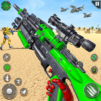
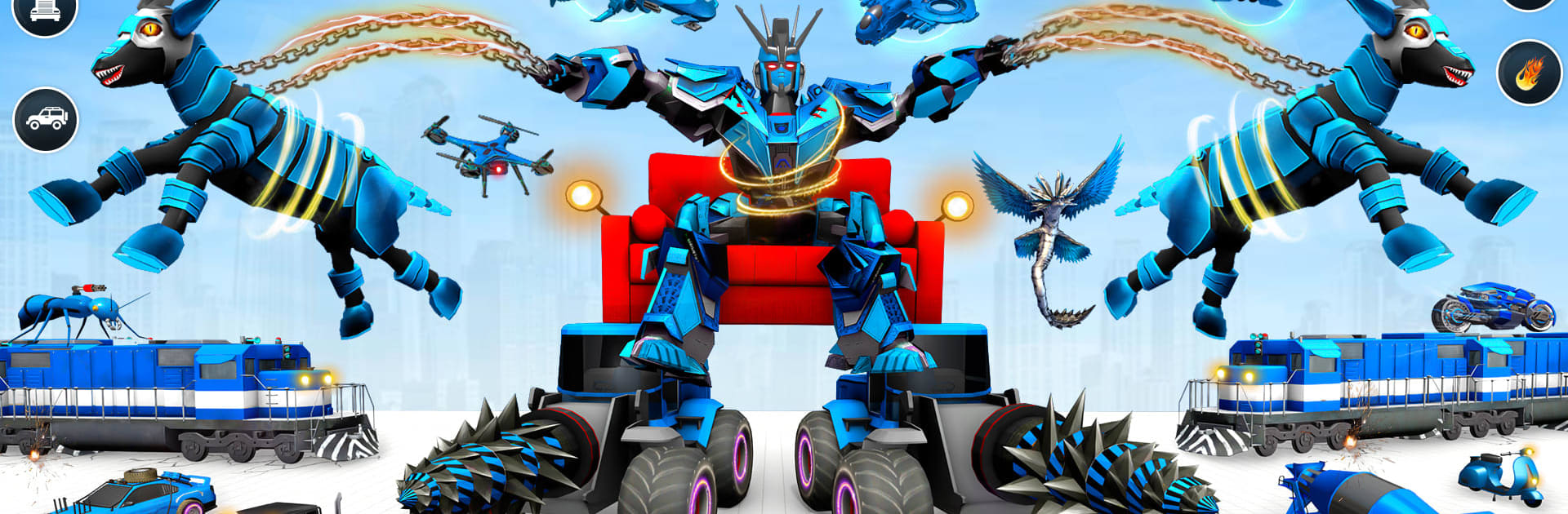
Goat Robot Car Game:Robot Game drops you into a chaotic city where steel-clad beasts, turbo rides, and heavy blasters all crash together. It’s a Strategy game with fast action and clever decision-making—pick the right form at the right moment, sweep through hostile zones, and outthink enemies that don’t quit. Want bigger visuals and comfy keys? It runs smoothly on BlueStacks, too.

Game Features

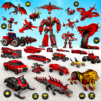
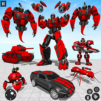
  • Wild Transformations: Swap between a hulking goat mech, a sleek car, and a nimble quad bike to match the fight in front of you.
  • Open-World Skirmishes: Patrol a sprawling city, scout hot spots, and clear districts on your own terms.
  • Fierce Foes: Battle alien drones, wolf bots, roaring lion mechs, and weaponized cars that force you to stay sharp.
  • Modes for Every Mood: Break out of lockups, haul cargo in transport runs, or tinker with build-your-own-robot challenges.
  • Gunplay That Pops: Load up serious firepower, line up clean shots, and chain transformations to survive messy crossfire.
  • Smooth Controls: Snappy movement and quick-form swaps keep the action tight when everything explodes at once.
  • Style Your Steel: Unlock distinctive robot skins and visuals to give your machine a look that’s all you.
  • Big Effects, Bigger Crashes: Punchy audio and flashy impacts make every blast, slam, and skid feel satisfyingly heavy.

BlueStacks gives you more room to focus on the game and less time adjusting around mobile limitations.


Game Features

Enhancements

  • Macros
  • Multi Instance
  • Multi Instance Sync
  • Eco Mode
  • Enhancements
Macros

Macros

Skip the boring parts of a game. Play Goat Robot Car Game:Robot Game with Macros and get the edge. Simply record a sequence of commands and execute them at any moment.
Multi Instance

Multi Instance

Why limit to one game on your phone when you can play many on your PC? Open multiple instances of Goat Robot Car Game:Robot Game at once with Multi-Instance. Leverage the power of different accounts by doing more.
Multi Instance Sync

Multi Instance Sync

Get the best out of Goat Robot Car Game:Robot Game with Multi-Instance Sync. Play the game from different accounts and build your own empire. Use Multi-instance sync to repeat the action in the main BlueStacks instance on all other instances.
Eco Mode

Eco Mode

Find the rarest heroes by making multiple summons in Goat Robot Car Game:Robot Game. And while you are at it, reduce your PC’s resource consumption with the Eco Mode. Farm efficiently. Get the best results.
Read More

How to Download and Play Goat Robot Car Game:Robot Game on PC or Mac

  • Download and install BlueStacks on your PC or Mac

  • Complete Google sign-in to access the Play Store, or do it later

  • Look for Goat Robot Car Game:Robot Game in the search bar at the top right corner

  • Click to install Goat Robot Car Game:Robot Game from the search results

  • Complete Google sign-in (if you skipped step 2) to install Goat Robot Car Game:Robot Game

  • Click the Goat Robot Car Game:Robot Game icon on the home screen to start playing

video
Watch Video

Minimum System Requirements

With BlueStacks 5, you can get started on a PC that fulfills the following requirements.

  • Operating System

    Microsoft Windows 7 or above, macOS 11 (Big Sur) or above

  • Processor

    Intel, AMD or Apple Silicon Processor

  • RAM

    at least 4GB

  • HDD

    10GB Free Disk Space

Note:

* You must be an Administrator on your PC. Up to date graphics drivers from Microsoft or the chipset vendor.

Goat Robot Car Game:Robot Game - FAQs

  • How to play Goat Robot Car Game:Robot Game on Windows PC & Mac?

    Play Goat Robot Car Game:Robot Game on your PC or Mac by following these simple steps.

    • Click on 'Play Goat Robot Car Game:Robot Game on PC’ to download BlueStacks
    • Install it and log-in to Google Play Store
    • Launch and play the game.
  • Why is BlueStacks the fastest and safest platform to play games on PC?

    BlueStacks respects your privacy and is always safe and secure to use. It does not carry any malware, spyware, or any sort of additional software that could harm your PC.

    It is engineered to optimize speed and performance for a seamless gaming experience.

  • What are Goat Robot Car Game:Robot Game PC requirements?

    Minimum requirement to run Goat Robot Car Game:Robot Game on your PC

    • OS: Microsoft Windows 7 or above MacOS 11 (Big Sur) or above
    • Processor: Intel, AMD or Apple Silicon Processor
    • RAM: Your PC must have at least 4GB of RAM. (Note that having 4GB or more disk space is not a substitute for RAM)
    • HDD: 10GB Free Disk Space.
    • You must be an Administrator on your PC.