Grand Gangster Open World Game

Grand Gangster Open World Game

Strategy

| 8-Bit Gaming Studio

Play on PC with BlueStacks or from our cloud

  • Overview
  • Game Features
  • How to Play

Page Modified On: June 02, 2026

Play Grand Gangster Open World Game on PC or Mac

Bring your A-game to Grand Gangster Open World Game, the Strategy game sensation from 8-Bit Gaming Studio. Give your gameplay the much-needed boost with precise game controls, high FPS graphics, and top-tier features on your PC or Mac with BlueStacks.

About the Game

Grand Gangster Open World Game drops you into a sprawling city where every block is a new opportunity—or a bad idea you’re bold enough to try. It blends free-roam chaos with mission-focused Strategy, so you can plan the perfect getaway or just go joyriding for a while. Pick your approach, pick your ride, and carve out a name on streets that never really sleep.

Game Features

  • Big city, bigger sandbox: Roam a wide urban map packed with side streets, rooftops, and spots worth poking around. Sometimes the detour is where the fun actually starts.
  • Two modes, two mindsets: Kick back in Open World Mode for pure exploration and stunt sessions, or switch to Story Mode for structured missions that stack tension and payoffs.
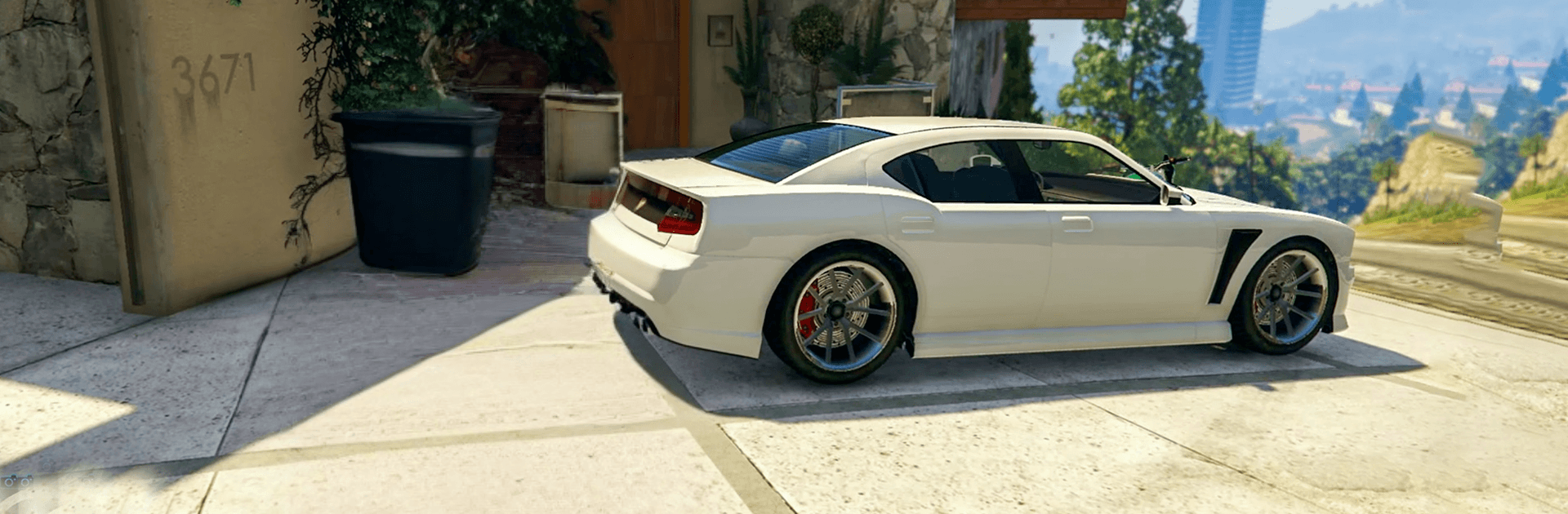
  • Vehicles for every mood: Slip into sleek cars, crush pavement in monster trucks, or lift off in helicopters to scout from the sky. Each handles differently, so mastering them feels rewarding.
  • Your character, your style: Choose a favorite character and lean into the way you like to play—calculated and quiet, or loud and messy.
  • Missions that make you think: Objectives encourage planning and improvisation. Scout a route, pick your timing, and adapt when plans go sideways.
  • Smooth controls, clean UI: Snappy steering, responsive driving, and an interface that stays out of your way so you can focus on the action.
  • Garage growth: Unlock fresh rides and expand your collection as you progress, then tweak setups to suit chases, jumps, or quick escapes.
  • Looks and atmosphere: A detailed city with clear visuals and effects that make drifting corners, rooftop views, and high-speed runs feel crisp.
  • Play it your way on PC: Prefer keyboard and mouse? The game feels right at home on BlueStacks without stealing the spotlight from the action.

BlueStacks gives you more room to focus on the game and less time adjusting around mobile limitations.


Game Features

Enhancements

  • Macros
  • Multi Instance
  • Multi Instance Sync
  • Eco Mode
  • Enhancements
Macros

Macros

Skip the boring parts of a game. Play Grand Gangster Open World Game with Macros and get the edge. Simply record a sequence of commands and execute them at any moment.
Multi Instance

Multi Instance

Why limit to one game on your phone when you can play many on your PC? Open multiple instances of Grand Gangster Open World Game at once with Multi-Instance. Leverage the power of different accounts by doing more.
Multi Instance Sync

Multi Instance Sync

Get the best out of Grand Gangster Open World Game with Multi-Instance Sync. Play the game from different accounts and build your own empire. Use Multi-instance sync to repeat the action in the main BlueStacks instance on all other instances.
Eco Mode

Eco Mode

Find the rarest heroes by making multiple summons in Grand Gangster Open World Game. And while you are at it, reduce your PC’s resource consumption with the Eco Mode. Farm efficiently. Get the best results.
Read More

How to Download and Play Grand Gangster Open World Game on PC or Mac

  • Download and install BlueStacks on your PC or Mac

  • Complete Google sign-in to access the Play Store, or do it later

  • Look for Grand Gangster Open World Game in the search bar at the top right corner

  • Click to install Grand Gangster Open World Game from the search results

  • Complete Google sign-in (if you skipped step 2) to install Grand Gangster Open World Game

  • Click the Grand Gangster Open World Game icon on the home screen to start playing

video
Watch Video

Minimum System Requirements

With BlueStacks 5, you can get started on a PC that fulfills the following requirements.

  • Operating System

    Microsoft Windows 7 or above, macOS 11 (Big Sur) or above

  • Processor

    Intel, AMD or Apple Silicon Processor

  • RAM

    at least 4GB

  • HDD

    10GB Free Disk Space

Note:

* You must be an Administrator on your PC. Up to date graphics drivers from Microsoft or the chipset vendor.

Grand Gangster Open World Game - FAQs

  • How to play Grand Gangster Open World Game on Windows PC & Mac?

    Play Grand Gangster Open World Game on your PC or Mac by following these simple steps.

    • Click on 'Play Grand Gangster Open World Game on PC’ to download BlueStacks
    • Install it and log-in to Google Play Store
    • Launch and play the game.
  • Why is BlueStacks the fastest and safest platform to play games on PC?

    BlueStacks respects your privacy and is always safe and secure to use. It does not carry any malware, spyware, or any sort of additional software that could harm your PC.

    It is engineered to optimize speed and performance for a seamless gaming experience.

  • What are Grand Gangster Open World Game PC requirements?

    Minimum requirement to run Grand Gangster Open World Game on your PC

    • OS: Microsoft Windows 7 or above MacOS 11 (Big Sur) or above
    • Processor: Intel, AMD or Apple Silicon Processor
    • RAM: Your PC must have at least 4GB of RAM. (Note that having 4GB or more disk space is not a substitute for RAM)
    • HDD: 10GB Free Disk Space.
    • You must be an Administrator on your PC.