Indian Jeep Wala Games 3D

Indian Jeep Wala Games 3D

Strategy

| Ecno Byte

Play on PC with BlueStacks or from our cloud

  • Overview
  • Game Features
  • How to Play

Page Modified On: October 24, 2025

Play Indian Jeep Wala Games 3D on PC or Mac

Indian Jeep Wala Games 3D brings the Strategy genre to life, and throws up exciting challenges for gamers. Developed by Ecno Byte, this Android game is best experienced on BlueStacks, the World’s #1 app player for PC and Mac users.

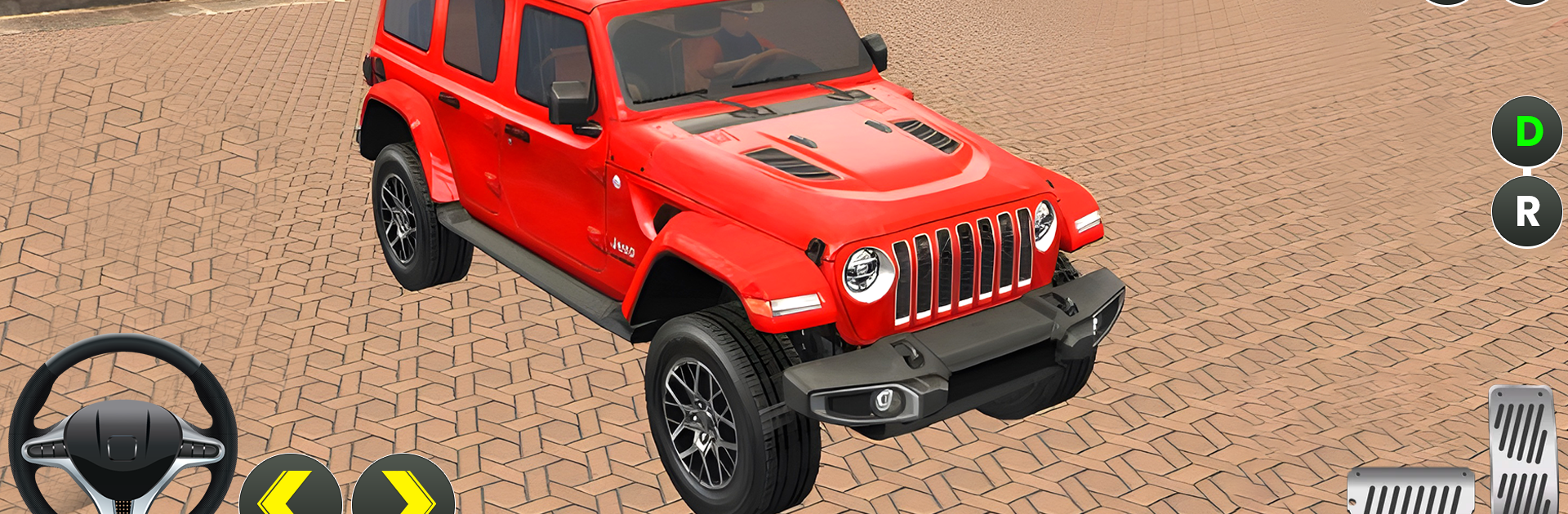
Indian Jeep Wala Games 3D is all about slow, steady off-road driving rather than racing. Players pick from a small set of jeeps, head into hilly trails, and just cruise along mountain roads that twist through trees and rocks. There is one main career mode, and it keeps things simple. The feel is calm, with smooth steering and weighty suspension that nudges the jeep over bumps instead of throwing it around. The game lets players set the mood before a drive, day or night, with rain or snowfall, then wander along the paths at their own pace without being nagged to hurry. It is more about picking a route, keeping traction on steep climbs, and enjoying the scenery rolling by.

What stands out is the atmosphere. Engine rumbles, gravel crunch, and the patter of rain make each trip feel grounded without trying too hard. The maps have enough turns and uneven ground to keep the hands busy, yet nothing feels unfair. On PC with BlueStacks, the bigger screen makes the slopes and narrow ledges easier to read, and keyboard controls give very steady inputs for tight corners. The jeep selection is not huge, but each one has a distinct feel, like heavier grip or quicker steering. Someone who wants a quiet driving game, with gentle challenges and weather to match the mood, will likely settle into this for longer than expected.

Ready to top the leaderboard? We bet you do. Let precise controls and sharp visuals optimized on BlueStacks lead you to victory.


Game Features

Enhancements

  • Macros
  • Multi Instance
  • Multi Instance Sync
  • Eco Mode
  • Enhancements
Macros

Macros

Skip the boring parts of a game. Play Indian Jeep Wala Games 3D with Macros and get the edge. Simply record a sequence of commands and execute them at any moment.
Multi Instance

Multi Instance

Why limit to one game on your phone when you can play many on your PC? Open multiple instances of Indian Jeep Wala Games 3D at once with Multi-Instance. Leverage the power of different accounts by doing more.
Multi Instance Sync

Multi Instance Sync

Get the best out of Indian Jeep Wala Games 3D with Multi-Instance Sync. Play the game from different accounts and build your own empire. Use Multi-instance sync to repeat the action in the main BlueStacks instance on all other instances.
Eco Mode

Eco Mode

Find the rarest heroes by making multiple summons in Indian Jeep Wala Games 3D. And while you are at it, reduce your PC’s resource consumption with the Eco Mode. Farm efficiently. Get the best results.
Read More

How to Download and Play Indian Jeep Wala Games 3D on PC or Mac

  • Download and install BlueStacks on your PC or Mac

  • Complete Google sign-in to access the Play Store, or do it later

  • Look for Indian Jeep Wala Games 3D in the search bar at the top right corner

  • Click to install Indian Jeep Wala Games 3D from the search results

  • Complete Google sign-in (if you skipped step 2) to install Indian Jeep Wala Games 3D

  • Click the Indian Jeep Wala Games 3D icon on the home screen to start playing

video
Watch Video

Minimum System Requirements

With BlueStacks 5, you can get started on a PC that fulfills the following requirements.

  • Operating System

    Microsoft Windows 7 or above, macOS 11 (Big Sur) or above

  • Processor

    Intel, AMD or Apple Silicon Processor

  • RAM

    at least 4GB

  • HDD

    10GB Free Disk Space

Note:

* You must be an Administrator on your PC. Up to date graphics drivers from Microsoft or the chipset vendor.

Indian Jeep Wala Games 3D - FAQs

  • How to play Indian Jeep Wala Games 3D on Windows PC & Mac?

    Play Indian Jeep Wala Games 3D on your PC or Mac by following these simple steps.

    • Click on 'Play Indian Jeep Wala Games 3D on PC’ to download BlueStacks
    • Install it and log-in to Google Play Store
    • Launch and play the game.
  • Why is BlueStacks the fastest and safest platform to play games on PC?

    BlueStacks respects your privacy and is always safe and secure to use. It does not carry any malware, spyware, or any sort of additional software that could harm your PC.

    It is engineered to optimize speed and performance for a seamless gaming experience.

  • What are Indian Jeep Wala Games 3D PC requirements?

    Minimum requirement to run Indian Jeep Wala Games 3D on your PC

    • OS: Microsoft Windows 7 or above MacOS 11 (Big Sur) or above
    • Processor: Intel, AMD or Apple Silicon Processor
    • RAM: Your PC must have at least 4GB of RAM. (Note that having 4GB or more disk space is not a substitute for RAM)
    • HDD: 10GB Free Disk Space.
    • You must be an Administrator on your PC.