
Idle War.app
Idle War.app

Idle War.app

Strategy

| FizzStack, LLC.

Play on PC with BlueStacks or from our cloud

  • Overview
  • Game Features
  • How to Play

Page Modified On: June 09, 2026

Play Idle War.app on PC or Mac

Idle War.app by FizzStack, LLC. has plenty to keep you busy. BlueStacks lets you play it on PC or Mac with more screen space, better control, and fewer mobile limits.

About the Game

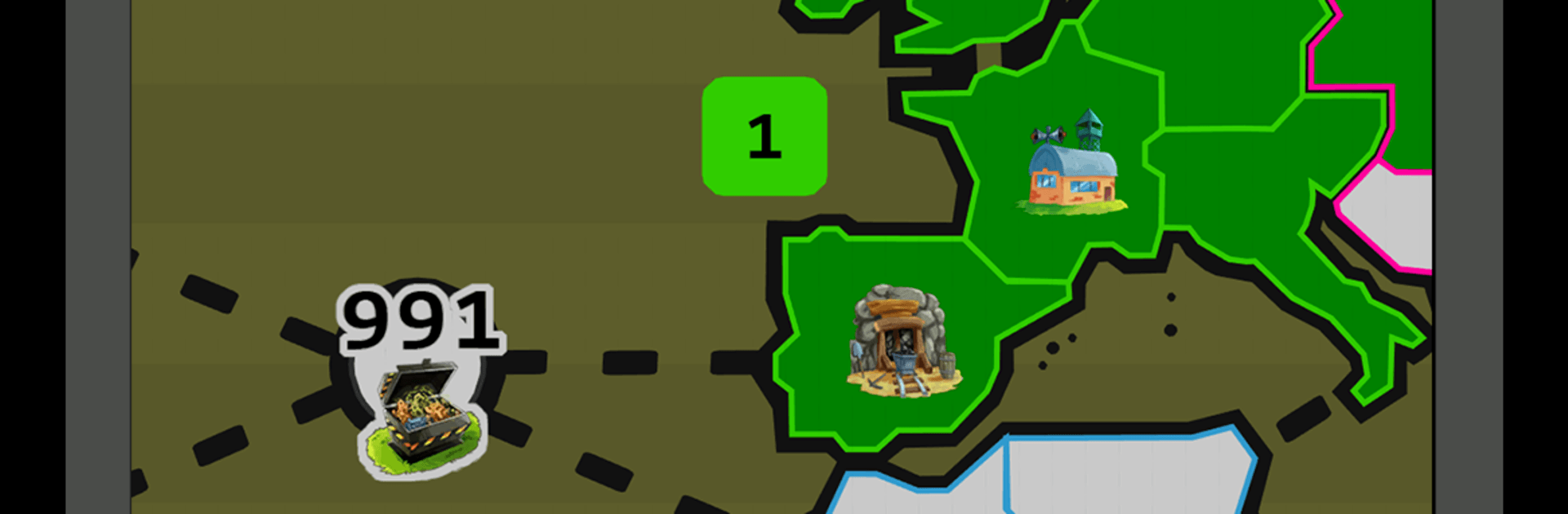
Idle War.app is a Strategy idle-builder where your empire keeps pushing forward, even when you’re not tapping. Start small, claim territory, and stitch together a production network that turns raw ore into real power for your armies. Prefer a bigger screen and keyboard? It plays smoothly on BlueStacks without changing the laid-back feel.

Game Features

  • Always-on empire: Army camps keep training troops over time, so progress continues while you’re away.
  • Territory control: Capture tiles across a sprawling map; clear whole regions to unlock handy bonuses and new opportunities.
  • Production pipeline: Open mines, refine ore in smelters, and craft items in workshops to boost income and military strength.
  • Discoveries and recipes: Find new blueprints on the map to expand what your smelters and crafters can make.
  • Techs that matter: Invest in technologies that improve camps, smelters, drafting, and more—tangible boosts you’ll actually feel.
  • Artifacts and digging: Uncover dig sites, unearth artifacts, and fuse extras to enhance permanent upgrades.
  • Smart automation: Turn on tools like auto-conquer, auto-sell, and auto-draft to keep your empire humming with minimal micromanagement.
  • Bigger idle windows: Increase the idle cap so long breaks still deliver meaningful progress.
  • Hire and heal: Bring in mercenaries for a quick surge and upgrade hospitals to save troops during tough pushes.
  • Stashes to snag: Discover caches that drop quick bursts of troops, currency, or materials when you need a nudge.
  • Many maps, fresh twists: Tackle dozens of real-world and fantasy maps, then perform a prestige-style reset for long-term gains.
  • Play multiple fronts: Run several levels at once to speed up your overall climb.
  • Competitive modes: Jump into tactical Arenas, chaotic Battle Royale matches, or face off against a sharp AI in specialized challenges.
  • Clans and chat: Join or create a clan for coordinated wars, and hop into global or clan chat to share tips and bragging rights.
  • Achievements to chase: A hefty checklist rewards smart planning and steady growth.

Ready to top the leaderboard? We bet you do. Let precise controls and sharp visuals optimized on BlueStacks lead you to victory.


Game Features

Enhancements

  • Macros
  • Multi Instance
  • Multi Instance Sync
  • Eco Mode
  • Enhancements
Macros

Macros

Skip the boring parts of a game. Play Idle War.app with Macros and get the edge. Simply record a sequence of commands and execute them at any moment.
Multi Instance

Multi Instance

Why limit to one game on your phone when you can play many on your PC? Open multiple instances of Idle War.app at once with Multi-Instance. Leverage the power of different accounts by doing more.
Multi Instance Sync

Multi Instance Sync

Get the best out of Idle War.app with Multi-Instance Sync. Play the game from different accounts and build your own empire. Use Multi-instance sync to repeat the action in the main BlueStacks instance on all other instances.
Eco Mode

Eco Mode

Find the rarest heroes by making multiple summons in Idle War.app. And while you are at it, reduce your PC’s resource consumption with the Eco Mode. Farm efficiently. Get the best results.
Read More

How to Download and Play Idle War.app on PC or Mac

  • Download and install BlueStacks on your PC or Mac

  • Complete Google sign-in to access the Play Store, or do it later

  • Look for Idle War.app in the search bar at the top right corner

  • Click to install Idle War.app from the search results

  • Complete Google sign-in (if you skipped step 2) to install Idle War.app

  • Click the Idle War.app icon on the home screen to start playing

video
Watch Video

Minimum System Requirements

With BlueStacks 5, you can get started on a PC that fulfills the following requirements.

  • Operating System

    Microsoft Windows 7 or above, macOS 11 (Big Sur) or above

  • Processor

    Intel, AMD or Apple Silicon Processor

  • RAM

    at least 4GB

  • HDD

    10GB Free Disk Space

Note:

* You must be an Administrator on your PC. Up to date graphics drivers from Microsoft or the chipset vendor.

Idle War.app - FAQs

  • How to play Idle War.app on Windows PC & Mac?

    Play Idle War.app on your PC or Mac by following these simple steps.

    • Click on 'Play Idle War.app on PC’ to download BlueStacks
    • Install it and log-in to Google Play Store
    • Launch and play the game.
  • Why is BlueStacks the fastest and safest platform to play games on PC?

    BlueStacks respects your privacy and is always safe and secure to use. It does not carry any malware, spyware, or any sort of additional software that could harm your PC.

    It is engineered to optimize speed and performance for a seamless gaming experience.

  • What are Idle War.app PC requirements?

    Minimum requirement to run Idle War.app on your PC

    • OS: Microsoft Windows 7 or above MacOS 11 (Big Sur) or above
    • Processor: Intel, AMD or Apple Silicon Processor
    • RAM: Your PC must have at least 4GB of RAM. (Note that having 4GB or more disk space is not a substitute for RAM)
    • HDD: 10GB Free Disk Space.
    • You must be an Administrator on your PC.







