Last Oasis Survivor
Last Oasis Survivor

Last Oasis Survivor

Strategy

| IT Networks DOO

Play on PC with BlueStacks or from our cloud

  • Overview
  • Game Features
  • How to Play

Page Modified On: January 05, 2026

Play Last Oasis Survivor on PC or Mac

Last Oasis Survivor brings the Strategy genre to life, and throws up exciting challenges for gamers. Developed by IT Networks DOO, this Android game is best experienced on BlueStacks, the World’s #1 app player for PC and Mac users.

About the Game

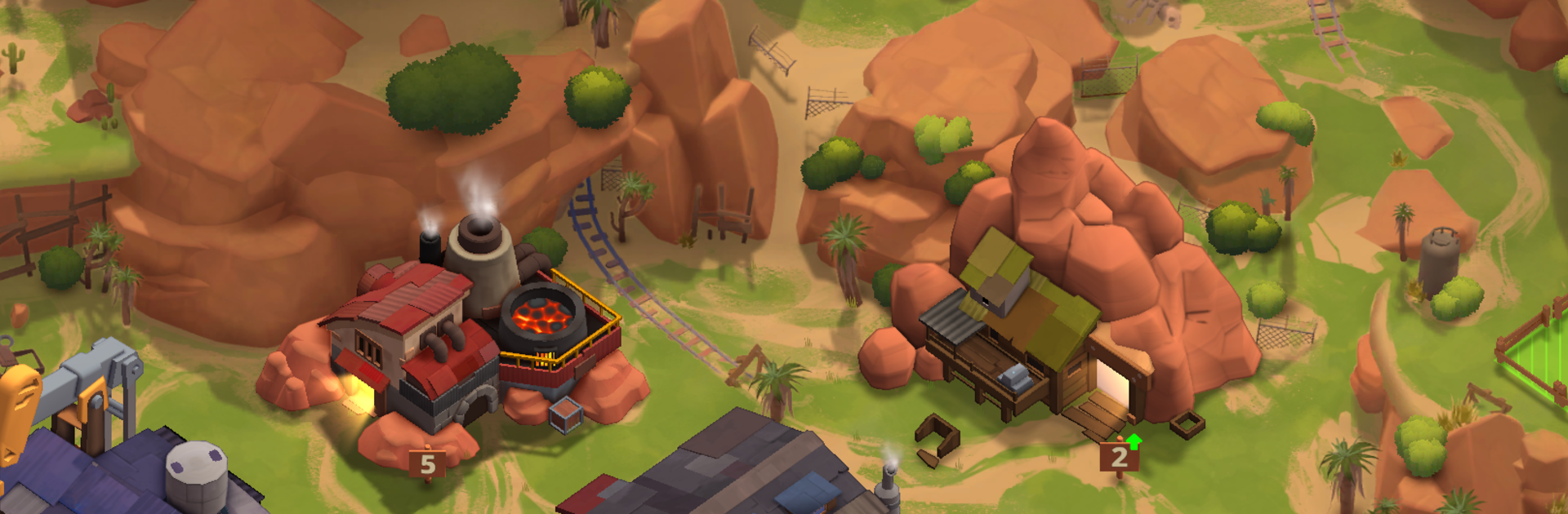
Last Oasis Survivor is a Strategy game from IT Networks DOO that drops you into a scorched world where water is everything and trust is in short supply. You lead a scrappy crew that finds a hidden spring and try to turn it into a real settlement while dust storms, raiders, and desperate neighbors circle. Prefer a bigger screen and tighter controls? It also plays great on PC with BlueStacks.

Game Features

  • Survival, Not Comfort: Scavenge the wastes for water, food, and parts, then decide what gets rationed and what gets risked on the next run. Every haul matters because someone else wants it too.
  • Build the Oasis: Turn a trickle into farms, workshops, and sturdy walls. Balance growth with consumption so your well doesn’t run dry right when trouble shows up.
  • People With Skills: Recruit survivors with distinct strengths and quirks. Put medics, scouts, and fighters in the right roles to keep the camp humming.
  • Allies or Opportunists: Strike temporary truces, guard each other’s convoys, and watch your back. Deals can save you—or blow up the moment thirst hits.
  • Tactical Skirmishes: Plan patrol routes, position units smartly, and time abilities to protect your lifeline. A sloppy fight can cost weeks of progress.
  • Territory to Contest: Seize wells, salvage fields, and choke points across the dunes. Hold them, and your oasis thrives; lose them, and it gets bleak fast.
  • Research and Relics: Unearth pre-collapse tech, upgrade irrigation and armor, and craft tools that keep your people alive when the weather turns mean.
  • Choices With Bite: Set ration laws, pick who gets treatment first, and decide when to expand or hunker down. Your calls echo through morale, stability, and the future of your oasis.

Start your journey now. Download the game on BlueStacks, invite your friends, and march on a new adventure.


Game Features

Enhancements

  • Macros
  • Multi Instance
  • Multi Instance Sync
  • Eco Mode
  • Enhancements
Macros

Macros

Skip the boring parts of a game. Play Last Oasis Survivor with Macros and get the edge. Simply record a sequence of commands and execute them at any moment.
Multi Instance

Multi Instance

Why limit to one game on your phone when you can play many on your PC? Open multiple instances of Last Oasis Survivor at once with Multi-Instance. Leverage the power of different accounts by doing more.
Multi Instance Sync

Multi Instance Sync

Get the best out of Last Oasis Survivor with Multi-Instance Sync. Play the game from different accounts and build your own empire. Use Multi-instance sync to repeat the action in the main BlueStacks instance on all other instances.
Eco Mode

Eco Mode

Find the rarest heroes by making multiple summons in Last Oasis Survivor. And while you are at it, reduce your PC’s resource consumption with the Eco Mode. Farm efficiently. Get the best results.
Read More

How to Download and Play Last Oasis Survivor on PC or Mac

  • Download and install BlueStacks on your PC or Mac

  • Complete Google sign-in to access the Play Store, or do it later

  • Look for Last Oasis Survivor in the search bar at the top right corner

  • Click to install Last Oasis Survivor from the search results

  • Complete Google sign-in (if you skipped step 2) to install Last Oasis Survivor

  • Click the Last Oasis Survivor icon on the home screen to start playing

video
Watch Video

Minimum System Requirements

With BlueStacks 5, you can get started on a PC that fulfills the following requirements.

  • Operating System

    Microsoft Windows 7 or above, macOS 11 (Big Sur) or above

  • Processor

    Intel, AMD or Apple Silicon Processor

  • RAM

    at least 4GB

  • HDD

    10GB Free Disk Space

Note:

* You must be an Administrator on your PC. Up to date graphics drivers from Microsoft or the chipset vendor.

Last Oasis Survivor - FAQs

  • How to play Last Oasis Survivor on Windows PC & Mac?

    Play Last Oasis Survivor on your PC or Mac by following these simple steps.

    • Click on 'Play Last Oasis Survivor on PC’ to download BlueStacks
    • Install it and log-in to Google Play Store
    • Launch and play the game.
  • Why is BlueStacks the fastest and safest platform to play games on PC?

    BlueStacks respects your privacy and is always safe and secure to use. It does not carry any malware, spyware, or any sort of additional software that could harm your PC.

    It is engineered to optimize speed and performance for a seamless gaming experience.

  • What are Last Oasis Survivor PC requirements?

    Minimum requirement to run Last Oasis Survivor on your PC

    • OS: Microsoft Windows 7 or above MacOS 11 (Big Sur) or above
    • Processor: Intel, AMD or Apple Silicon Processor
    • RAM: Your PC must have at least 4GB of RAM. (Note that having 4GB or more disk space is not a substitute for RAM)
    • HDD: 10GB Free Disk Space.
    • You must be an Administrator on your PC.