Legendary Dwarves
Legendary Dwarves

Legendary Dwarves

Strategy

| Moonmana LLC

Play on PC with BlueStacks or from our cloud

  • Overview
  • Game Features
  • How to Play

Page Modified On: November 28, 2025

Play Legendary Dwarves on PC or Mac

Bring your A-game to Legendary Dwarves, the Strategy game sensation from Moonmana LLC. Give your gameplay the much-needed boost with precise game controls, high FPS graphics, and top-tier features on your PC or Mac with BlueStacks.

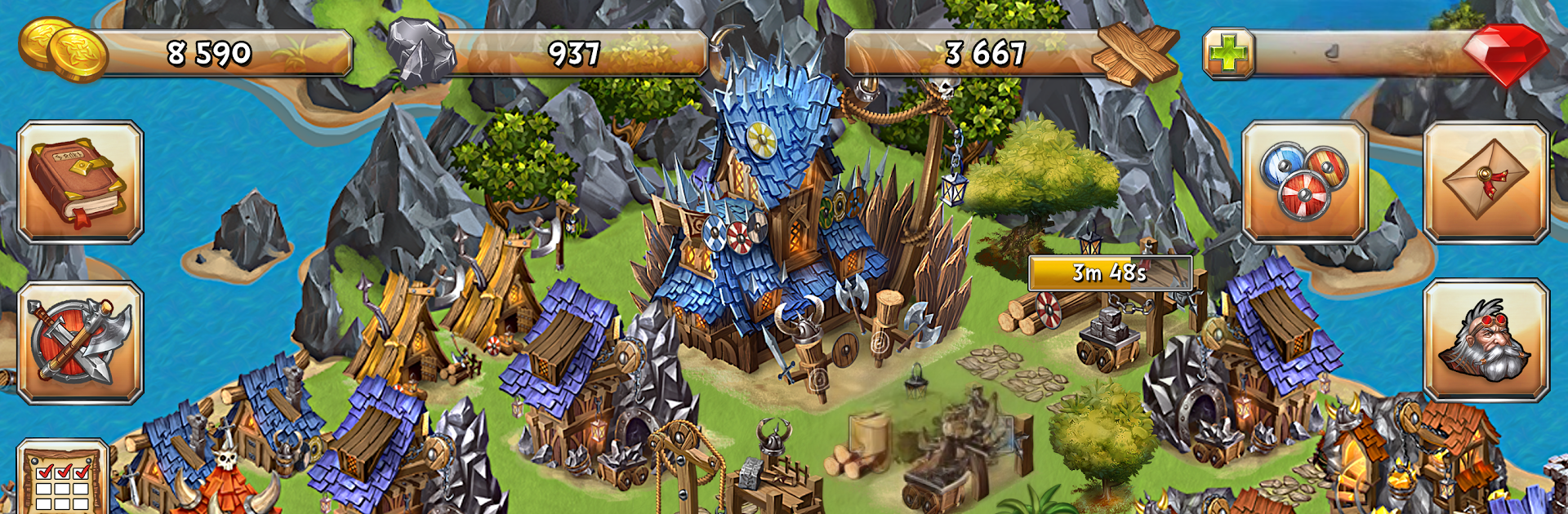
Legendary Dwarves plays like one of those build and raid strategy games where a tiny outpost slowly turns into a real power. It starts simple, a single structure and a few resources, then grows into a full base with docks, shipyards, and fleets. The loop is all about planning ahead, keeping the economy steady, then sending ships out to poke at neighbors for treasure. Battles are naval focused, so picking the right hulls and weapons matters, and a fast fleet that hits and runs feels very different from a heavier group that just tanks shots and pushes through. There is a big shared map, plenty of targets, and a constant push and pull between fortifying at home and going out to collect loot. Timers exist, so it leans more toward check in, queue upgrades, scout a route, then come back when the fleets return.

The stand out bit is how much the alliance system changes the mood. Going solo is fine early, but once raiding heats up, grouping with others for coordinated strikes and defense makes a huge difference. Diplomacy, shared targets, and that late night ping to save a teammate’s harbor, it all adds a bit of drama. It rewards patience and a clear plan rather than pure reflex, and people who enjoy managing build orders and choosing when to risk a haul will feel right at home. On PC with BlueStacks it feels cleaner to manage all the menus, typing in alliance chat is easier, and dragging fleets around with a mouse is just smoother. If someone wants a slow burn strategy with ship battles, regular PvP scuffles, and the usual “protect your stash before someone else takes it” tension, this scratches that itch quite well.

Get ready for a buttery smooth, high-performance gaming action only on BlueStacks.

Game Features

Enhancements

  • Macros
  • Multi Instance
  • Multi Instance Sync
  • Eco Mode
  • Enhancements
Macros

Macros

Skip the boring parts of a game. Play Legendary Dwarves with Macros and get the edge. Simply record a sequence of commands and execute them at any moment.
Multi Instance

Multi Instance

Why limit to one game on your phone when you can play many on your PC? Open multiple instances of Legendary Dwarves at once with Multi-Instance. Leverage the power of different accounts by doing more.
Multi Instance Sync

Multi Instance Sync

Get the best out of Legendary Dwarves with Multi-Instance Sync. Play the game from different accounts and build your own empire. Use Multi-instance sync to repeat the action in the main BlueStacks instance on all other instances.
Eco Mode

Eco Mode

Find the rarest heroes by making multiple summons in Legendary Dwarves. And while you are at it, reduce your PC’s resource consumption with the Eco Mode. Farm efficiently. Get the best results.
Read More

How to Download and Play Legendary Dwarves on PC or Mac

  • Download and install BlueStacks on your PC or Mac

  • Complete Google sign-in to access the Play Store, or do it later

  • Look for Legendary Dwarves in the search bar at the top right corner

  • Click to install Legendary Dwarves from the search results

  • Complete Google sign-in (if you skipped step 2) to install Legendary Dwarves

  • Click the Legendary Dwarves icon on the home screen to start playing

video
Watch Video

Minimum System Requirements

With BlueStacks 5, you can get started on a PC that fulfills the following requirements.

  • Operating System

    Microsoft Windows 7 or above, macOS 11 (Big Sur) or above

  • Processor

    Intel, AMD or Apple Silicon Processor

  • RAM

    at least 4GB

  • HDD

    10GB Free Disk Space

Note:

* You must be an Administrator on your PC. Up to date graphics drivers from Microsoft or the chipset vendor.

Legendary Dwarves - FAQs

  • How to play Legendary Dwarves on Windows PC & Mac?

    Play Legendary Dwarves on your PC or Mac by following these simple steps.

    • Click on 'Play Legendary Dwarves on PC’ to download BlueStacks
    • Install it and log-in to Google Play Store
    • Launch and play the game.
  • Why is BlueStacks the fastest and safest platform to play games on PC?

    BlueStacks respects your privacy and is always safe and secure to use. It does not carry any malware, spyware, or any sort of additional software that could harm your PC.

    It is engineered to optimize speed and performance for a seamless gaming experience.

  • What are Legendary Dwarves PC requirements?

    Minimum requirement to run Legendary Dwarves on your PC

    • OS: Microsoft Windows 7 or above MacOS 11 (Big Sur) or above
    • Processor: Intel, AMD or Apple Silicon Processor
    • RAM: Your PC must have at least 4GB of RAM. (Note that having 4GB or more disk space is not a substitute for RAM)
    • HDD: 10GB Free Disk Space.
    • You must be an Administrator on your PC.