Legends of Rhandum
Legends of Rhandum

Legends of Rhandum

Strategy

| KEYSTORM HOLDINGS LTD

Play on PC with BlueStacks or from our cloud

  • Overview
  • Game Features
  • How to Play

Page Modified On: October 12, 2026

Play Legends of Rhandum on PC or Mac

Legends of Rhandum by KEYSTORM HOLDINGS LTD has plenty to keep you busy. BlueStacks lets you play it on PC or Mac with more screen space, better control, and fewer mobile limits.

About the Game

Legends of Rhandum blends block‑puzzle tactics with real-time duels, turning an 8×8 board into a fast, thinking-on-your-feet battlefield. It’s a head-to-head Strategy experience where you rack up points by crushing waves, chaining line clears, and prepping for a final boss that literally eats the board. Prefer a bigger screen and crisp clicks? You can play on PC with BlueStacks.

Game Features

  • Real-time 1v1: Go toe-to-toe on mirrored boards, reading the field faster than your rival while monsters close in from the edge.
  • Build-and-clear flow: Drop pawns on powered cells, connect lines to trigger combo damage, and crack obstacles for juicy bonuses.
  • 8×8 board mastery: Upgrade tiles, manage mana, and time your rolls so one smart placement turns into a board-wide payoff.
  • Twenty relentless waves: Enemies stream toward your gate; every kill adds points as speed, health, and abilities ramp up.
  • Basilisk showdown: After wave 20, placements lock—target segments, pop fragments, sling spells, and let raw DPS decide the victor.
  • Three distinctive factions: Pick from Kingdom Folk, Free Blades, or Magical Creatures, each with units and perks that shift your whole game plan.
  • Clear, readable combat: Clean ranges, visible base HP, and uncluttered info keep focus on choices, not guesswork.
  • Triggers and synergies: Certain pawns fire special effects when they complete a line, rewarding clever sequencing and setups.
  • Progress that sticks: Earn upgrades and passive boosts that shape future decks without burying you in confusing currencies.
  • Quick matches, high ceiling: Short, punchy sessions that reward calm hands, sharp eyes, and gutsy calls under pressure.

Start playing Legends of Rhandum on BlueStacks and get a smoother, more comfortable PC or Mac setup.


Game Features

Enhancements

  • Macros
  • Multi Instance
  • Multi Instance Sync
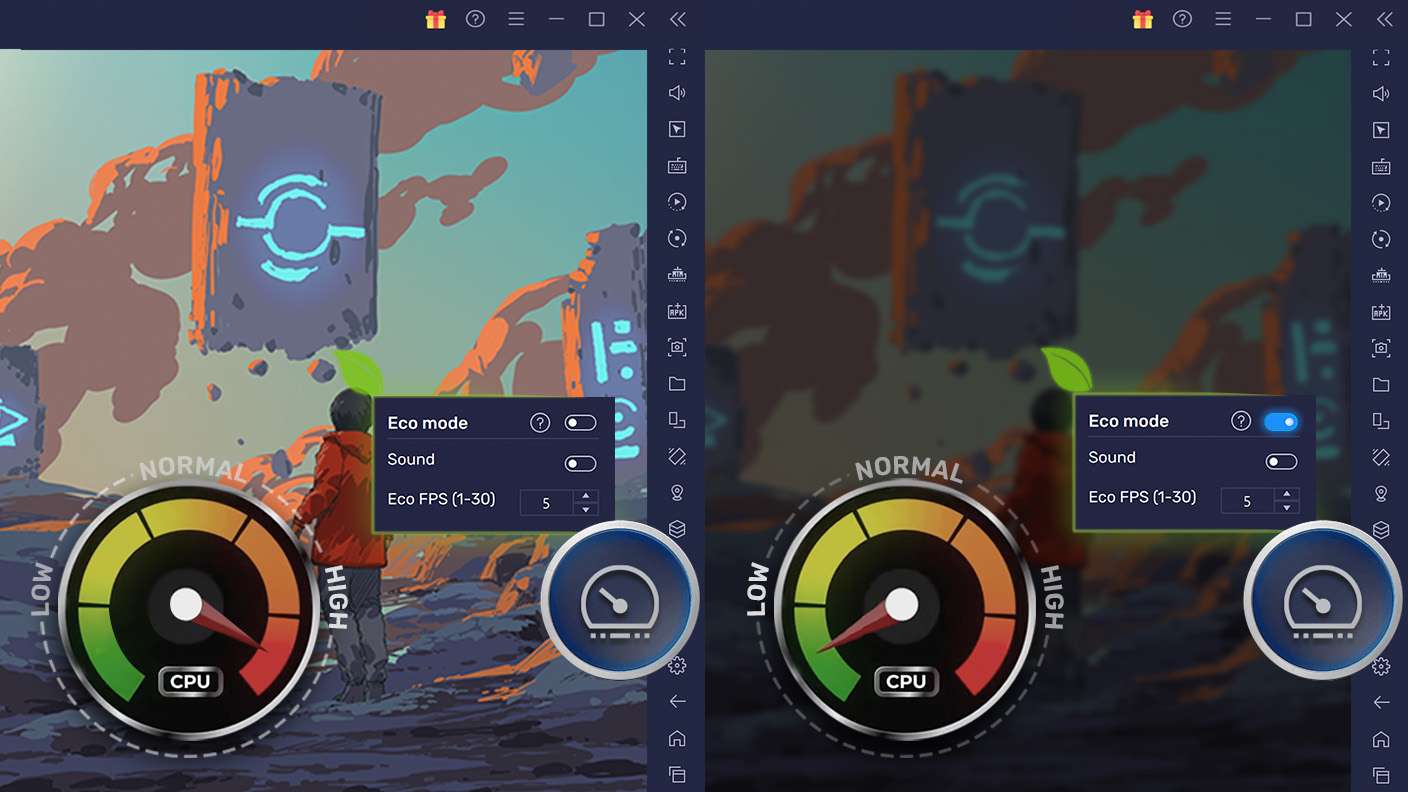
  • Eco Mode
  • Enhancements
Macros

Macros

Skip the boring parts of a game. Play Legends of Rhandum with Macros and get the edge. Simply record a sequence of commands and execute them at any moment.
Multi Instance

Multi Instance

Why limit to one game on your phone when you can play many on your PC? Open multiple instances of Legends of Rhandum at once with Multi-Instance. Leverage the power of different accounts by doing more.
Multi Instance Sync

Multi Instance Sync

Get the best out of Legends of Rhandum with Multi-Instance Sync. Play the game from different accounts and build your own empire. Use Multi-instance sync to repeat the action in the main BlueStacks instance on all other instances.
Eco Mode

Eco Mode

Find the rarest heroes by making multiple summons in Legends of Rhandum. And while you are at it, reduce your PC’s resource consumption with the Eco Mode. Farm efficiently. Get the best results.
Read More

How to Download and Play Legends of Rhandum on PC or Mac

  • Download and install BlueStacks on your PC or Mac

  • Complete Google sign-in to access the Play Store, or do it later

  • Look for Legends of Rhandum in the search bar at the top right corner

  • Click to install Legends of Rhandum from the search results

  • Complete Google sign-in (if you skipped step 2) to install Legends of Rhandum

  • Click the Legends of Rhandum icon on the home screen to start playing

video
Watch Video

Minimum System Requirements

With BlueStacks 5, you can get started on a PC that fulfills the following requirements.

  • Operating System

    Microsoft Windows 7 or above, macOS 11 (Big Sur) or above

  • Processor

    Intel, AMD or Apple Silicon Processor

  • RAM

    at least 4GB

  • HDD

    10GB Free Disk Space

Note:

* You must be an Administrator on your PC. Up to date graphics drivers from Microsoft or the chipset vendor.

Legends of Rhandum - FAQs

  • How to play Legends of Rhandum on Windows PC & Mac?

    Play Legends of Rhandum on your PC or Mac by following these simple steps.

    • Click on 'Play Legends of Rhandum on PC’ to download BlueStacks
    • Install it and log-in to Google Play Store
    • Launch and play the game.
  • Why is BlueStacks the fastest and safest platform to play games on PC?

    BlueStacks respects your privacy and is always safe and secure to use. It does not carry any malware, spyware, or any sort of additional software that could harm your PC.

    It is engineered to optimize speed and performance for a seamless gaming experience.

  • What are Legends of Rhandum PC requirements?

    Minimum requirement to run Legends of Rhandum on your PC

    • OS: Microsoft Windows 7 or above MacOS 11 (Big Sur) or above
    • Processor: Intel, AMD or Apple Silicon Processor
    • RAM: Your PC must have at least 4GB of RAM. (Note that having 4GB or more disk space is not a substitute for RAM)
    • HDD: 10GB Free Disk Space.
    • You must be an Administrator on your PC.