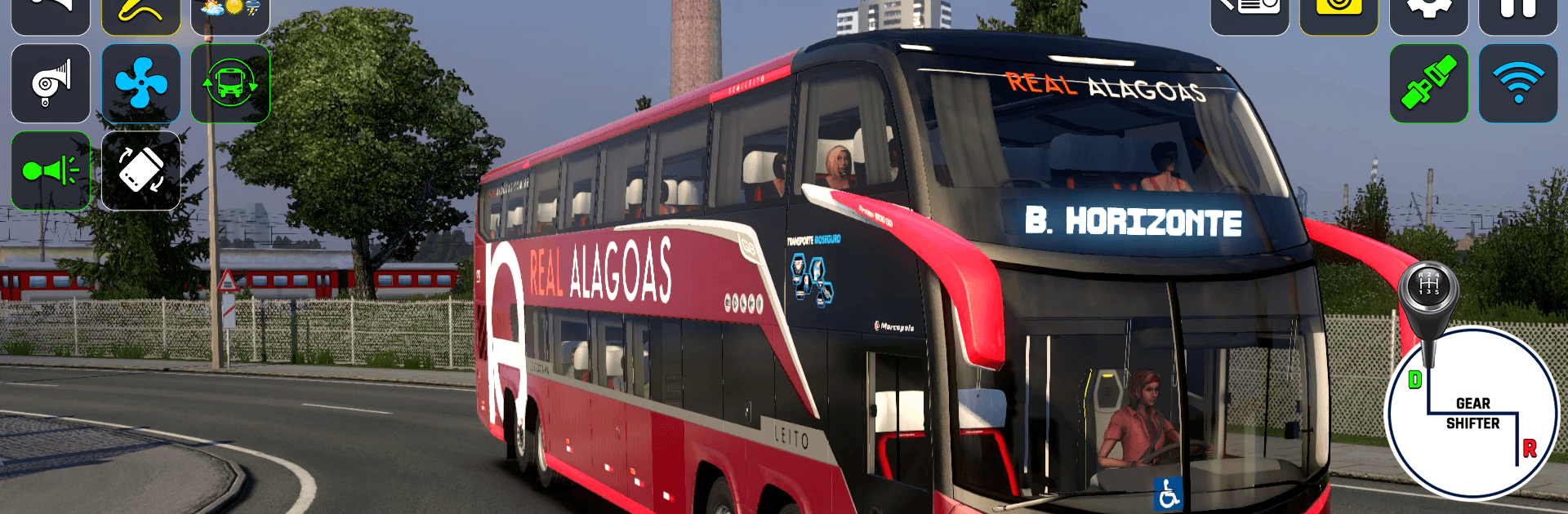
Mega Bus Simulator - Bus Games

Mega Bus Simulator - Bus Games

Strategy

| Games Innovation Studio

Play on PC with BlueStacks or from our cloud

  • Overview
  • Game Features
  • How to Play

Page Modified On: May 18, 2026

Play Mega Bus Simulator - Bus Games on PC or Mac

Explore a whole new adventure with Mega Bus Simulator – Bus Games, a Strategy game created by Games Innovation Studio. Experience great gameplay with BlueStacks, the most popular gaming platform to play Android games on your PC or Mac.

About the Game

Mega Bus Simulator – Bus Games puts you behind the wheel of big-city routes and long highways, mixing relaxed free-roam cruising with mission-based challenges. It’s a Strategy-minded bus experience where smart route choices, timing, and smooth driving actually matter. Made by Games Innovation Studio, it runs great on mobile and also feels right at home on BlueStacks if you like a larger screen and tighter controls.

Game Features

  • Open-World Driving: Explore a living city at your own pace, roll through busy intersections, and take in highway stretches without strict limits.
  • Structured Missions: Pick up passengers, keep to schedules, and respond to the call system that pings you with new jobs as you go.
  • Offroad Mode: Tackle rough terrain across 10 handcrafted stages, complete with short cutscenes that set the scene before each challenge.
  • City Mode Refresh: Updated routes, denser traffic, and smoother controls bring a more believable urban commute.
  • Multiple Characters: Choose a driver that fits your vibe; each selection adds a touch of personality to your runs.
  • Garage & Bus Collection: Unlock and manage a lineup of luxury and premium buses, each with its own handling and feel.
  • Realistic Cockpits: Detailed interiors and clear dashboards make every turn, brake, and mirror check feel authentic.
  • Beginner-Friendly Physics: Intuitive controls with grounded driving physics—easy to learn, satisfying to master.
  • Bus Wash Tasks: Quick cleaning jobs break up the routine and keep your ride looking sharp.
  • Race Events: Short, snappy bus race missions when you want a faster-paced detour.
  • Sights & Sounds: High-quality 3D visuals, clean animations, and crisp audio wrap each route in a convincing atmosphere.
  • Play Your Way: Free drive for a chill session or follow level-based goals when you want structure—both fit the Strategy genre’s thoughtful pacing.

Start your journey now. Download the game on BlueStacks, invite your friends, and march on a new adventure.


Game Features

Enhancements

  • Macros
  • Multi Instance
  • Multi Instance Sync
  • Eco Mode
  • Enhancements
Macros

Macros

Skip the boring parts of a game. Play Mega Bus Simulator - Bus Games with Macros and get the edge. Simply record a sequence of commands and execute them at any moment.
Multi Instance

Multi Instance

Why limit to one game on your phone when you can play many on your PC? Open multiple instances of Mega Bus Simulator - Bus Games at once with Multi-Instance. Leverage the power of different accounts by doing more.
Multi Instance Sync

Multi Instance Sync

Get the best out of Mega Bus Simulator - Bus Games with Multi-Instance Sync. Play the game from different accounts and build your own empire. Use Multi-instance sync to repeat the action in the main BlueStacks instance on all other instances.
Eco Mode

Eco Mode

Find the rarest heroes by making multiple summons in Mega Bus Simulator - Bus Games. And while you are at it, reduce your PC’s resource consumption with the Eco Mode. Farm efficiently. Get the best results.
Read More

How to Download and Play Mega Bus Simulator - Bus Games on PC or Mac

  • Download and install BlueStacks on your PC or Mac

  • Complete Google sign-in to access the Play Store, or do it later

  • Look for Mega Bus Simulator - Bus Games in the search bar at the top right corner

  • Click to install Mega Bus Simulator - Bus Games from the search results

  • Complete Google sign-in (if you skipped step 2) to install Mega Bus Simulator - Bus Games

  • Click the Mega Bus Simulator - Bus Games icon on the home screen to start playing

video
Watch Video

Minimum System Requirements

With BlueStacks 5, you can get started on a PC that fulfills the following requirements.

  • Operating System

    Microsoft Windows 7 or above, macOS 11 (Big Sur) or above

  • Processor

    Intel, AMD or Apple Silicon Processor

  • RAM

    at least 4GB

  • HDD

    10GB Free Disk Space

Note:

* You must be an Administrator on your PC. Up to date graphics drivers from Microsoft or the chipset vendor.

Mega Bus Simulator - Bus Games - FAQs

  • How to play Mega Bus Simulator - Bus Games on Windows PC & Mac?

    Play Mega Bus Simulator - Bus Games on your PC or Mac by following these simple steps.

    • Click on 'Play Mega Bus Simulator - Bus Games on PC’ to download BlueStacks
    • Install it and log-in to Google Play Store
    • Launch and play the game.
  • Why is BlueStacks the fastest and safest platform to play games on PC?

    BlueStacks respects your privacy and is always safe and secure to use. It does not carry any malware, spyware, or any sort of additional software that could harm your PC.

    It is engineered to optimize speed and performance for a seamless gaming experience.

  • What are Mega Bus Simulator - Bus Games PC requirements?

    Minimum requirement to run Mega Bus Simulator - Bus Games on your PC

    • OS: Microsoft Windows 7 or above MacOS 11 (Big Sur) or above
    • Processor: Intel, AMD or Apple Silicon Processor
    • RAM: Your PC must have at least 4GB of RAM. (Note that having 4GB or more disk space is not a substitute for RAM)
    • HDD: 10GB Free Disk Space.
    • You must be an Administrator on your PC.