Monster Tales 2: Rpg Card Game

Monster Tales 2: Rpg Card Game

Strategy

| Caterpillar Games

Play on PC with BlueStacks or from our cloud

  • Overview
  • Game Features
  • How to Play

Page Modified On: October 23, 2026

Play Monster Tales 2: Rpg Card Game on PC or Mac

Bring your A-game to Monster Tales 2: Rpg Card Game, the Strategy game sensation from Caterpillar Games. Give your gameplay the much-needed boost with precise game controls, high FPS graphics, and top-tier features on your PC or Mac with BlueStacks.

About the Game

Monster Tales 2: Rpg Card Game turns each run into a fresh puzzle where your decisions actually matter. This Strategy experience blends a run-based dungeon crawl with card crafting, pushing you to read the room, tweak your build, and squeeze out clever combos. Prefer a bigger screen? It plays smoothly on BlueStacks, too.

Game Features

  • Ever-changing runs: Procedurally mixed rooms, events, and encounters keep your route unpredictable, nudging you to adapt instead of memorizing patterns.
  • Big card pool, bigger combos: Build a personal deck from more than a hundred unique cards, mixing quick tempo plays with satisfying multi-card chains.
  • Meaningful choices at every stop: Pick events, upgrades, and items that reshape your plan—small adjustments can completely swing tough battles.
  • Climb the tower, face tough bosses: Push into higher floors as difficulty ramps up, learn enemy quirks, and counter distinct monster families.
  • Heroes with their own flavor: Try different protagonists whose perks steer you toward new tactics, synergies, and playstyles.
  • Loot that changes everything: Pile on artifacts and boosters that stack into wild effects, rewarding bold experimentation.
  • Play offline, no fuss: Queue up a quick run whenever you’ve got a few minutes, or settle in for a longer streak without an internet connection.
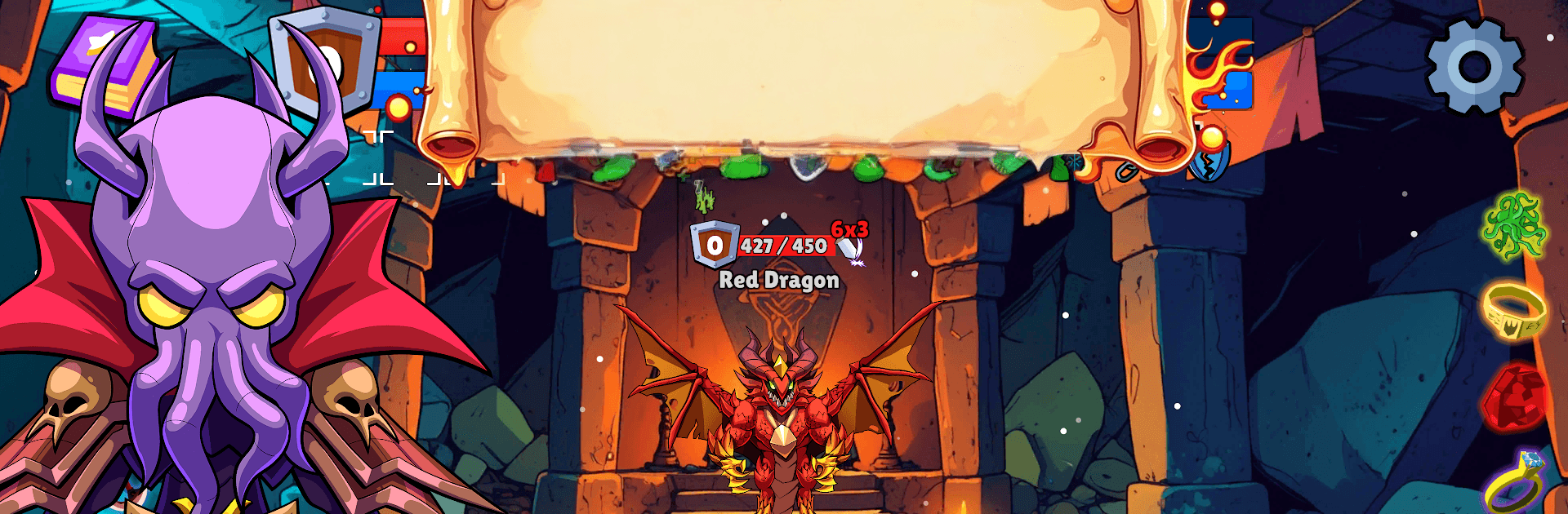
  • Slick hand-drawn look: Crisp 2D art, snappy animations, and crunchy combat effects make every turn feel punchy and readable.
  • One-handed friendly controls: Clean, simple interactions keep card management smooth, so you can focus on smart turns rather than fiddly inputs.

BlueStacks gives you more room to focus on the game and less time adjusting around mobile limitations.


Game Features

Enhancements

  • Macros
  • Multi Instance
  • Multi Instance Sync
  • Eco Mode
  • Enhancements
Macros

Macros

Skip the boring parts of a game. Play Monster Tales 2: Rpg Card Game with Macros and get the edge. Simply record a sequence of commands and execute them at any moment.
Multi Instance

Multi Instance

Why limit to one game on your phone when you can play many on your PC? Open multiple instances of Monster Tales 2: Rpg Card Game at once with Multi-Instance. Leverage the power of different accounts by doing more.
Multi Instance Sync

Multi Instance Sync

Get the best out of Monster Tales 2: Rpg Card Game with Multi-Instance Sync. Play the game from different accounts and build your own empire. Use Multi-instance sync to repeat the action in the main BlueStacks instance on all other instances.
Eco Mode

Eco Mode

Find the rarest heroes by making multiple summons in Monster Tales 2: Rpg Card Game. And while you are at it, reduce your PC’s resource consumption with the Eco Mode. Farm efficiently. Get the best results.
Read More

How to Download and Play Monster Tales 2: Rpg Card Game on PC or Mac

  • Download and install BlueStacks on your PC or Mac

  • Complete Google sign-in to access the Play Store, or do it later

  • Look for Monster Tales 2: Rpg Card Game in the search bar at the top right corner

  • Click to install Monster Tales 2: Rpg Card Game from the search results

  • Complete Google sign-in (if you skipped step 2) to install Monster Tales 2: Rpg Card Game

  • Click the Monster Tales 2: Rpg Card Game icon on the home screen to start playing

video
Watch Video

Minimum System Requirements

With BlueStacks 5, you can get started on a PC that fulfills the following requirements.

  • Operating System

    Microsoft Windows 7 or above, macOS 11 (Big Sur) or above

  • Processor

    Intel, AMD or Apple Silicon Processor

  • RAM

    at least 4GB

  • HDD

    10GB Free Disk Space

Note:

* You must be an Administrator on your PC. Up to date graphics drivers from Microsoft or the chipset vendor.

Monster Tales 2: Rpg Card Game - FAQs

  • How to play Monster Tales 2: Rpg Card Game on Windows PC & Mac?

    Play Monster Tales 2: Rpg Card Game on your PC or Mac by following these simple steps.

    • Click on 'Play Monster Tales 2: Rpg Card Game on PC’ to download BlueStacks
    • Install it and log-in to Google Play Store
    • Launch and play the game.
  • Why is BlueStacks the fastest and safest platform to play games on PC?

    BlueStacks respects your privacy and is always safe and secure to use. It does not carry any malware, spyware, or any sort of additional software that could harm your PC.

    It is engineered to optimize speed and performance for a seamless gaming experience.

  • What are Monster Tales 2: Rpg Card Game PC requirements?

    Minimum requirement to run Monster Tales 2: Rpg Card Game on your PC

    • OS: Microsoft Windows 7 or above MacOS 11 (Big Sur) or above
    • Processor: Intel, AMD or Apple Silicon Processor
    • RAM: Your PC must have at least 4GB of RAM. (Note that having 4GB or more disk space is not a substitute for RAM)
    • HDD: 10GB Free Disk Space.
    • You must be an Administrator on your PC.