Offroad Mud Truck Simulator 2020: Dirt Truck Drive

Offroad Mud Truck Simulator 2020: Dirt Truck Drive

Strategy

| Extreme Games Production

Play on PC with BlueStacks or from our cloud

  • Overview
  • Game Features
  • How to Play

Page Modified On: August 13, 2025

Play Offroad Mud Truck Simulator 2020: Dirt Truck Drive on PC or Mac

Step into the World of Offroad Mud Truck Simulator 2020: Dirt Truck Drive, a thrilling Strategy game from the house of Extreme Games Production. Play this Android game on BlueStacks App Player and experience immersive gaming on PC or Mac.

About the Game

If you’ve got a thing for challenging roads and muddy adventures, Offroad Mud Truck Simulator 2020: Dirt Truck Drive is calling your name. Ever wondered what it’d be like to haul a giant truck over slippery slopes or pull a broken-down jeep out of a marsh? This game throws you right behind the wheel of some serious off-road vehicles, putting your driving (and rescuing) skills to the test. From jaw-dropping stunts across cliffs to nerve-racking rescue missions, it’s a wild mix of strategy and grit set in sprawling countryside landscapes.

Game Features

  • Serious Vehicle Variety
    Tackle crazy terrain with your pick of 4×4 SUVs, 6×6 trucks, or even massive 8×8 “centipede” haulers, each with their own quirks. It’s not just about muscle—every vehicle handles a little differently.

  • Rescue Missions With a Twist
    Ever had to pull another car out of the mud while keeping your own truck from tipping? There’s a real challenge here: use winches and towing equipment to help stranded drivers, all while managing tough hill climbs and awkward angles.

  • Advanced Offroad Physics
    Don’t expect a walk in the park—realistic mud, friction, and bumpy track physics mean every rescue and delivery keeps you on your toes. Suspension tweaks and chunky tires make a real difference.

  • Customizable Controls and Gadgets
    Experiment with features like inverted steering, super horns, and mechanical brake options. If you’re a stickler for control, you’ll find plenty of ways to make your driving style work.

  • Massive, Detailed Environments
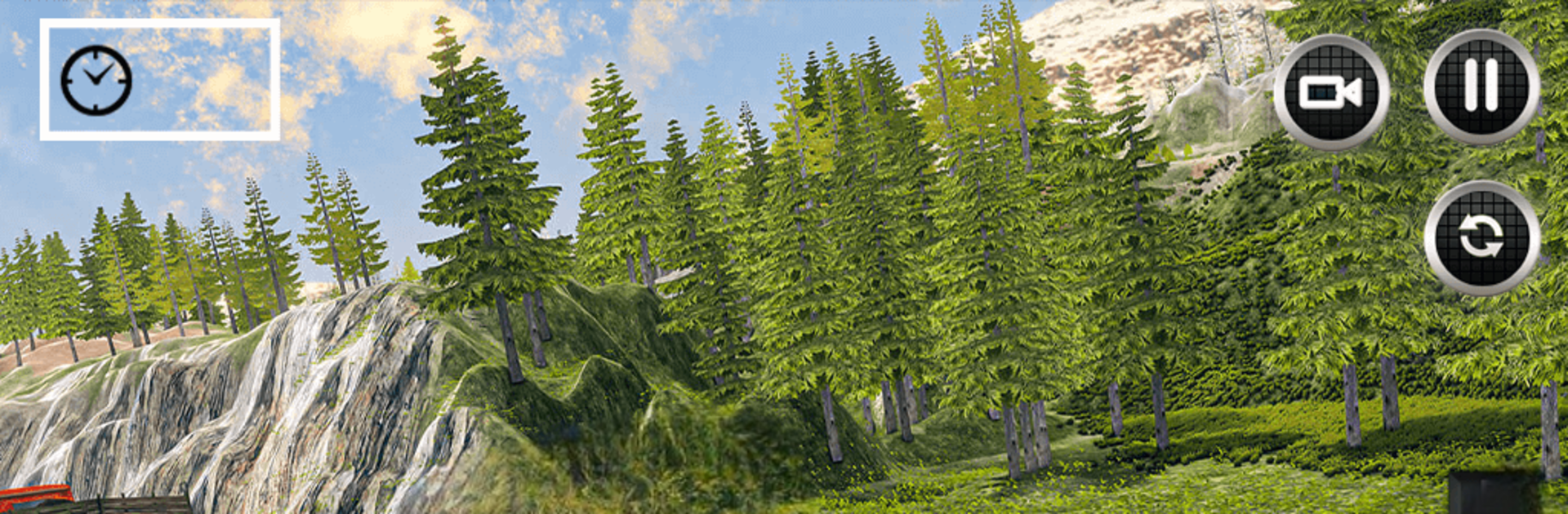
    From thick forests to rock-covered hills and waterlogged trails, each area’s packed with places to explore (or get stuck, let’s be real). The countryside backdrops are huge and detailed, making every mission feel fresh.

  • Earn and Upgrade
    Completing muddy missions racks up cash you can use to improve your fleet—better suspension, stronger towing, fancier rides. You’ll need it as you unlock tougher rescues and new vehicles.

  • Immersive 3D Graphics
    Everything looks impressively gritty, from the splatter on your truck to the misty mountain valleys beyond. The visuals pull you right into the mud-splattered action, especially when you play on BlueStacks for smoother graphics.

  • Parking & Recovery Challenges
    It’s not always about going fast—sometimes the trickiest part is easing that giant truck into a tight spot or lining up a rescue just right.

Ready to see if you’ve got what it takes to master impossible roads and big-time rescue missions? Offroad Mud Truck Simulator 2020: Dirt Truck Drive isn’t just about getting from A to B—it’s about how you handle everything that comes your way.

Make your gaming sessions memorable with precise controls that give you an edge in close combats and visuals that pop up, bringing every character to life.


Game Features

Enhancements

  • Macros
  • Multi Instance
  • Multi Instance Sync
  • Eco Mode
  • Enhancements
Macros

Macros

Skip the boring parts of a game. Play Offroad Mud Truck Simulator 2020: Dirt Truck Drive with Macros and get the edge. Simply record a sequence of commands and execute them at any moment.
Multi Instance

Multi Instance

Why limit to one game on your phone when you can play many on your PC? Open multiple instances of Offroad Mud Truck Simulator 2020: Dirt Truck Drive at once with Multi-Instance. Leverage the power of different accounts by doing more.
Multi Instance Sync

Multi Instance Sync

Get the best out of Offroad Mud Truck Simulator 2020: Dirt Truck Drive with Multi-Instance Sync. Play the game from different accounts and build your own empire. Use Multi-instance sync to repeat the action in the main BlueStacks instance on all other instances.
Eco Mode

Eco Mode

Find the rarest heroes by making multiple summons in Offroad Mud Truck Simulator 2020: Dirt Truck Drive. And while you are at it, reduce your PC’s resource consumption with the Eco Mode. Farm efficiently. Get the best results.
Read More

How to Download and Play Offroad Mud Truck Simulator 2020: Dirt Truck Drive on PC or Mac

  • Download and install BlueStacks on your PC or Mac

  • Complete Google sign-in to access the Play Store, or do it later

  • Look for Offroad Mud Truck Simulator 2020: Dirt Truck Drive in the search bar at the top right corner

  • Click to install Offroad Mud Truck Simulator 2020: Dirt Truck Drive from the search results

  • Complete Google sign-in (if you skipped step 2) to install Offroad Mud Truck Simulator 2020: Dirt Truck Drive

  • Click the Offroad Mud Truck Simulator 2020: Dirt Truck Drive icon on the home screen to start playing

video
Watch Video

Minimum System Requirements

With BlueStacks 5, you can get started on a PC that fulfills the following requirements.

  • Operating System

    Microsoft Windows 7 or above, macOS 11 (Big Sur) or above

  • Processor

    Intel, AMD or Apple Silicon Processor

  • RAM

    at least 4GB

  • HDD

    10GB Free Disk Space

Note:

* You must be an Administrator on your PC. Up to date graphics drivers from Microsoft or the chipset vendor.

Offroad Mud Truck Simulator 2020: Dirt Truck Drive - FAQs

  • How to play Offroad Mud Truck Simulator 2020: Dirt Truck Drive on Windows PC & Mac?

    Play Offroad Mud Truck Simulator 2020: Dirt Truck Drive on your PC or Mac by following these simple steps.

    • Click on 'Play Offroad Mud Truck Simulator 2020: Dirt Truck Drive on PC’ to download BlueStacks
    • Install it and log-in to Google Play Store
    • Launch and play the game.
  • Why is BlueStacks the fastest and safest platform to play games on PC?

    BlueStacks respects your privacy and is always safe and secure to use. It does not carry any malware, spyware, or any sort of additional software that could harm your PC.

    It is engineered to optimize speed and performance for a seamless gaming experience.

  • What are Offroad Mud Truck Simulator 2020: Dirt Truck Drive PC requirements?

    Minimum requirement to run Offroad Mud Truck Simulator 2020: Dirt Truck Drive on your PC

    • OS: Microsoft Windows 7 or above MacOS 11 (Big Sur) or above
    • Processor: Intel, AMD or Apple Silicon Processor
    • RAM: Your PC must have at least 4GB of RAM. (Note that having 4GB or more disk space is not a substitute for RAM)
    • HDD: 10GB Free Disk Space.
    • You must be an Administrator on your PC.