Operation Market Garden

Operation Market Garden

Strategy

| Joni Nuutinen

Play on PC with BlueStacks or from our cloud

  • Overview
  • Game Features
  • How to Play

Page Modified On: December 15, 2025

Play Operation Market Garden on PC or Mac

From the innovators and creators at Joni Nuutinen, Operation Market Garden is another fun addition to the World of Strategy games. Go beyond your mobile screen and play it bigger and better on your PC or Mac. An immersive experience awaits you.

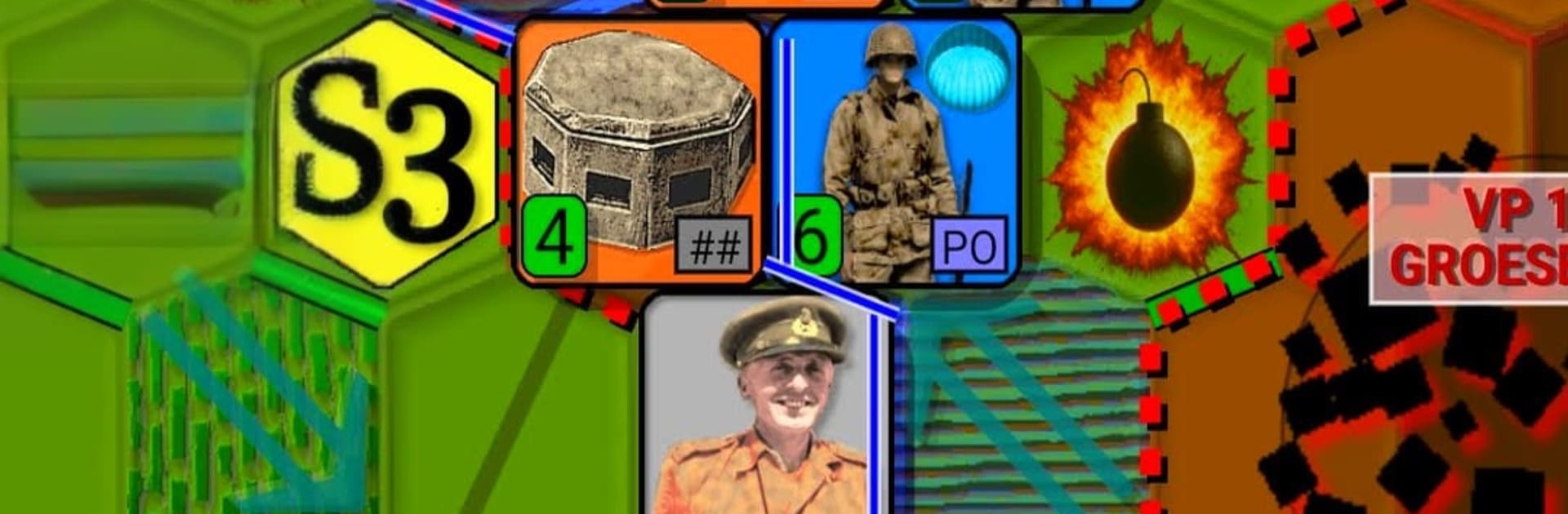
Operation Market Garden 1944 is a slow, thinky hex wargame where the player tries to grab bridges with airborne troops while an armored column races up a narrow road to link up. It plays like a classic tabletop map on screen, with that tense feeling of pushing counters and watching supply lines stretch a bit too far. Airborne units live off airdrops, so if the corridor breaks, they starve, and that pressure shapes every turn. The scenario sticks close to the real operation, which means it is tough, sometimes unfair in a historical way, and that is kind of the point. The German side will not just slam forward, the AI likes to flank, encircle, and poke at soft spots, so mistakes come back to bite.

Turns are clean and it saves well, so it suits short sessions. There are a bunch of options to tune it to taste, from difficulty and hex size to animation speed, plus a choice between NATO symbols or little vehicle icons. Cities can even use different shapes if that helps visibility. Each run plays out a bit different thanks to variable setup and AI priorities, so it does not feel like a fixed puzzle. On a PC through BlueStacks, the mouse clicks and bigger screen make reading counters and planning the 100 km push a lot easier. It is not flashy, and it does not try to be, but for anyone who enjoys careful planning, tight supply, and that last-turn scramble for a bridge, it hits the mark.

Get ready for a buttery smooth, high-performance gaming action only on BlueStacks.

Game Features

Enhancements

  • Macros
  • Multi Instance
  • Multi Instance Sync
  • Eco Mode
  • Enhancements
Macros

Macros

Skip the boring parts of a game. Play Operation Market Garden with Macros and get the edge. Simply record a sequence of commands and execute them at any moment.
Multi Instance

Multi Instance

Why limit to one game on your phone when you can play many on your PC? Open multiple instances of Operation Market Garden at once with Multi-Instance. Leverage the power of different accounts by doing more.
Multi Instance Sync

Multi Instance Sync

Get the best out of Operation Market Garden with Multi-Instance Sync. Play the game from different accounts and build your own empire. Use Multi-instance sync to repeat the action in the main BlueStacks instance on all other instances.
Eco Mode

Eco Mode

Find the rarest heroes by making multiple summons in Operation Market Garden. And while you are at it, reduce your PC’s resource consumption with the Eco Mode. Farm efficiently. Get the best results.
Read More

How to Download and Play Operation Market Garden on PC or Mac

  • Download and install BlueStacks on your PC or Mac

  • Complete Google sign-in to access the Play Store, or do it later

  • Look for Operation Market Garden in the search bar at the top right corner

  • Click to install Operation Market Garden from the search results

  • Complete Google sign-in (if you skipped step 2) to install Operation Market Garden

  • Click the Operation Market Garden icon on the home screen to start playing

video
Watch Video

Minimum System Requirements

With BlueStacks 5, you can get started on a PC that fulfills the following requirements.

  • Operating System

    Microsoft Windows 7 or above, macOS 11 (Big Sur) or above

  • Processor

    Intel, AMD or Apple Silicon Processor

  • RAM

    at least 4GB

  • HDD

    10GB Free Disk Space

Note:

* You must be an Administrator on your PC. Up to date graphics drivers from Microsoft or the chipset vendor.

Operation Market Garden - FAQs

  • How to play Operation Market Garden on Windows PC & Mac?

    Play Operation Market Garden on your PC or Mac by following these simple steps.

    • Click on 'Play Operation Market Garden on PC’ to download BlueStacks
    • Install it and log-in to Google Play Store
    • Launch and play the game.
  • Why is BlueStacks the fastest and safest platform to play games on PC?

    BlueStacks respects your privacy and is always safe and secure to use. It does not carry any malware, spyware, or any sort of additional software that could harm your PC.

    It is engineered to optimize speed and performance for a seamless gaming experience.

  • What are Operation Market Garden PC requirements?

    Minimum requirement to run Operation Market Garden on your PC

    • OS: Microsoft Windows 7 or above MacOS 11 (Big Sur) or above
    • Processor: Intel, AMD or Apple Silicon Processor
    • RAM: Your PC must have at least 4GB of RAM. (Note that having 4GB or more disk space is not a substitute for RAM)
    • HDD: 10GB Free Disk Space.
    • You must be an Administrator on your PC.