Panzer Marshal
Panzer Marshal

Panzer Marshal

Strategy

| Nicu Pavel

Play on PC with BlueStacks or from our cloud

  • Overview
  • Game Features
  • How to Play

Page Modified On: January 09, 2026

Play Panzer Marshal on PC or Mac

Panzer Marshal brings the Strategy genre to life, and throws up exciting challenges for gamers. Developed by Nicu Pavel, this Android game is best experienced on BlueStacks, the World’s #1 app player for PC and Mac users.

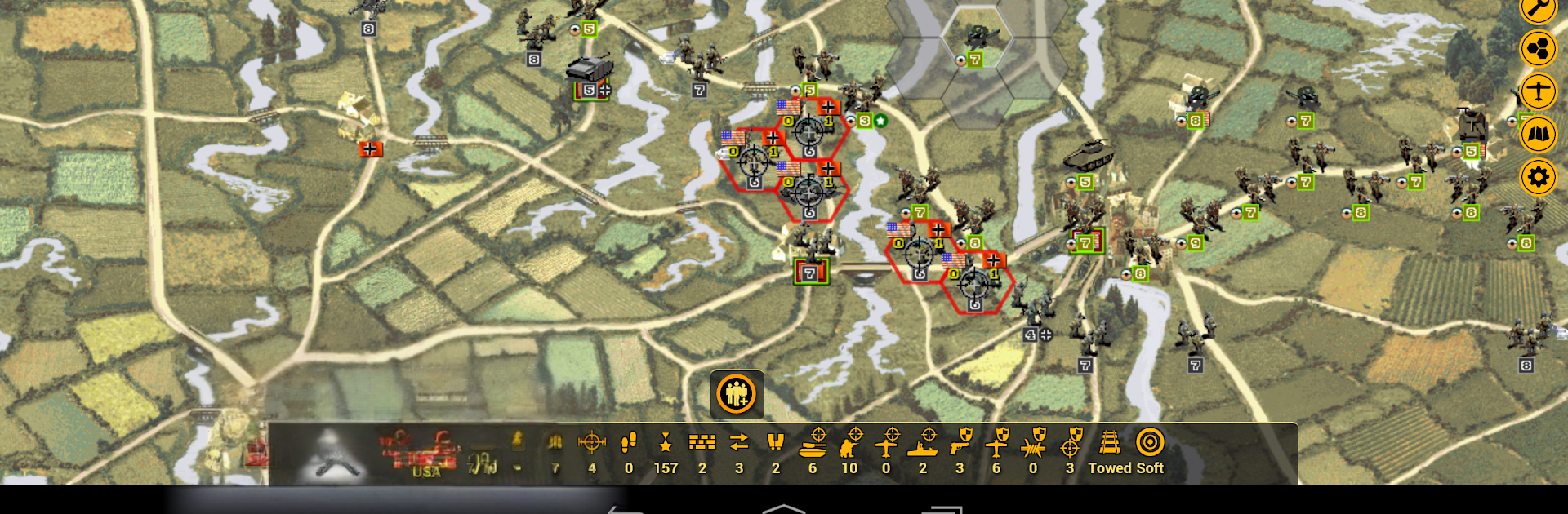
Panzer Marshal is a classic hex, turn-based World War 2 tactics game where every move feels like a small puzzle. It puts the player in charge of battalion sized units and asks for slow, careful planning rather than twitchy actions. The goal is usually to grab towns or supply points while keeping the army fueled and in cover, so flanking, artillery prep, and timing really matter. Battles have that old school board game pace, and it rewards patience. On PC through BlueStacks it runs smooth, and the mouse makes picking hexes and opening unit panels feel tidy on a bigger screen.

The game leans hard into WW2 kit and history. There are American, German, and Soviet campaigns with a lot of scenarios, and units unlock by year, so the roster grows as the war rolls on. There are thousands of units with deep stats, and players build a core force that carries across missions, earning experience, gaining leaders for small perks, and spending prestige to upgrade or buy new gear. Terrain and weather are not just flavour; mud stalls armor, rivers are scary, cities are defencive strongholds. The interface stays out of the way, and there is a handy strategic map to check the whole front. It is fully offline, with no ads and no in-app buys, and there is cloud saving for hopping between phone and PC. One quirk, ending a turn needs a second tap to confirm, which actually saves misclicks. If someone likes Panzer General style campaigns and methodical play, this hits the spot. If they want flash and explosions every second, probably not.

Slay your opponents with your epic moves. Play it your way on BlueStacks and dominate the battlefield.


Game Features

Enhancements

  • Macros
  • Multi Instance
  • Multi Instance Sync
  • Eco Mode
  • Enhancements
Macros

Macros

Skip the boring parts of a game. Play Panzer Marshal with Macros and get the edge. Simply record a sequence of commands and execute them at any moment.
Multi Instance

Multi Instance

Why limit to one game on your phone when you can play many on your PC? Open multiple instances of Panzer Marshal at once with Multi-Instance. Leverage the power of different accounts by doing more.
Multi Instance Sync

Multi Instance Sync

Get the best out of Panzer Marshal with Multi-Instance Sync. Play the game from different accounts and build your own empire. Use Multi-instance sync to repeat the action in the main BlueStacks instance on all other instances.
Eco Mode

Eco Mode

Find the rarest heroes by making multiple summons in Panzer Marshal. And while you are at it, reduce your PC’s resource consumption with the Eco Mode. Farm efficiently. Get the best results.
Read More

How to Download and Play Panzer Marshal on PC or Mac

  • Download and install BlueStacks on your PC or Mac

  • Complete Google sign-in to access the Play Store, or do it later

  • Look for Panzer Marshal in the search bar at the top right corner

  • Click to install Panzer Marshal from the search results

  • Complete Google sign-in (if you skipped step 2) to install Panzer Marshal

  • Click the Panzer Marshal icon on the home screen to start playing

video
Watch Video

Minimum System Requirements

With BlueStacks 5, you can get started on a PC that fulfills the following requirements.

  • Operating System

    Microsoft Windows 7 or above, macOS 11 (Big Sur) or above

  • Processor

    Intel, AMD or Apple Silicon Processor

  • RAM

    at least 4GB

  • HDD

    10GB Free Disk Space

Note:

* You must be an Administrator on your PC. Up to date graphics drivers from Microsoft or the chipset vendor.

Panzer Marshal - FAQs

  • How to play Panzer Marshal on Windows PC & Mac?

    Play Panzer Marshal on your PC or Mac by following these simple steps.

    • Click on 'Play Panzer Marshal on PC’ to download BlueStacks
    • Install it and log-in to Google Play Store
    • Launch and play the game.
  • Why is BlueStacks the fastest and safest platform to play games on PC?

    BlueStacks respects your privacy and is always safe and secure to use. It does not carry any malware, spyware, or any sort of additional software that could harm your PC.

    It is engineered to optimize speed and performance for a seamless gaming experience.

  • What are Panzer Marshal PC requirements?

    Minimum requirement to run Panzer Marshal on your PC

    • OS: Microsoft Windows 7 or above MacOS 11 (Big Sur) or above
    • Processor: Intel, AMD or Apple Silicon Processor
    • RAM: Your PC must have at least 4GB of RAM. (Note that having 4GB or more disk space is not a substitute for RAM)
    • HDD: 10GB Free Disk Space.
    • You must be an Administrator on your PC.