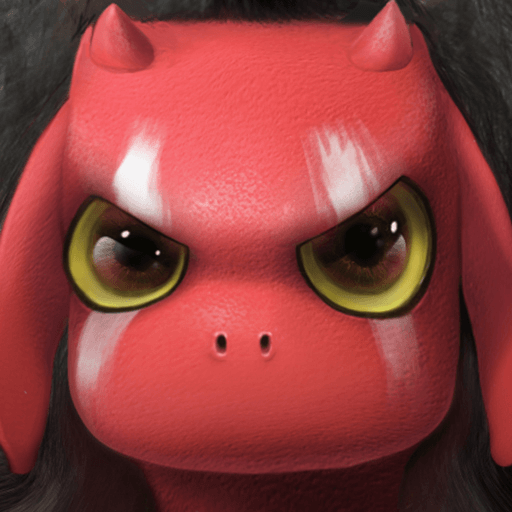
Pet Shoot
Pet Shoot

Pet Shoot

Strategy

| HarmoPlay

Play on PC with BlueStacks or from our cloud

  • Overview
  • Game Features
  • How to Play

Page Modified On: October 08, 2026

Play Pet Shoot on PC or Mac

Pet Shoot by HarmoPlay has plenty to keep you busy. BlueStacks lets you play it on PC or Mac with more screen space, better control, and fewer mobile limits.

About the Game

Pet Shoot takes a wonderfully weird turn on heroics: you wake up in a new world as a duck hauling a thunderous Gatling and a very big responsibility. This Strategy adventure mixes goofy charm with smart squad-building, letting you fend off interdimensional monsters, bond with magical pets, and team up with princesses from scattered kingdoms. If you like playing on a bigger screen, it runs smoothly on BlueStacks without getting in the way.

Game Features

  • Gatling Chaos, Feathered Hero: Hold the line as a quacking one-bird army and mow down swarms with a Gatling that feels loud, fast, and extremely satisfying.
  • Smart Squad-Building with Pets: Pick four pets to field at once, then experiment with combos and roles to keep your bullets flying and your defenses tight.
  • Princess Allies with Real Impact: Recruit princesses from different realms, each bringing a distinct skill set that can flip tough encounters in your favor.
  • Idle Progress That Respects Your Time: Step away and come back stronger—resources stack while you’re offline so you can push the next stage without the grind.
  • Unlock the Whole Pet Roster, No Pulls Needed: Forget random draws; play to add every pet to your collection and refine your perfect shooting lineup.
  • Upgrade Paths You Can Feel: Power up pets and allies, boost skills, and tune your loadout so each return trip hits harder and lasts longer.
  • Waves, Bosses, and Big Moments: Push through tightening defenses, swarms that test your positioning, and bosses that force you to rethink your setup.
  • Defend the Last Safe Haven: Guard your base as the final stronghold against rifts and monsters, turning every cleared stage into a small victory for the realm.

Start your journey now. Download the game on BlueStacks, invite your friends, and march on a new adventure.


Game Features

Enhancements

  • Macros
  • Multi Instance
  • Multi Instance Sync
  • Eco Mode
  • Enhancements
Macros

Macros

Skip the boring parts of a game. Play Pet Shoot with Macros and get the edge. Simply record a sequence of commands and execute them at any moment.
Multi Instance

Multi Instance

Why limit to one game on your phone when you can play many on your PC? Open multiple instances of Pet Shoot at once with Multi-Instance. Leverage the power of different accounts by doing more.
Multi Instance Sync

Multi Instance Sync

Get the best out of Pet Shoot with Multi-Instance Sync. Play the game from different accounts and build your own empire. Use Multi-instance sync to repeat the action in the main BlueStacks instance on all other instances.
Eco Mode

Eco Mode

Find the rarest heroes by making multiple summons in Pet Shoot. And while you are at it, reduce your PC’s resource consumption with the Eco Mode. Farm efficiently. Get the best results.
Read More

How to Download and Play Pet Shoot on PC or Mac

  • Download and install BlueStacks on your PC or Mac

  • Complete Google sign-in to access the Play Store, or do it later

  • Look for Pet Shoot in the search bar at the top right corner

  • Click to install Pet Shoot from the search results

  • Complete Google sign-in (if you skipped step 2) to install Pet Shoot

  • Click the Pet Shoot icon on the home screen to start playing

video
Watch Video

Minimum System Requirements

With BlueStacks 5, you can get started on a PC that fulfills the following requirements.

  • Operating System

    Microsoft Windows 7 or above, macOS 11 (Big Sur) or above

  • Processor

    Intel, AMD or Apple Silicon Processor

  • RAM

    at least 4GB

  • HDD

    10GB Free Disk Space

Note:

* You must be an Administrator on your PC. Up to date graphics drivers from Microsoft or the chipset vendor.

Pet Shoot - FAQs

  • How to play Pet Shoot on Windows PC & Mac?

    Play Pet Shoot on your PC or Mac by following these simple steps.

    • Click on 'Play Pet Shoot on PC’ to download BlueStacks
    • Install it and log-in to Google Play Store
    • Launch and play the game.
  • Why is BlueStacks the fastest and safest platform to play games on PC?

    BlueStacks respects your privacy and is always safe and secure to use. It does not carry any malware, spyware, or any sort of additional software that could harm your PC.

    It is engineered to optimize speed and performance for a seamless gaming experience.

  • What are Pet Shoot PC requirements?

    Minimum requirement to run Pet Shoot on your PC

    • OS: Microsoft Windows 7 or above MacOS 11 (Big Sur) or above
    • Processor: Intel, AMD or Apple Silicon Processor
    • RAM: Your PC must have at least 4GB of RAM. (Note that having 4GB or more disk space is not a substitute for RAM)
    • HDD: 10GB Free Disk Space.
    • You must be an Administrator on your PC.