Pixel Soldiers: Gettysburg

Pixel Soldiers: Gettysburg

Strategy

| Jolly Pixel

Play on PC with BlueStacks or from our cloud

  • Overview
  • Game Features
  • How to Play

Page Modified On: September 11, 2026

Play Pixel Soldiers: Gettysburg on PC or Mac

Step into the World of Pixel Soldiers: Gettysburg, a thrilling Strategy game from the house of Jolly Pixel. Play this Android game on BlueStacks App Player and experience immersive gaming on PC or Mac.

About the Game

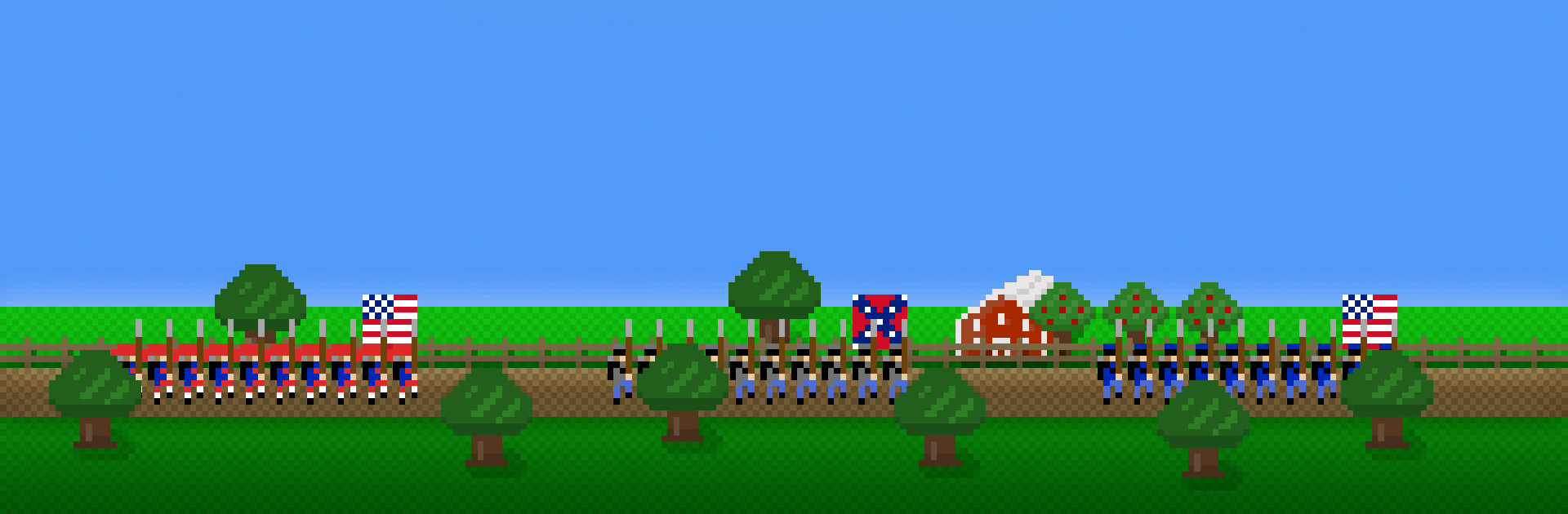
Pixel Soldiers: Gettysburg is a turn-based Strategy game that drops you into the chaos of the American Civil War, right where the hills and farms around Gettysburg decide everything. Choose the Union or the Confederacy, plan your moves like a general, and watch battles swing on smart positioning, steady nerves, and well-timed charges. Prefer a wider view of the map? Running it on BlueStacks gives you more room to read the field without changing the feel of the game.

Game Features

  • Historic engagements, your call: Command Union or Confederate forces through iconic fights like McPherson’s Ridge, Little Round Top, Culp’s Hill, and Pickett’s Charge.
  • Clean turn-based command: Issue orders in crisp turns with straightforward controls, quick line-of-sight checks, zoomable maps, and a tutorial you can revisit anytime.
  • Terrain matters: Use ridges, woods, passes, and river crossings to shield fragile units, set crossfires, and make the ground work for you.
  • Morale under fire: Casualties and pressure can rattle units into disorder—or break them entirely—so keep reserves and supporting fire close to steady your line.
  • Combined arms done right: Roll flanks with cavalry, shell positions with rifled guns, or risk close-in artillery for canister; mix skirmishers, riflemen, and musket troops to suit the fight.
  • Bayonet charges with purpose: When volleys stall out, order a close-quarters push to kick enemies off tough ground.
  • Campaigns and sandbox: Tackle Union and Confederate campaigns built around the Gettysburg fight, or experiment freely in sandbox mode with extra maps and matchups.
  • Optional add-on battles: Expand the war with large-scale clashes such as Brandy Station, Winchester, and all three days of Gettysburg.
  • Solo or local head-to-head: Face a capable AI for thoughtful single-player bouts, or share the same screen for tense two-player showdowns.
  • Period flavor in every unit: Distinct uniforms, weapon types, and battlefield roles give each formation its own personality without bogging you down.

BlueStacks gives you more room to focus on the game and less time adjusting around mobile limitations.


Game Features

Enhancements

  • Macros
  • Multi Instance
  • Multi Instance Sync
  • Eco Mode
  • Enhancements
Macros

Macros

Skip the boring parts of a game. Play Pixel Soldiers: Gettysburg with Macros and get the edge. Simply record a sequence of commands and execute them at any moment.
Multi Instance

Multi Instance

Why limit to one game on your phone when you can play many on your PC? Open multiple instances of Pixel Soldiers: Gettysburg at once with Multi-Instance. Leverage the power of different accounts by doing more.
Multi Instance Sync

Multi Instance Sync

Get the best out of Pixel Soldiers: Gettysburg with Multi-Instance Sync. Play the game from different accounts and build your own empire. Use Multi-instance sync to repeat the action in the main BlueStacks instance on all other instances.
Eco Mode

Eco Mode

Find the rarest heroes by making multiple summons in Pixel Soldiers: Gettysburg. And while you are at it, reduce your PC’s resource consumption with the Eco Mode. Farm efficiently. Get the best results.
Read More

How to Download and Play Pixel Soldiers: Gettysburg on PC or Mac

  • Download and install BlueStacks on your PC or Mac

  • Complete Google sign-in to access the Play Store, or do it later

  • Look for Pixel Soldiers: Gettysburg in the search bar at the top right corner

  • Click to install Pixel Soldiers: Gettysburg from the search results

  • Complete Google sign-in (if you skipped step 2) to install Pixel Soldiers: Gettysburg

  • Click the Pixel Soldiers: Gettysburg icon on the home screen to start playing

video
Watch Video

Minimum System Requirements

With BlueStacks 5, you can get started on a PC that fulfills the following requirements.

  • Operating System

    Microsoft Windows 7 or above, macOS 11 (Big Sur) or above

  • Processor

    Intel, AMD or Apple Silicon Processor

  • RAM

    at least 4GB

  • HDD

    10GB Free Disk Space

Note:

* You must be an Administrator on your PC. Up to date graphics drivers from Microsoft or the chipset vendor.

Pixel Soldiers: Gettysburg - FAQs

  • How to play Pixel Soldiers: Gettysburg on Windows PC & Mac?

    Play Pixel Soldiers: Gettysburg on your PC or Mac by following these simple steps.

    • Click on 'Play Pixel Soldiers: Gettysburg on PC’ to download BlueStacks
    • Install it and log-in to Google Play Store
    • Launch and play the game.
  • Why is BlueStacks the fastest and safest platform to play games on PC?

    BlueStacks respects your privacy and is always safe and secure to use. It does not carry any malware, spyware, or any sort of additional software that could harm your PC.

    It is engineered to optimize speed and performance for a seamless gaming experience.

  • What are Pixel Soldiers: Gettysburg PC requirements?

    Minimum requirement to run Pixel Soldiers: Gettysburg on your PC

    • OS: Microsoft Windows 7 or above MacOS 11 (Big Sur) or above
    • Processor: Intel, AMD or Apple Silicon Processor
    • RAM: Your PC must have at least 4GB of RAM. (Note that having 4GB or more disk space is not a substitute for RAM)
    • HDD: 10GB Free Disk Space.
    • You must be an Administrator on your PC.