Car Games: Parking Car Race 3D

Car Games: Parking Car Race 3D

Strategy

| Spartans Global INC.

Play on PC with BlueStacks or from our cloud

  • Overview
  • Game Features
  • How to Play

Page Modified On: July 27, 2026

Play Car Games: Parking Car Race 3D on PC or Mac

Explore a whole new adventure with Car Games: Parking Car Race 3D, a Strategy game created by Spartans Global INC.. Experience great gameplay with BlueStacks, the most popular gaming platform to play Android games on your PC or Mac.

About the Game

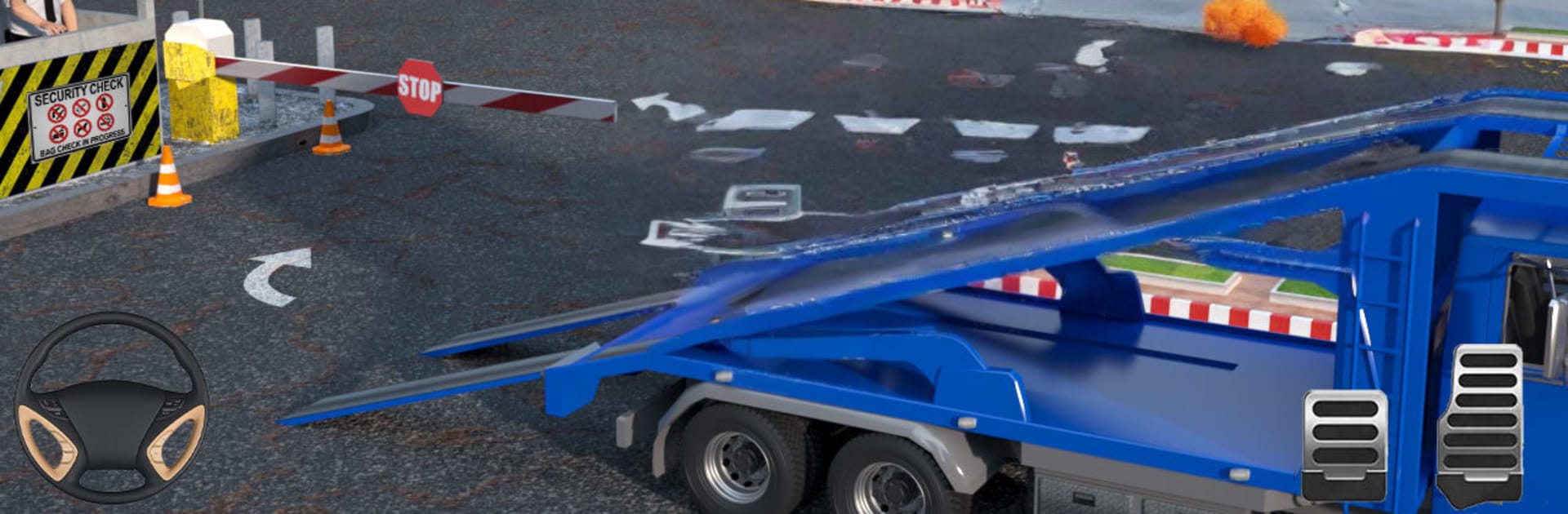
Car Games: Parking Car Race 3D blends precise parking with high-speed racing and a healthy dose of drifting. One minute you’re threading an SUV through tight cones; the next, you’re blasting across sand with nitro. It’s quick to pick up, satisfying to master, and surprisingly Strategy at heart. Prefer a bigger screen and sharper control? It runs nicely on BlueStacks too.

Game Features

  • Parking School Mode: Tackle focused lessons that sharpen turning, braking, and spacing as you slip into tight spots without tapping a cone or barrier.
  • Head-to-Head Racing: Hit the track, fire the nitro, and push for clean lines and faster laps against tough AI drivers.
  • Drift Challenges: Slide through desert checkpoints with controlled drifts that reward timing, throttle feathering, and angle control.
  • Off-Road and City Maps: Swap between open desert trails and busy urban lots for two very different kinds of driving pressure.
  • Smooth, Flexible Controls: Choose the control style that suits you—steering buttons or tilt—backed by responsive handling that feels snappy, not twitchy.
  • Camera Angles That Help: Switch viewpoints on the fly to judge corners, align for parking, or find the perfect drift angle.
  • Garage and Customization: Unlock a lineup of SUVs, then make them yours with new colors, rims, and decals before you roll out.
  • Achievements and Rewards: Clear missions, beat timers, and stack milestones to open up more vehicles and tougher routes.
  • Offline Friendly: No connection? No problem. Practice, race, and park whenever you’ve got a spare minute.
  • Multiplayer Parking Option: Test precision parking against other players in competitive scenarios where accuracy beats raw speed.

Ready to top the leaderboard? We bet you do. Let precise controls and sharp visuals optimized on BlueStacks lead you to victory.


Game Features

Enhancements

  • Macros
  • Multi Instance
  • Multi Instance Sync
  • Eco Mode
  • Enhancements
Macros

Macros

Skip the boring parts of a game. Play Car Games: Parking Car Race 3D with Macros and get the edge. Simply record a sequence of commands and execute them at any moment.
Multi Instance

Multi Instance

Why limit to one game on your phone when you can play many on your PC? Open multiple instances of Car Games: Parking Car Race 3D at once with Multi-Instance. Leverage the power of different accounts by doing more.
Multi Instance Sync

Multi Instance Sync

Get the best out of Car Games: Parking Car Race 3D with Multi-Instance Sync. Play the game from different accounts and build your own empire. Use Multi-instance sync to repeat the action in the main BlueStacks instance on all other instances.
Eco Mode

Eco Mode

Find the rarest heroes by making multiple summons in Car Games: Parking Car Race 3D. And while you are at it, reduce your PC’s resource consumption with the Eco Mode. Farm efficiently. Get the best results.
Read More

How to Download and Play Car Games: Parking Car Race 3D on PC or Mac

  • Download and install BlueStacks on your PC or Mac

  • Complete Google sign-in to access the Play Store, or do it later

  • Look for Car Games: Parking Car Race 3D in the search bar at the top right corner

  • Click to install Car Games: Parking Car Race 3D from the search results

  • Complete Google sign-in (if you skipped step 2) to install Car Games: Parking Car Race 3D

  • Click the Car Games: Parking Car Race 3D icon on the home screen to start playing

video
Watch Video

Minimum System Requirements

With BlueStacks 5, you can get started on a PC that fulfills the following requirements.

  • Operating System

    Microsoft Windows 7 or above, macOS 11 (Big Sur) or above

  • Processor

    Intel, AMD or Apple Silicon Processor

  • RAM

    at least 4GB

  • HDD

    10GB Free Disk Space

Note:

* You must be an Administrator on your PC. Up to date graphics drivers from Microsoft or the chipset vendor.

Car Games: Parking Car Race 3D - FAQs

  • How to play Car Games: Parking Car Race 3D on Windows PC & Mac?

    Play Car Games: Parking Car Race 3D on your PC or Mac by following these simple steps.

    • Click on 'Play Car Games: Parking Car Race 3D on PC’ to download BlueStacks
    • Install it and log-in to Google Play Store
    • Launch and play the game.
  • Why is BlueStacks the fastest and safest platform to play games on PC?

    BlueStacks respects your privacy and is always safe and secure to use. It does not carry any malware, spyware, or any sort of additional software that could harm your PC.

    It is engineered to optimize speed and performance for a seamless gaming experience.

  • What are Car Games: Parking Car Race 3D PC requirements?

    Minimum requirement to run Car Games: Parking Car Race 3D on your PC

    • OS: Microsoft Windows 7 or above MacOS 11 (Big Sur) or above
    • Processor: Intel, AMD or Apple Silicon Processor
    • RAM: Your PC must have at least 4GB of RAM. (Note that having 4GB or more disk space is not a substitute for RAM)
    • HDD: 10GB Free Disk Space.
    • You must be an Administrator on your PC.