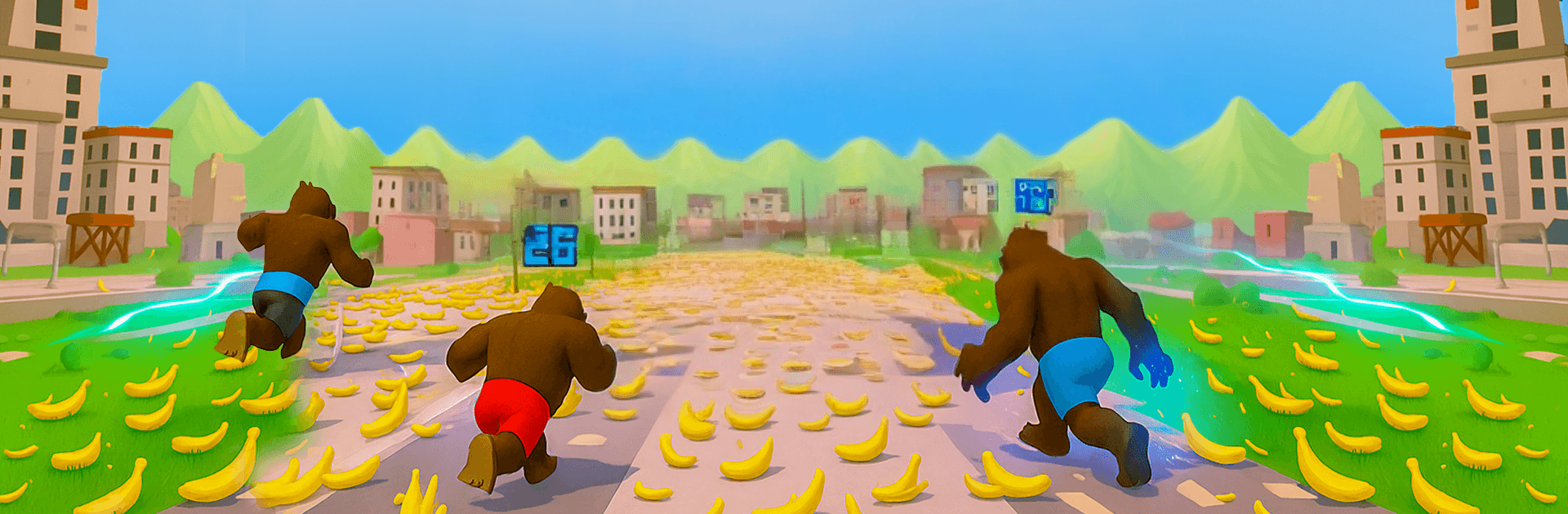
Rise of Apes Fighting Game

Rise of Apes Fighting Game

Strategy

| Black Pyramid 3D Games Studio

Play on PC with BlueStacks or from our cloud

  • Overview
  • Game Features
  • How to Play

Page Modified On: August 31, 2026

Play Rise of Apes Fighting Game on PC or Mac

Bring your A-game to Rise of Apes Fighting Game, the Strategy game sensation from Black Pyramid 3D Games Studio. Give your gameplay the much-needed boost with precise game controls, high FPS graphics, and top-tier features on your PC or Mac with BlueStacks.

About the Game

Rise of Apes Fighting Game throws you into raw, tooth-and-banana brawls where every swing, shove, and ground pound matters. It’s a scrappy mix of hands-on action and Strategy, letting you pick your moments, outsmart rival primates, and claw your way up the jungle pecking order. Expect quick matches, clutch power-ups, and a constant push to become the beast everyone fears.

Game Features

  • Primal arena fights: Jump into close-quarters clashes as gorillas, chimps, and other heavy hitters trade punches, grabs, and brutal slams in compact arenas built for chaos.
  • Banana-fueled power: Snack on bananas to ramp up your strength, trigger new abilities, and turn tight matches into total blowouts.
  • Evolving abilities: Unlock fresh moves and transformations that reshape your style—go tanky, go speedy, or go all-in on devastating finishers.
  • Tribe defense and raids: Hold your ground against invading rivals or storm their turf to snag resources and make a name for your crew.
  • Multiple modes, zero filler: Pick from quick duels, longer survival runs, and tougher challenge setups when you’re itching for something different.
  • Jungle ranks to climb: Win consistently, move up the ladder, and face meaner apes who hit harder and don’t forgive mistakes.
  • Risk-versus-reward combat: Play it safe with steady strikes or gamble on big swings after a power-up—smart timing can flip any fight.
  • Smooth on BlueStacks: Prefer a bigger screen and crisp controls? The game feels great on BlueStacks with responsive inputs and steady performance.

Start playing Rise of Apes Fighting Game on BlueStacks and get a smoother, more comfortable PC or Mac setup.


Game Features

Enhancements

  • Macros
  • Multi Instance
  • Multi Instance Sync
  • Eco Mode
  • Enhancements
Macros

Macros

Skip the boring parts of a game. Play Rise of Apes Fighting Game with Macros and get the edge. Simply record a sequence of commands and execute them at any moment.
Multi Instance

Multi Instance

Why limit to one game on your phone when you can play many on your PC? Open multiple instances of Rise of Apes Fighting Game at once with Multi-Instance. Leverage the power of different accounts by doing more.
Multi Instance Sync

Multi Instance Sync

Get the best out of Rise of Apes Fighting Game with Multi-Instance Sync. Play the game from different accounts and build your own empire. Use Multi-instance sync to repeat the action in the main BlueStacks instance on all other instances.
Eco Mode

Eco Mode

Find the rarest heroes by making multiple summons in Rise of Apes Fighting Game. And while you are at it, reduce your PC’s resource consumption with the Eco Mode. Farm efficiently. Get the best results.
Read More

How to Download and Play Rise of Apes Fighting Game on PC or Mac

  • Download and install BlueStacks on your PC or Mac

  • Complete Google sign-in to access the Play Store, or do it later

  • Look for Rise of Apes Fighting Game in the search bar at the top right corner

  • Click to install Rise of Apes Fighting Game from the search results

  • Complete Google sign-in (if you skipped step 2) to install Rise of Apes Fighting Game

  • Click the Rise of Apes Fighting Game icon on the home screen to start playing

video
Watch Video

Minimum System Requirements

With BlueStacks 5, you can get started on a PC that fulfills the following requirements.

  • Operating System

    Microsoft Windows 7 or above, macOS 11 (Big Sur) or above

  • Processor

    Intel, AMD or Apple Silicon Processor

  • RAM

    at least 4GB

  • HDD

    10GB Free Disk Space

Note:

* You must be an Administrator on your PC. Up to date graphics drivers from Microsoft or the chipset vendor.

Rise of Apes Fighting Game - FAQs

  • How to play Rise of Apes Fighting Game on Windows PC & Mac?

    Play Rise of Apes Fighting Game on your PC or Mac by following these simple steps.

    • Click on 'Play Rise of Apes Fighting Game on PC’ to download BlueStacks
    • Install it and log-in to Google Play Store
    • Launch and play the game.
  • Why is BlueStacks the fastest and safest platform to play games on PC?

    BlueStacks respects your privacy and is always safe and secure to use. It does not carry any malware, spyware, or any sort of additional software that could harm your PC.

    It is engineered to optimize speed and performance for a seamless gaming experience.

  • What are Rise of Apes Fighting Game PC requirements?

    Minimum requirement to run Rise of Apes Fighting Game on your PC

    • OS: Microsoft Windows 7 or above MacOS 11 (Big Sur) or above
    • Processor: Intel, AMD or Apple Silicon Processor
    • RAM: Your PC must have at least 4GB of RAM. (Note that having 4GB or more disk space is not a substitute for RAM)
    • HDD: 10GB Free Disk Space.
    • You must be an Administrator on your PC.