Russ vs. Horde: Tower Conquest

Russ vs. Horde: Tower Conquest

Strategy

| ARCANUM GAMES

Play on PC with BlueStacks or from our cloud

  • Overview
  • Game Features
  • How to Play

Page Modified On: August 24, 2026

Play Russ vs. Horde: Tower Conquest on PC or Mac

Explore a whole new adventure with Russ vs. Horde: Tower Conquest, a Strategy game created by ARCANUM GAMES. Experience great gameplay with BlueStacks, the most popular gaming platform to play Android games on your PC or Mac.

About the Game

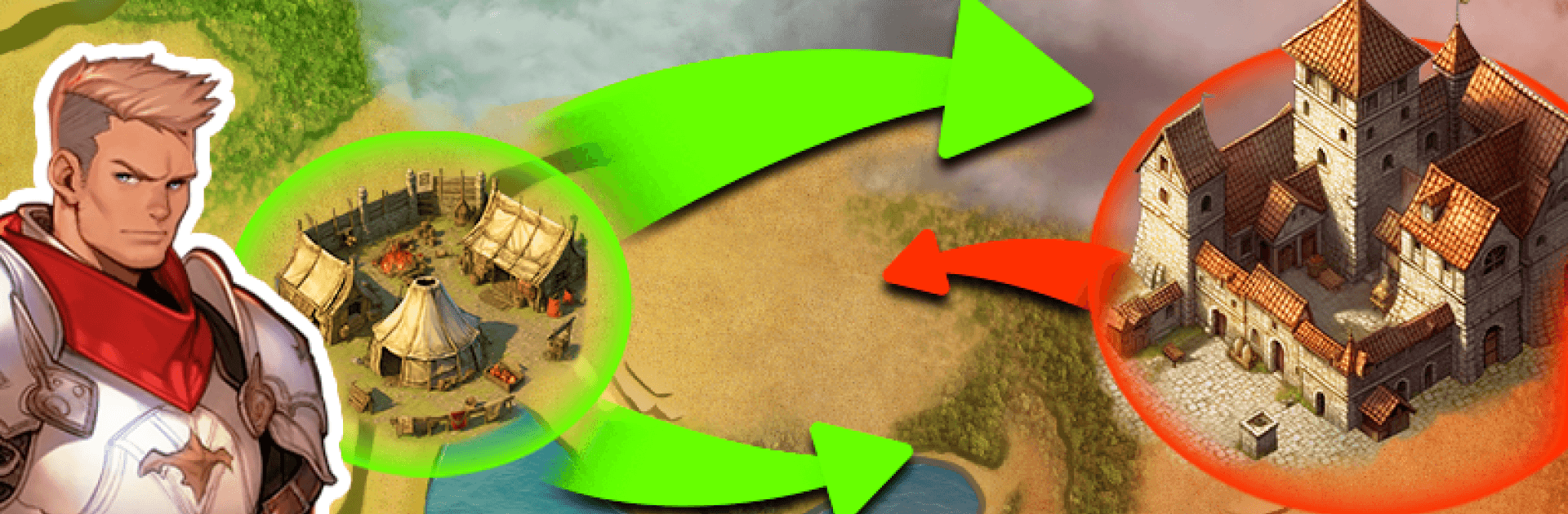
Russ vs. Horde: Tower Conquest is a fast-paced Strategy battler where you seize fortresses, grow an unstoppable army, and outthink swarming foes in a gritty medieval fantasy world. Every move matters—choose when to expand, when to fortify, and how to use the map to your advantage. Prefer a bigger screen and mouse control? It plays smoothly on BlueStacks.

Game Features

  • Three distinct factions: Pick Highman, Marshman, or Nomads, each with unique strengths that nudge you toward different battle plans and playstyles.
  • Fortress tug-of-war: Start from a single stronghold, capture neutral keeps to build momentum, then wrest enemy fortresses away to turn the tide.
  • Smart unit mix: Field archers, infantry, and cavalry; combine roles and counters to break stalemates, skewer rushes, or hold the line.
  • Continuous troop production: Fortresses auto-train soldiers over time, and higher-level keeps produce faster—capture wisely to keep numbers flowing.
  • Capacity and control: Take an enemy fortress stuffed with troops and watch it normalize to the keep’s cap, preventing runaway snowballs and rewarding timing.
  • Deep upgrade paths: Push eight upgrade tiers across your units to unlock real power spikes and sharper tactical choices.
  • Stronger strongholds: Level captured fortresses through five upgrade stages to boost defense, headcount, and overall staying power.
  • Terrain that fights back: Hills, chokepoints, and natural obstacles shape your routes and ambushes, so positioning is half the win.
  • Magical altars: Secure arcane sites on the map for potent buffs that can flip a losing skirmish into a clean sweep.
  • Big campaign, bigger plans: Tackle 45 handcrafted levels now, with more content in the works to keep the challenge fresh.
  • Multiple paths to victory: Lean into faction perks, map control, or relentless upgrades—there’s no single “right” way to win, just the one that fits your style.

BlueStacks gives you more room to focus on the game and less time adjusting around mobile limitations.


Game Features

Enhancements

  • Macros
  • Multi Instance
  • Multi Instance Sync
  • Eco Mode
  • Enhancements
Macros

Macros

Skip the boring parts of a game. Play Russ vs. Horde: Tower Conquest with Macros and get the edge. Simply record a sequence of commands and execute them at any moment.
Multi Instance

Multi Instance

Why limit to one game on your phone when you can play many on your PC? Open multiple instances of Russ vs. Horde: Tower Conquest at once with Multi-Instance. Leverage the power of different accounts by doing more.
Multi Instance Sync

Multi Instance Sync

Get the best out of Russ vs. Horde: Tower Conquest with Multi-Instance Sync. Play the game from different accounts and build your own empire. Use Multi-instance sync to repeat the action in the main BlueStacks instance on all other instances.
Eco Mode

Eco Mode

Find the rarest heroes by making multiple summons in Russ vs. Horde: Tower Conquest. And while you are at it, reduce your PC’s resource consumption with the Eco Mode. Farm efficiently. Get the best results.
Read More

How to Download and Play Russ vs. Horde: Tower Conquest on PC or Mac

  • Download and install BlueStacks on your PC or Mac

  • Complete Google sign-in to access the Play Store, or do it later

  • Look for Russ vs. Horde: Tower Conquest in the search bar at the top right corner

  • Click to install Russ vs. Horde: Tower Conquest from the search results

  • Complete Google sign-in (if you skipped step 2) to install Russ vs. Horde: Tower Conquest

  • Click the Russ vs. Horde: Tower Conquest icon on the home screen to start playing

video
Watch Video

Minimum System Requirements

With BlueStacks 5, you can get started on a PC that fulfills the following requirements.

  • Operating System

    Microsoft Windows 7 or above, macOS 11 (Big Sur) or above

  • Processor

    Intel, AMD or Apple Silicon Processor

  • RAM

    at least 4GB

  • HDD

    10GB Free Disk Space

Note:

* You must be an Administrator on your PC. Up to date graphics drivers from Microsoft or the chipset vendor.

Russ vs. Horde: Tower Conquest - FAQs

  • How to play Russ vs. Horde: Tower Conquest on Windows PC & Mac?

    Play Russ vs. Horde: Tower Conquest on your PC or Mac by following these simple steps.

    • Click on 'Play Russ vs. Horde: Tower Conquest on PC’ to download BlueStacks
    • Install it and log-in to Google Play Store
    • Launch and play the game.
  • Why is BlueStacks the fastest and safest platform to play games on PC?

    BlueStacks respects your privacy and is always safe and secure to use. It does not carry any malware, spyware, or any sort of additional software that could harm your PC.

    It is engineered to optimize speed and performance for a seamless gaming experience.

  • What are Russ vs. Horde: Tower Conquest PC requirements?

    Minimum requirement to run Russ vs. Horde: Tower Conquest on your PC

    • OS: Microsoft Windows 7 or above MacOS 11 (Big Sur) or above
    • Processor: Intel, AMD or Apple Silicon Processor
    • RAM: Your PC must have at least 4GB of RAM. (Note that having 4GB or more disk space is not a substitute for RAM)
    • HDD: 10GB Free Disk Space.
    • You must be an Administrator on your PC.