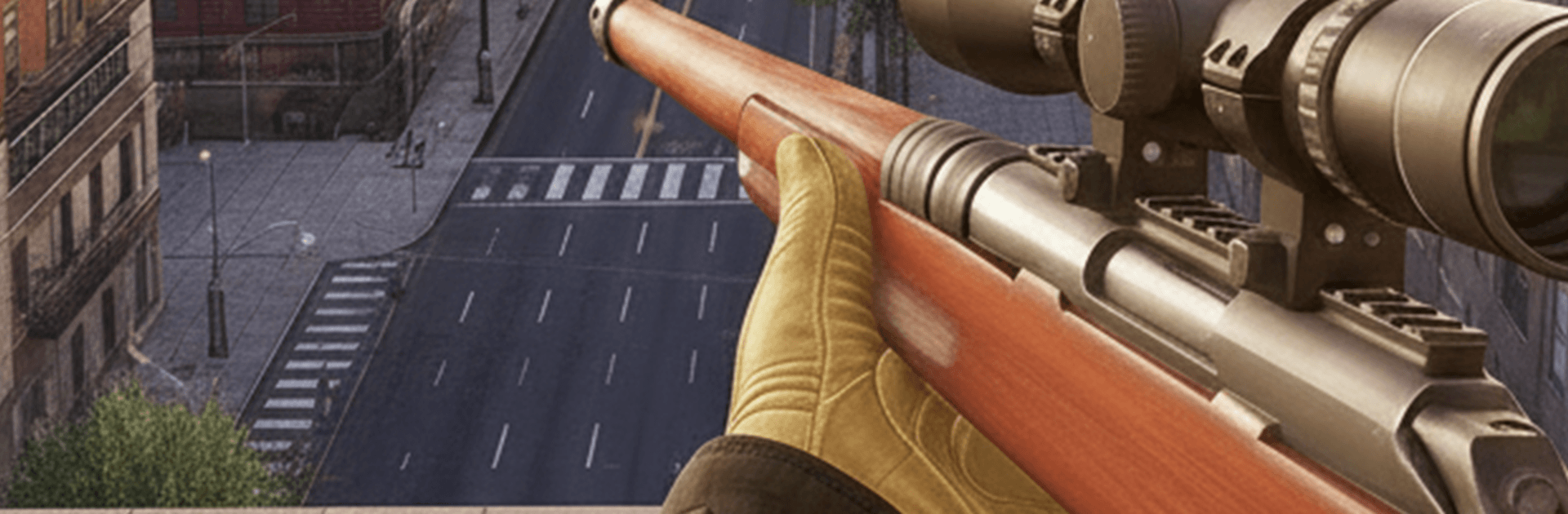
Sniper Shooting: FPS Gun Shoot

Sniper Shooting: FPS Gun Shoot

Strategy

| Gamify Studio FZ-LLC

Play on PC with BlueStacks or from our cloud

  • Overview
  • Game Features
  • How to Play

Page Modified On: May 11, 2026

Play Sniper Shooting: FPS Gun Shoot on PC or Mac

Explore a whole new adventure with Sniper Shooting: FPS Gun Shoot, a Strategy game created by Gamify Studio FZ-LLC. Experience great gameplay with BlueStacks, the most popular gaming platform to play Android games on your PC or Mac.

About the Game

Sniper Shooting: FPS Gun Shoot is all about patience, planning, and that perfect trigger pull. Developed by Gamify Studio FZ-LLC, this Strategy shooter drops you into tense hotspots where every decision matters—identify your mark, keep civilians safe, and get out clean. It’s a focused, high-stakes experience with satisfying gunplay and missions that reward careful thinking just as much as a steady aim.

Game Features

  • Cinematic Campaign — Tackle high-risk assignments across varied locations with objectives that range from target elimination to civilian protection and critical extractions.
  • Authentic Gun Feel — Sniper rifles, assault rifles, shotguns, and pistols each handle differently, with distinct recoil, scope sway, and timing. Upgrade gear to boost damage, accuracy, reload speed, and range.
  • Modes for Every Mood — Swap between long-range takedowns, precision challenges, hostage rescues, supportive overwatch for allies, high-intensity assault runs, and real-time battles against other players.
  • Strategy at the Core (Genre: Strategy) — Scout first, mark threats, line up angles, and pick your moment. Smart positioning and timing make the difference between a clean escape and chaos.
  • Offline and Online Play — Enjoy solo missions without a connection, then switch to competitive encounters when you’re ready to test your skills against others.
  • Built for Mobile — Snappy controls, quick loads, and crisp 3D visuals designed to run smoothly on both older and newer Android devices.
  • PC-Friendly with BlueStacks — Want a bigger view and precise mouse aim? You can play on your computer through BlueStacks without changing how the game feels.

Get ready for a buttery smooth, high-performance gaming action only on BlueStacks.

Game Features

Enhancements

  • Macros
  • Multi Instance
  • Multi Instance Sync
  • Eco Mode
  • Enhancements
Macros

Macros

Skip the boring parts of a game. Play Sniper Shooting: FPS Gun Shoot with Macros and get the edge. Simply record a sequence of commands and execute them at any moment.
Multi Instance

Multi Instance

Why limit to one game on your phone when you can play many on your PC? Open multiple instances of Sniper Shooting: FPS Gun Shoot at once with Multi-Instance. Leverage the power of different accounts by doing more.
Multi Instance Sync

Multi Instance Sync

Get the best out of Sniper Shooting: FPS Gun Shoot with Multi-Instance Sync. Play the game from different accounts and build your own empire. Use Multi-instance sync to repeat the action in the main BlueStacks instance on all other instances.
Eco Mode

Eco Mode

Find the rarest heroes by making multiple summons in Sniper Shooting: FPS Gun Shoot. And while you are at it, reduce your PC’s resource consumption with the Eco Mode. Farm efficiently. Get the best results.
Read More

How to Download and Play Sniper Shooting: FPS Gun Shoot on PC or Mac

  • Download and install BlueStacks on your PC or Mac

  • Complete Google sign-in to access the Play Store, or do it later

  • Look for Sniper Shooting: FPS Gun Shoot in the search bar at the top right corner

  • Click to install Sniper Shooting: FPS Gun Shoot from the search results

  • Complete Google sign-in (if you skipped step 2) to install Sniper Shooting: FPS Gun Shoot

  • Click the Sniper Shooting: FPS Gun Shoot icon on the home screen to start playing

video
Watch Video

Minimum System Requirements

With BlueStacks 5, you can get started on a PC that fulfills the following requirements.

  • Operating System

    Microsoft Windows 7 or above, macOS 11 (Big Sur) or above

  • Processor

    Intel, AMD or Apple Silicon Processor

  • RAM

    at least 4GB

  • HDD

    10GB Free Disk Space

Note:

* You must be an Administrator on your PC. Up to date graphics drivers from Microsoft or the chipset vendor.

Sniper Shooting: FPS Gun Shoot - FAQs

  • How to play Sniper Shooting: FPS Gun Shoot on Windows PC & Mac?

    Play Sniper Shooting: FPS Gun Shoot on your PC or Mac by following these simple steps.

    • Click on 'Play Sniper Shooting: FPS Gun Shoot on PC’ to download BlueStacks
    • Install it and log-in to Google Play Store
    • Launch and play the game.
  • Why is BlueStacks the fastest and safest platform to play games on PC?

    BlueStacks respects your privacy and is always safe and secure to use. It does not carry any malware, spyware, or any sort of additional software that could harm your PC.

    It is engineered to optimize speed and performance for a seamless gaming experience.

  • What are Sniper Shooting: FPS Gun Shoot PC requirements?

    Minimum requirement to run Sniper Shooting: FPS Gun Shoot on your PC

    • OS: Microsoft Windows 7 or above MacOS 11 (Big Sur) or above
    • Processor: Intel, AMD or Apple Silicon Processor
    • RAM: Your PC must have at least 4GB of RAM. (Note that having 4GB or more disk space is not a substitute for RAM)
    • HDD: 10GB Free Disk Space.
    • You must be an Administrator on your PC.