Stick Warfare TD: WW3 Defense

Stick Warfare TD: WW3 Defense

Strategy

| Koco Games Inc

Play on PC with BlueStacks or from our cloud

  • Overview
  • Game Features
  • How to Play

Page Modified On: September 11, 2026

Play Stick Warfare TD: WW3 Defense on PC or Mac

Stick Warfare TD: WW3 Defense by Koco Games Inc has plenty to keep you busy. BlueStacks lets you play it on PC or Mac with more screen space, better control, and fewer mobile limits.

About the Game

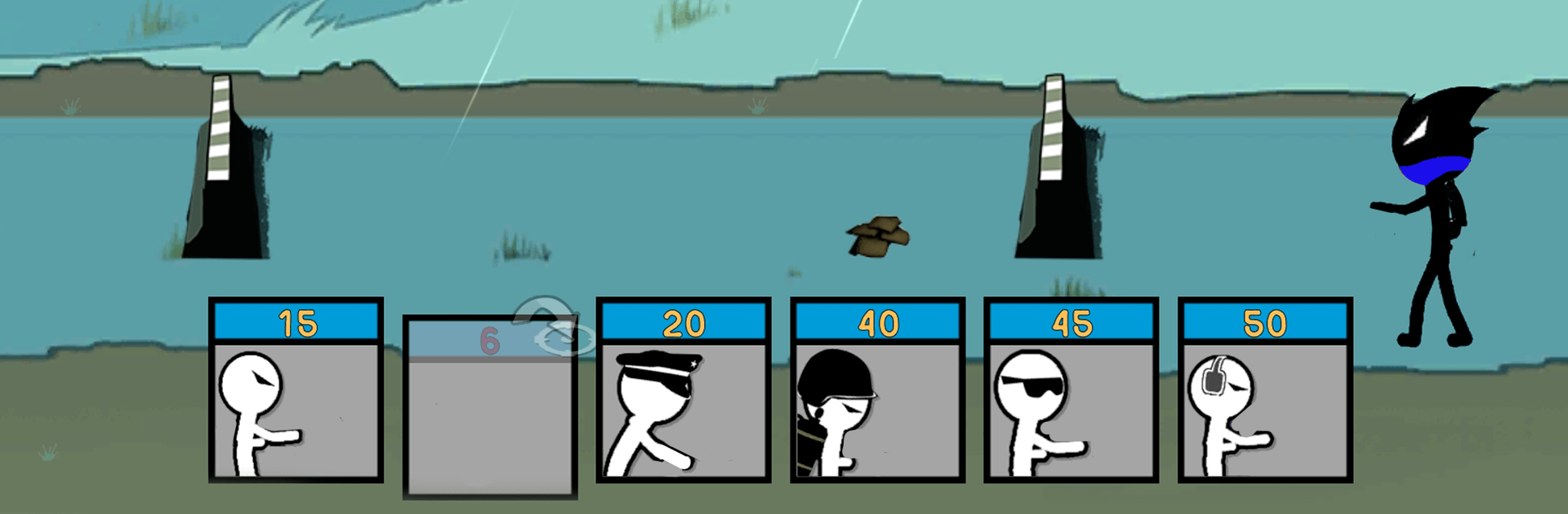
Stick Warfare TD: WW3 Defense drops you into a modern warzone where stick-figure soldiers and heavy metal meet. It’s a Strategy game about building smart defenses, calling the shots in real time, and holding your HQ against relentless assaults. Prefer a bigger screen and crisp controls? It runs smoothly on BlueStacks, too.

Game Features

  • Command the Line: Take charge of squads and support units, swap priorities on the fly, and keep your front from buckling when things get messy.
  • Modern Firepower, Old-School Grit: Roll out tanks, cue missile barrages, send in drones, and set up AA to swat threats before they reach your walls.
  • Build a Kill Zone: Place turrets, MG nests, and sniper perches to create choke points that shred armor and scatter infantry.
  • Enemies That Don’t Quit: Face waves that mix foot soldiers, vehicles, and aerial threats, each forcing you to rethink how you place and respond.
  • Upgrades That Matter: Improve damage, extend range, toughen defenses, and unlock new gear that changes how your whole lineup performs.
  • Active Abilities, Big Moments: Time a precision strike, trigger drone support, or pop emergency boosts to swing a losing fight back your way.
  • Smart Placement Wins: Position units for crossfire, stagger ranges, and layer coverage so nothing slips through when the pressure peaks.
  • Tech That Scales: Evolve your missiles, enhance drone payloads, and stack synergies until your base becomes a fortress.
  • Smooth, Snappy Controls: Quick build menus and clean feedback keep you focused on the battlefield instead of wrestling with UI.
  • Play Anytime: No connection required, so those last few waves are always within reach whenever you’ve got a minute to spare.

Start playing Stick Warfare TD: WW3 Defense on BlueStacks and get a smoother, more comfortable PC or Mac setup.


Game Features

Enhancements

  • Macros
  • Multi Instance
  • Multi Instance Sync
  • Eco Mode
  • Enhancements
Macros

Macros

Skip the boring parts of a game. Play Stick Warfare TD: WW3 Defense with Macros and get the edge. Simply record a sequence of commands and execute them at any moment.
Multi Instance

Multi Instance

Why limit to one game on your phone when you can play many on your PC? Open multiple instances of Stick Warfare TD: WW3 Defense at once with Multi-Instance. Leverage the power of different accounts by doing more.
Multi Instance Sync

Multi Instance Sync

Get the best out of Stick Warfare TD: WW3 Defense with Multi-Instance Sync. Play the game from different accounts and build your own empire. Use Multi-instance sync to repeat the action in the main BlueStacks instance on all other instances.
Eco Mode

Eco Mode

Find the rarest heroes by making multiple summons in Stick Warfare TD: WW3 Defense. And while you are at it, reduce your PC’s resource consumption with the Eco Mode. Farm efficiently. Get the best results.
Read More

How to Download and Play Stick Warfare TD: WW3 Defense on PC or Mac

  • Download and install BlueStacks on your PC or Mac

  • Complete Google sign-in to access the Play Store, or do it later

  • Look for Stick Warfare TD: WW3 Defense in the search bar at the top right corner

  • Click to install Stick Warfare TD: WW3 Defense from the search results

  • Complete Google sign-in (if you skipped step 2) to install Stick Warfare TD: WW3 Defense

  • Click the Stick Warfare TD: WW3 Defense icon on the home screen to start playing

video
Watch Video

Minimum System Requirements

With BlueStacks 5, you can get started on a PC that fulfills the following requirements.

  • Operating System

    Microsoft Windows 7 or above, macOS 11 (Big Sur) or above

  • Processor

    Intel, AMD or Apple Silicon Processor

  • RAM

    at least 4GB

  • HDD

    10GB Free Disk Space

Note:

* You must be an Administrator on your PC. Up to date graphics drivers from Microsoft or the chipset vendor.

Stick Warfare TD: WW3 Defense - FAQs

  • How to play Stick Warfare TD: WW3 Defense on Windows PC & Mac?

    Play Stick Warfare TD: WW3 Defense on your PC or Mac by following these simple steps.

    • Click on 'Play Stick Warfare TD: WW3 Defense on PC’ to download BlueStacks
    • Install it and log-in to Google Play Store
    • Launch and play the game.
  • Why is BlueStacks the fastest and safest platform to play games on PC?

    BlueStacks respects your privacy and is always safe and secure to use. It does not carry any malware, spyware, or any sort of additional software that could harm your PC.

    It is engineered to optimize speed and performance for a seamless gaming experience.

  • What are Stick Warfare TD: WW3 Defense PC requirements?

    Minimum requirement to run Stick Warfare TD: WW3 Defense on your PC

    • OS: Microsoft Windows 7 or above MacOS 11 (Big Sur) or above
    • Processor: Intel, AMD or Apple Silicon Processor
    • RAM: Your PC must have at least 4GB of RAM. (Note that having 4GB or more disk space is not a substitute for RAM)
    • HDD: 10GB Free Disk Space.
    • You must be an Administrator on your PC.