SUV Jeep Driver Simulator 3D

SUV Jeep Driver Simulator 3D

Strategy

| XuXu Games

Play on PC with BlueStacks or from our cloud

  • Overview
  • Game Features
  • How to Play

Page Modified On: September 11, 2026

Play SUV Jeep Driver Simulator 3D on PC or Mac

Bring your A-game to SUV Jeep Driver Simulator 3D, the Strategy game sensation from XuXu Games. Give your gameplay the much-needed boost with precise game controls, high FPS graphics, and top-tier features on your PC or Mac with BlueStacks.

About the Game

SUV Jeep Driver Simulator 3D is all about smart off-roading—picking your line, reading the ground, and keeping your cool when the trail gets gnarly. It blends hands-on driving with a Strategy mindset, where timing, throttle control, and terrain choices matter as much as horsepower. Prefer a bigger view and steadier inputs? It plays comfortably on BlueStacks, too.

Game Features

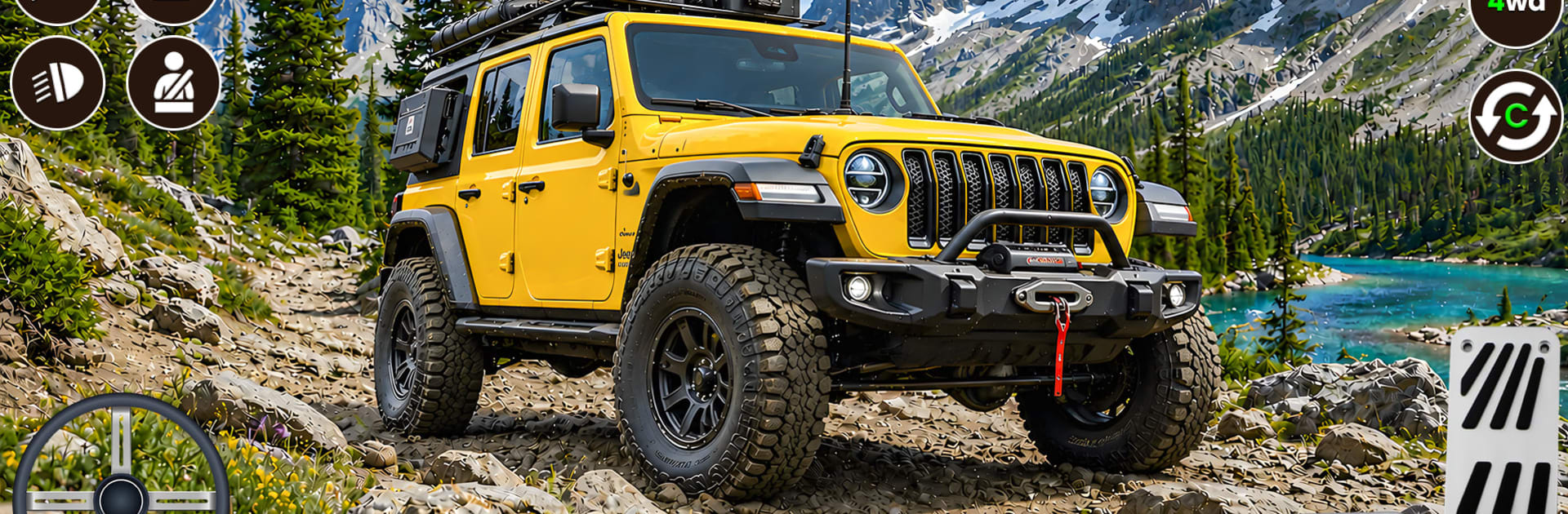
  • Vast Wild Terrain: Roam across rugged mountains, shallow lakes, and muddy tracks that twist and fork—no paved roads, just raw nature and a lot of choices.
  • Realistic Ground Physics: Feel tires dig into sludge, watch water push back against your wheels, and claw up rocky slopes with convincing weight and grip.
  • Trail Challenges: Tackle handcrafted routes that throw rivers, ruts, and cliffside crawls at you—each path tests judgment as much as driving skill.
  • Sky-Track Stunts: Launch into sky-high courses built for big air, tight landings, and gutsy flips when you want pure stunt chaos.
  • Custom Jeep Setup: Swap parts and style your rig to match the terrain or your mood—go tougher for mud, lighter for airtime.
  • Clean, Focused Driving: No combat, no clutter—just throttle, brake, steering, and the satisfaction of mastering tough terrain.
  • Flexible Cameras and Views: Switch angles to plan better lines on technical climbs or lock into a forward view for fast, flowing sections.
  • Crisp Effects and Audio: Splashes, slips, and engine notes land with punch, giving every puddle, slide, and bounce a satisfying feel.

Start your journey now. Download the game on BlueStacks, invite your friends, and march on a new adventure.


Game Features

Enhancements

  • Macros
  • Multi Instance
  • Multi Instance Sync
  • Eco Mode
  • Enhancements
Macros

Macros

Skip the boring parts of a game. Play SUV Jeep Driver Simulator 3D with Macros and get the edge. Simply record a sequence of commands and execute them at any moment.
Multi Instance

Multi Instance

Why limit to one game on your phone when you can play many on your PC? Open multiple instances of SUV Jeep Driver Simulator 3D at once with Multi-Instance. Leverage the power of different accounts by doing more.
Multi Instance Sync

Multi Instance Sync

Get the best out of SUV Jeep Driver Simulator 3D with Multi-Instance Sync. Play the game from different accounts and build your own empire. Use Multi-instance sync to repeat the action in the main BlueStacks instance on all other instances.
Eco Mode

Eco Mode

Find the rarest heroes by making multiple summons in SUV Jeep Driver Simulator 3D. And while you are at it, reduce your PC’s resource consumption with the Eco Mode. Farm efficiently. Get the best results.
Read More

How to Download and Play SUV Jeep Driver Simulator 3D on PC or Mac

  • Download and install BlueStacks on your PC or Mac

  • Complete Google sign-in to access the Play Store, or do it later

  • Look for SUV Jeep Driver Simulator 3D in the search bar at the top right corner

  • Click to install SUV Jeep Driver Simulator 3D from the search results

  • Complete Google sign-in (if you skipped step 2) to install SUV Jeep Driver Simulator 3D

  • Click the SUV Jeep Driver Simulator 3D icon on the home screen to start playing

video
Watch Video

Minimum System Requirements

With BlueStacks 5, you can get started on a PC that fulfills the following requirements.

  • Operating System

    Microsoft Windows 7 or above, macOS 11 (Big Sur) or above

  • Processor

    Intel, AMD or Apple Silicon Processor

  • RAM

    at least 4GB

  • HDD

    10GB Free Disk Space

Note:

* You must be an Administrator on your PC. Up to date graphics drivers from Microsoft or the chipset vendor.

SUV Jeep Driver Simulator 3D - FAQs

  • How to play SUV Jeep Driver Simulator 3D on Windows PC & Mac?

    Play SUV Jeep Driver Simulator 3D on your PC or Mac by following these simple steps.

    • Click on 'Play SUV Jeep Driver Simulator 3D on PC’ to download BlueStacks
    • Install it and log-in to Google Play Store
    • Launch and play the game.
  • Why is BlueStacks the fastest and safest platform to play games on PC?

    BlueStacks respects your privacy and is always safe and secure to use. It does not carry any malware, spyware, or any sort of additional software that could harm your PC.

    It is engineered to optimize speed and performance for a seamless gaming experience.

  • What are SUV Jeep Driver Simulator 3D PC requirements?

    Minimum requirement to run SUV Jeep Driver Simulator 3D on your PC

    • OS: Microsoft Windows 7 or above MacOS 11 (Big Sur) or above
    • Processor: Intel, AMD or Apple Silicon Processor
    • RAM: Your PC must have at least 4GB of RAM. (Note that having 4GB or more disk space is not a substitute for RAM)
    • HDD: 10GB Free Disk Space.
    • You must be an Administrator on your PC.