Teardown: Crash & Smash

Teardown: Crash & Smash

Strategy

| Popular Apps Studio - Tool Apps

Play on PC with BlueStacks or from our cloud

  • Overview
  • Game Features
  • How to Play

Page Modified On: June 02, 2026

Play Teardown: Crash & Smash on PC or Mac

Bring your A-game to Teardown: Crash & Smash, the Strategy game sensation from Popular Apps Studio – Tool Apps. Give your gameplay the much-needed boost with precise game controls, high FPS graphics, and top-tier features on your PC or Mac with BlueStacks.

About the Game

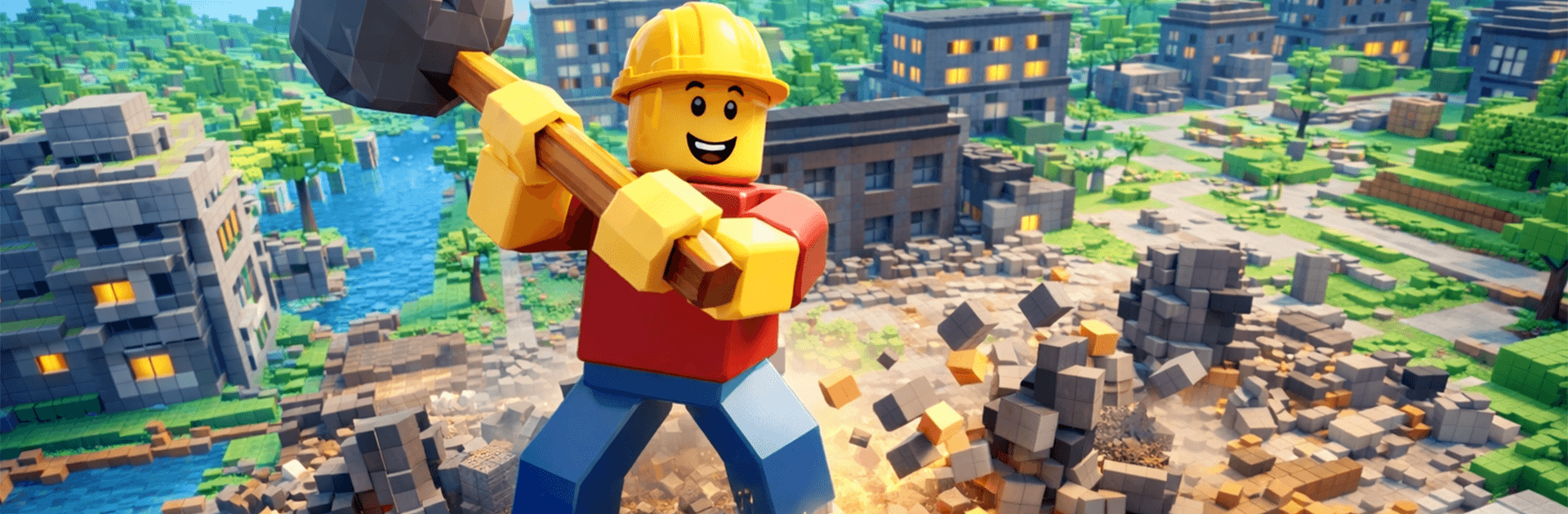
Teardown: Crash & Smash is a physics-driven playground where breaking stuff isn’t just satisfying—it’s strategic. Every wall, beam, and vehicle reacts like it should, so the chaos you trigger feels earned. Tackle goal-based missions or mess around in a freeform sandbox and see how your plan holds up when everything starts collapsing.

Game Features

  • Strategic Wrecking: This Strategy sandbox rewards careful setup. Pick weak points, line up your approach, and let gravity do the heavy lifting.
  • Real Physics, Big Payoff: Buildings crumble piece by piece, debris tumbles realistically, and chain reactions feel natural—and a little unpredictable.
  • Tools and Vehicles: Swap between handy tools and heavy machines to knock down obstacles, punch through walls, or push a structure past its breaking point.
  • Missions and Sandbox: Chase specific objectives when you want direction, or jump into sandbox mode to experiment with wildly different demolition ideas.
  • Voxel-Style Visuals: A clean, blocky look that makes destruction readable and oddly beautiful when a whole structure gives way.
  • Smooth, Simple Controls: Easy to pick up and play, with responsive handling that keeps the focus on your plan (and the spectacular mess it makes).
  • Satisfying Crashes: Crisp effects and punchy feedback make every hit, crack, and collapse feel great.
  • Replay-Friendly Mayhem: Try new routes, switch tools, and tweak your setup to pull off bigger, smarter takedowns.
  • Play on PC with BlueStacks: Prefer a larger screen and mouse/keyboard precision? It runs comfortably there, too.

Get ready for a buttery smooth, high-performance gaming action only on BlueStacks.

Game Features

Enhancements

  • Macros
  • Multi Instance
  • Multi Instance Sync
  • Eco Mode
  • Enhancements
Macros

Macros

Skip the boring parts of a game. Play Teardown: Crash & Smash with Macros and get the edge. Simply record a sequence of commands and execute them at any moment.
Multi Instance

Multi Instance

Why limit to one game on your phone when you can play many on your PC? Open multiple instances of Teardown: Crash & Smash at once with Multi-Instance. Leverage the power of different accounts by doing more.
Multi Instance Sync

Multi Instance Sync

Get the best out of Teardown: Crash & Smash with Multi-Instance Sync. Play the game from different accounts and build your own empire. Use Multi-instance sync to repeat the action in the main BlueStacks instance on all other instances.
Eco Mode

Eco Mode

Find the rarest heroes by making multiple summons in Teardown: Crash & Smash. And while you are at it, reduce your PC’s resource consumption with the Eco Mode. Farm efficiently. Get the best results.
Read More

How to Download and Play Teardown: Crash & Smash on PC or Mac

  • Download and install BlueStacks on your PC or Mac

  • Complete Google sign-in to access the Play Store, or do it later

  • Look for Teardown: Crash & Smash in the search bar at the top right corner

  • Click to install Teardown: Crash & Smash from the search results

  • Complete Google sign-in (if you skipped step 2) to install Teardown: Crash & Smash

  • Click the Teardown: Crash & Smash icon on the home screen to start playing

video
Watch Video

Minimum System Requirements

With BlueStacks 5, you can get started on a PC that fulfills the following requirements.

  • Operating System

    Microsoft Windows 7 or above, macOS 11 (Big Sur) or above

  • Processor

    Intel, AMD or Apple Silicon Processor

  • RAM

    at least 4GB

  • HDD

    10GB Free Disk Space

Note:

* You must be an Administrator on your PC. Up to date graphics drivers from Microsoft or the chipset vendor.

Teardown: Crash & Smash - FAQs

  • How to play Teardown: Crash & Smash on Windows PC & Mac?

    Play Teardown: Crash & Smash on your PC or Mac by following these simple steps.

    • Click on 'Play Teardown: Crash & Smash on PC’ to download BlueStacks
    • Install it and log-in to Google Play Store
    • Launch and play the game.
  • Why is BlueStacks the fastest and safest platform to play games on PC?

    BlueStacks respects your privacy and is always safe and secure to use. It does not carry any malware, spyware, or any sort of additional software that could harm your PC.

    It is engineered to optimize speed and performance for a seamless gaming experience.

  • What are Teardown: Crash & Smash PC requirements?

    Minimum requirement to run Teardown: Crash & Smash on your PC

    • OS: Microsoft Windows 7 or above MacOS 11 (Big Sur) or above
    • Processor: Intel, AMD or Apple Silicon Processor
    • RAM: Your PC must have at least 4GB of RAM. (Note that having 4GB or more disk space is not a substitute for RAM)
    • HDD: 10GB Free Disk Space.
    • You must be an Administrator on your PC.