Vạn Thắng Nam Đế
Vạn Thắng Nam Đế

Vạn Thắng Nam Đế

Strategy

| GOSU ONLINE CORPORATION

Play on PC with BlueStacks or from our cloud

  • Overview
  • Game Features
  • How to Play

Page Modified On: August 31, 2026

Play Vạn Thắng Nam Đế on PC or Mac

Bring your A-game to Vạn Thắng Nam Đế, the Strategy game sensation from GOSU ONLINE CORPORATION. Give your gameplay the much-needed boost with precise game controls, high FPS graphics, and top-tier features on your PC or Mac with BlueStacks.

About the Game
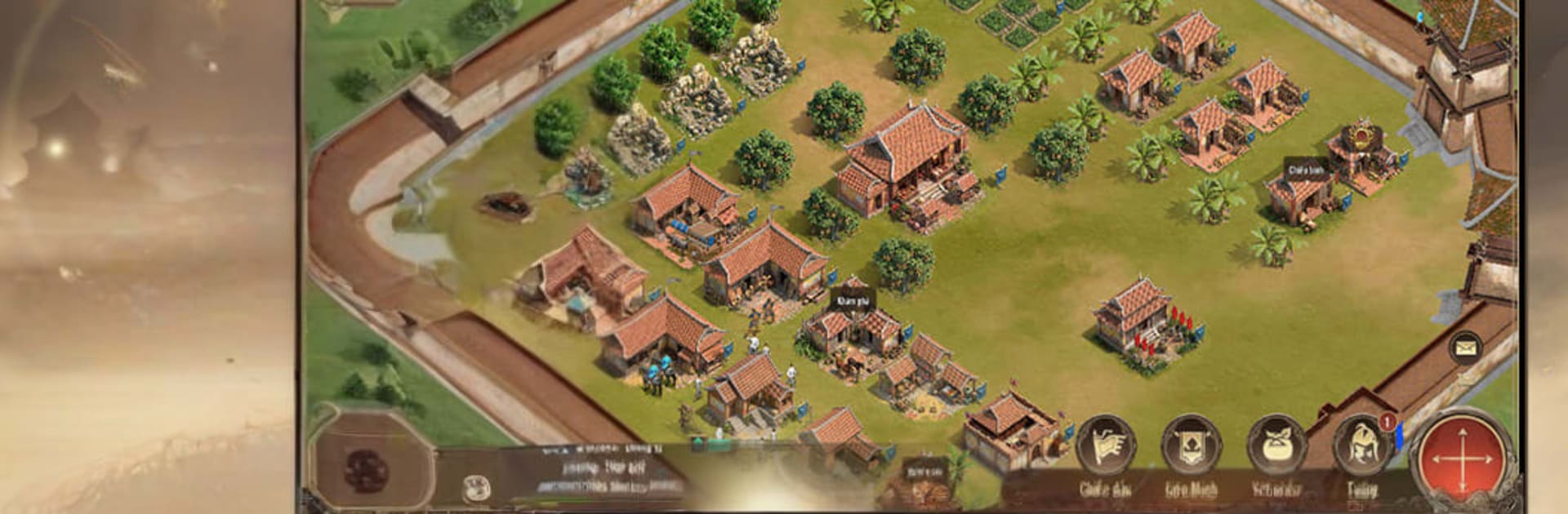
Vạn Thắng Nam Đế is a Strategy game set in Vietnam’s turbulent Twelve Warlords era. You play a young ruler trying to pull a fractured land together—raising cities from nothing, recruiting legendary commanders, and clashing in sweeping sieges on a living, real-time map. Prefer a bigger screen? You can run it on PC with BlueStacks and command like a true warlord.

Game Features
– Pick Your Origin: Start as a Farmer, Merchant, or Hunter—each path offers a different growth arc, shaping how you gather resources, develop your forces, and expand.
– Build, Fortify, Expand: Turn barren ground into bustling cities, construct stout fortresses, train troops, and push your borders one stronghold at a time.
– Recruit Historic Heroes: Rally icons from the Twelve Warlords era—names like Lê Hoàn, Trần Lâm, Phạm Bạch Hổ, and Nguyễn Bặc—each bringing distinct battlefield presence.
– Real-Time Command: March on an open map, reroute columns mid-campaign, pull back before a trap closes, or spring an ambush the moment an opening appears.
– Alliance Warfare: Join an Alliance to speed up construction, trade assistance, and coordinate multi-front sieges that seize key fortresses and broaden shared territory.
– Classic Unit Triangle: Leverage the timeless counter system—Infantry check Cavalry, Cavalry run down Archers, and Archers cut through Infantry—to tilt matchups your way.
– Flexible Formations: Swap lineups and positioning to suit the fight, pairing units and generals that complement each other for tougher pushes or safer defenses.
– Large-Scale Sieges: Bring whole armies to bear against fortified cities, balancing supply, timing, and attack routes to break gates and claim the province.

BlueStacks gives you more room to focus on the game and less time adjusting around mobile limitations.


Game Features

Enhancements

  • Macros
  • Multi Instance
  • Multi Instance Sync
  • Eco Mode
  • Enhancements
Macros

Macros

Skip the boring parts of a game. Play Vạn Thắng Nam Đế with Macros and get the edge. Simply record a sequence of commands and execute them at any moment.
Multi Instance

Multi Instance

Why limit to one game on your phone when you can play many on your PC? Open multiple instances of Vạn Thắng Nam Đế at once with Multi-Instance. Leverage the power of different accounts by doing more.
Multi Instance Sync

Multi Instance Sync

Get the best out of Vạn Thắng Nam Đế with Multi-Instance Sync. Play the game from different accounts and build your own empire. Use Multi-instance sync to repeat the action in the main BlueStacks instance on all other instances.
Eco Mode

Eco Mode

Find the rarest heroes by making multiple summons in Vạn Thắng Nam Đế. And while you are at it, reduce your PC’s resource consumption with the Eco Mode. Farm efficiently. Get the best results.
Read More

How to Download and Play Vạn Thắng Nam Đế on PC or Mac

  • Download and install BlueStacks on your PC or Mac

  • Complete Google sign-in to access the Play Store, or do it later

  • Look for Vạn Thắng Nam Đế in the search bar at the top right corner

  • Click to install Vạn Thắng Nam Đế from the search results

  • Complete Google sign-in (if you skipped step 2) to install Vạn Thắng Nam Đế

  • Click the Vạn Thắng Nam Đế icon on the home screen to start playing

video
Watch Video

Minimum System Requirements

With BlueStacks 5, you can get started on a PC that fulfills the following requirements.

  • Operating System

    Microsoft Windows 7 or above, macOS 11 (Big Sur) or above

  • Processor

    Intel, AMD or Apple Silicon Processor

  • RAM

    at least 4GB

  • HDD

    10GB Free Disk Space

Note:

* You must be an Administrator on your PC. Up to date graphics drivers from Microsoft or the chipset vendor.

Vạn Thắng Nam Đế - FAQs

  • How to play Vạn Thắng Nam Đế on Windows PC & Mac?

    Play Vạn Thắng Nam Đế on your PC or Mac by following these simple steps.

    • Click on 'Play Vạn Thắng Nam Đế on PC’ to download BlueStacks
    • Install it and log-in to Google Play Store
    • Launch and play the game.
  • Why is BlueStacks the fastest and safest platform to play games on PC?

    BlueStacks respects your privacy and is always safe and secure to use. It does not carry any malware, spyware, or any sort of additional software that could harm your PC.

    It is engineered to optimize speed and performance for a seamless gaming experience.

  • What are Vạn Thắng Nam Đế PC requirements?

    Minimum requirement to run Vạn Thắng Nam Đế on your PC

    • OS: Microsoft Windows 7 or above MacOS 11 (Big Sur) or above
    • Processor: Intel, AMD or Apple Silicon Processor
    • RAM: Your PC must have at least 4GB of RAM. (Note that having 4GB or more disk space is not a substitute for RAM)
    • HDD: 10GB Free Disk Space.
    • You must be an Administrator on your PC.