Warfare Sandbox
Warfare Sandbox

Warfare Sandbox

Strategy

| TeaGames!

Play on PC with BlueStacks or from our cloud

  • Overview
  • Game Features
  • How to Play

Page Modified On: October 30, 2026

Play Warfare Sandbox on PC or Mac

Explore a whole new adventure with Warfare Sandbox, a Strategy game created by TeaGames!. Experience great gameplay with BlueStacks, the most popular gaming platform to play Android games on your PC or Mac.

About the Game

Warfare Sandbox is a gritty, real-time Strategy battler where tiny pixel soldiers fight over trenches, buildings, and battered streets. You’re the commander calling the shots—spend frontline income, pick the right squads, and time the push that cracks the enemy line. Prefer a bigger display and mouse aim? It plays nicely on BlueStacks without getting in the way.

Game Features

  • Real-time trench warfare: Orchestrate pushes from cover to cover, manage your budget, and grind down enemy defenses with steady pressure and smart timing.
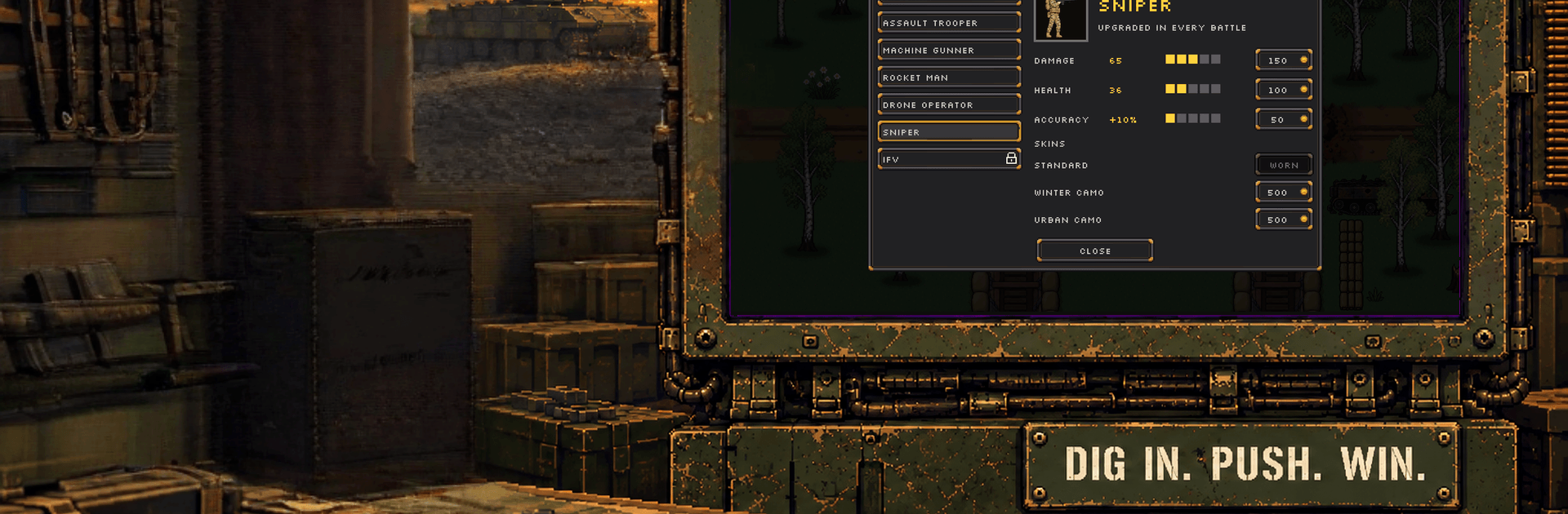
  • Evolving arsenal: Start with rifle and assault squads, then unlock machine gunners, rocket troops, drone operators, and a side-specific ace—Russian Shmel gunner or American sniper—as campaign milestones stack up.
  • Heavy support on call: Drop rocket salvos or send in attack jets with simple, satisfying card plays that can flip a fight in seconds.
  • Smart orders, simple taps: Garrison trenches, houses, and bunkers, then decide whether to suppress from range or storm a position outright.
  • Targeted takedowns: Tag a specific enemy soldier or vehicle and dispatch the right counter unit to erase the problem.
  • Armor in the mix: Roll out infantry fighting vehicles—BMP-2 for one side, Bradley for the other—to back your infantry with mobile firepower.
  • Tactical munitions: Load the crate that fits the plan: high-explosive for blasts, cluster for spread, thermobaric for brutal area denial, or smoke to screen an advance.
  • Destructive battlefields: Reduce buildings, bunkers, and machine-gun nests to rubble; stubborn cover stops being cover once it collapses.
  • Progression and camo: Upgrade each unit’s damage, health, and accuracy across five tiers, then kit squads in winter or urban camouflage to suit the map.
  • Multiple ways to fight: Tackle two full campaigns with briefings and tougher Hard chapters, take on a 20-battle Operation run with card picks between fights, or build your own clashes in Sandbox.
  • Build-your-own battlegrounds: Choose from 15 ready-made scenarios or craft maps across 8 terrains and 5 sizes—place trenches, bunkers, houses, wrecks, paint the ground, and set both armies.
  • Weather, night, and tempo: Battle in clear skies, rain, or darkness; pause to plan or hit 2x speed when the push is on; a short tutorial gets your commands down fast.
  • Play-friendly model: Free to play with no ads, no in-app purchases, and full offline support.

Ready to top the leaderboard? We bet you do. Let precise controls and sharp visuals optimized on BlueStacks lead you to victory.


Game Features

Enhancements

  • Macros
  • Multi Instance
  • Multi Instance Sync
  • Eco Mode
  • Enhancements
Macros

Macros

Skip the boring parts of a game. Play Warfare Sandbox with Macros and get the edge. Simply record a sequence of commands and execute them at any moment.
Multi Instance

Multi Instance

Why limit to one game on your phone when you can play many on your PC? Open multiple instances of Warfare Sandbox at once with Multi-Instance. Leverage the power of different accounts by doing more.
Multi Instance Sync

Multi Instance Sync

Get the best out of Warfare Sandbox with Multi-Instance Sync. Play the game from different accounts and build your own empire. Use Multi-instance sync to repeat the action in the main BlueStacks instance on all other instances.
Eco Mode

Eco Mode

Find the rarest heroes by making multiple summons in Warfare Sandbox. And while you are at it, reduce your PC’s resource consumption with the Eco Mode. Farm efficiently. Get the best results.
Read More

How to Download and Play Warfare Sandbox on PC or Mac

  • Download and install BlueStacks on your PC or Mac

  • Complete Google sign-in to access the Play Store, or do it later

  • Look for Warfare Sandbox in the search bar at the top right corner

  • Click to install Warfare Sandbox from the search results

  • Complete Google sign-in (if you skipped step 2) to install Warfare Sandbox

  • Click the Warfare Sandbox icon on the home screen to start playing

video
Watch Video

Minimum System Requirements

With BlueStacks 5, you can get started on a PC that fulfills the following requirements.

  • Operating System

    Microsoft Windows 7 or above, macOS 11 (Big Sur) or above

  • Processor

    Intel, AMD or Apple Silicon Processor

  • RAM

    at least 4GB

  • HDD

    10GB Free Disk Space

Note:

* You must be an Administrator on your PC. Up to date graphics drivers from Microsoft or the chipset vendor.

Warfare Sandbox - FAQs

  • How to play Warfare Sandbox on Windows PC & Mac?

    Play Warfare Sandbox on your PC or Mac by following these simple steps.

    • Click on 'Play Warfare Sandbox on PC’ to download BlueStacks
    • Install it and log-in to Google Play Store
    • Launch and play the game.
  • Why is BlueStacks the fastest and safest platform to play games on PC?

    BlueStacks respects your privacy and is always safe and secure to use. It does not carry any malware, spyware, or any sort of additional software that could harm your PC.

    It is engineered to optimize speed and performance for a seamless gaming experience.

  • What are Warfare Sandbox PC requirements?

    Minimum requirement to run Warfare Sandbox on your PC

    • OS: Microsoft Windows 7 or above MacOS 11 (Big Sur) or above
    • Processor: Intel, AMD or Apple Silicon Processor
    • RAM: Your PC must have at least 4GB of RAM. (Note that having 4GB or more disk space is not a substitute for RAM)
    • HDD: 10GB Free Disk Space.
    • You must be an Administrator on your PC.