Wars of the Lost Era

Wars of the Lost Era

Strategy

| Babada Games

Play on PC with BlueStacks or from our cloud

  • Overview
  • Game Features
  • How to Play

Page Modified On: August 03, 2026

Play Wars of the Lost Era on PC or Mac

Play Wars of the Lost Era by Babada Games on PC or Mac with BlueStacks. Use a bigger screen, mouse and keyboard controls, and smoother performance while you play.

About the Game

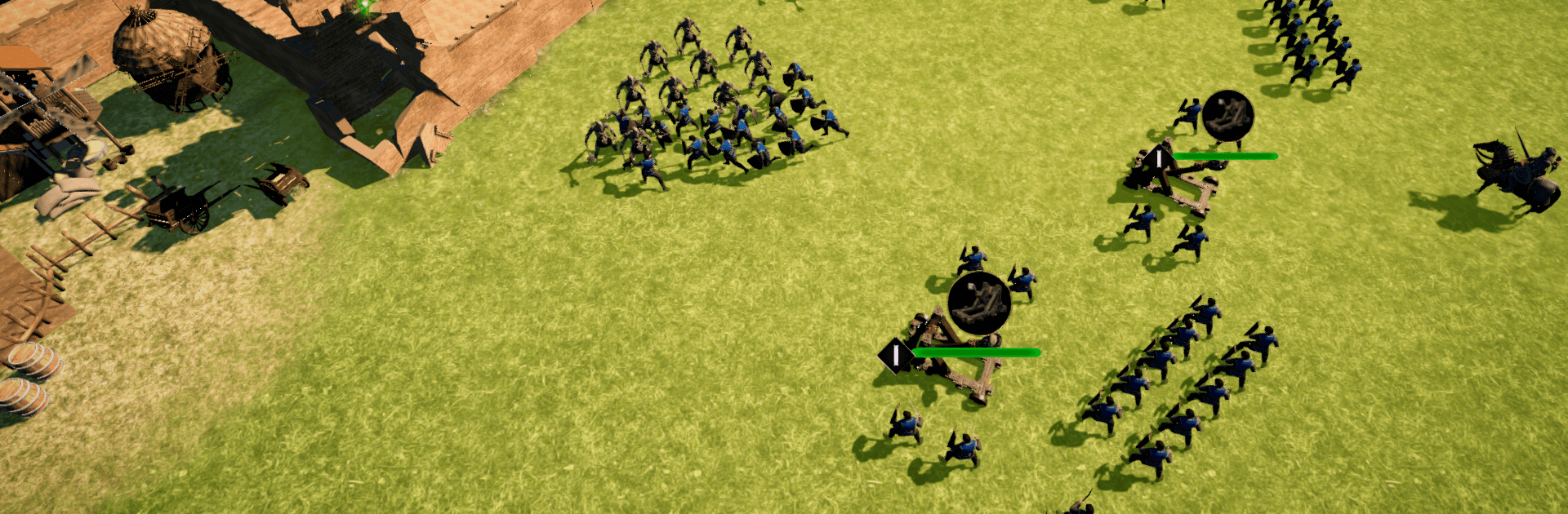
Wars of the Lost Era is a Strategy game about building a thriving stronghold and leading clever, hard-hitting armies. It’s part city builder, part tactical battler—you’re planning your economy one minute, then reading the battlefield and outsmarting enemy lines the next. Prefer a bigger view and mouse control? You can jump in on PC with BlueStacks if that’s your thing.

Game Features

  • Tactical Combat First: Position formations, bait flanks, and time charges to break enemy lines. Smart moves matter more than brute force.
  • Diverse Unit Roster: Field warriors, archers, horsemen, and axemen, then mix them into squads that fit your style—fast strikes, shielded pushes, or long-range pressure.
  • Build a Real Power Base: Raise and upgrade key buildings to keep your settlement humming, from training grounds to workshops that keep your war machine supplied.
  • Research That Pays Off: Unlock technologies that boost production, improve troop gear, and open up new strategic options as your realm grows.
  • Heavy Siege, Big Results: Bring mangonels, trebuchets, and cannons to the party and watch fortress walls crumble when the time is right.
  • Resources With Consequences: Manage what you gather and where you spend it—troop upkeep, upgrades, and expansion all pull from the same pot.
  • Battles With Stakes: Face off in memorable clashes where preparation counts, momentum swings, and a single good call can turn the tide.

Start your journey now. Download the game on BlueStacks, invite your friends, and march on a new adventure.


Game Features

Enhancements

  • Macros
  • Multi Instance
  • Multi Instance Sync
  • Eco Mode
  • Enhancements
Macros

Macros

Skip the boring parts of a game. Play Wars of the Lost Era with Macros and get the edge. Simply record a sequence of commands and execute them at any moment.
Multi Instance

Multi Instance

Why limit to one game on your phone when you can play many on your PC? Open multiple instances of Wars of the Lost Era at once with Multi-Instance. Leverage the power of different accounts by doing more.
Multi Instance Sync

Multi Instance Sync

Get the best out of Wars of the Lost Era with Multi-Instance Sync. Play the game from different accounts and build your own empire. Use Multi-instance sync to repeat the action in the main BlueStacks instance on all other instances.
Eco Mode

Eco Mode

Find the rarest heroes by making multiple summons in Wars of the Lost Era. And while you are at it, reduce your PC’s resource consumption with the Eco Mode. Farm efficiently. Get the best results.
Read More

How to Download and Play Wars of the Lost Era on PC or Mac

  • Download and install BlueStacks on your PC or Mac

  • Complete Google sign-in to access the Play Store, or do it later

  • Look for Wars of the Lost Era in the search bar at the top right corner

  • Click to install Wars of the Lost Era from the search results

  • Complete Google sign-in (if you skipped step 2) to install Wars of the Lost Era

  • Click the Wars of the Lost Era icon on the home screen to start playing

video
Watch Video

Minimum System Requirements

With BlueStacks 5, you can get started on a PC that fulfills the following requirements.

  • Operating System

    Microsoft Windows 7 or above, macOS 11 (Big Sur) or above

  • Processor

    Intel, AMD or Apple Silicon Processor

  • RAM

    at least 4GB

  • HDD

    10GB Free Disk Space

Note:

* You must be an Administrator on your PC. Up to date graphics drivers from Microsoft or the chipset vendor.

Wars of the Lost Era - FAQs

  • How to play Wars of the Lost Era on Windows PC & Mac?

    Play Wars of the Lost Era on your PC or Mac by following these simple steps.

    • Click on 'Play Wars of the Lost Era on PC’ to download BlueStacks
    • Install it and log-in to Google Play Store
    • Launch and play the game.
  • Why is BlueStacks the fastest and safest platform to play games on PC?

    BlueStacks respects your privacy and is always safe and secure to use. It does not carry any malware, spyware, or any sort of additional software that could harm your PC.

    It is engineered to optimize speed and performance for a seamless gaming experience.

  • What are Wars of the Lost Era PC requirements?

    Minimum requirement to run Wars of the Lost Era on your PC

    • OS: Microsoft Windows 7 or above MacOS 11 (Big Sur) or above
    • Processor: Intel, AMD or Apple Silicon Processor
    • RAM: Your PC must have at least 4GB of RAM. (Note that having 4GB or more disk space is not a substitute for RAM)
    • HDD: 10GB Free Disk Space.
    • You must be an Administrator on your PC.