



Get freedom from your phone’s obvious limitations. Use 3C Battery Manager, made by 3c, a Tools app on your PC or Mac with BlueStacks, and level up your experience.
About the App
3C Battery Manager is the kind of battery helper you’ll actually want to keep around. It gives you a clear view of what’s using power, how your battery is aging, and how long you can expect to last on a charge—without guesswork. This Tools app from 3c feels practical, detailed, and surprisingly light. Prefer a bigger screen? It also runs smoothly on BlueStacks.
App Features
- Live battery dashboard — Watch real-time stats like percentage, current draw, power, voltage, and temperature so you always know what’s going on.
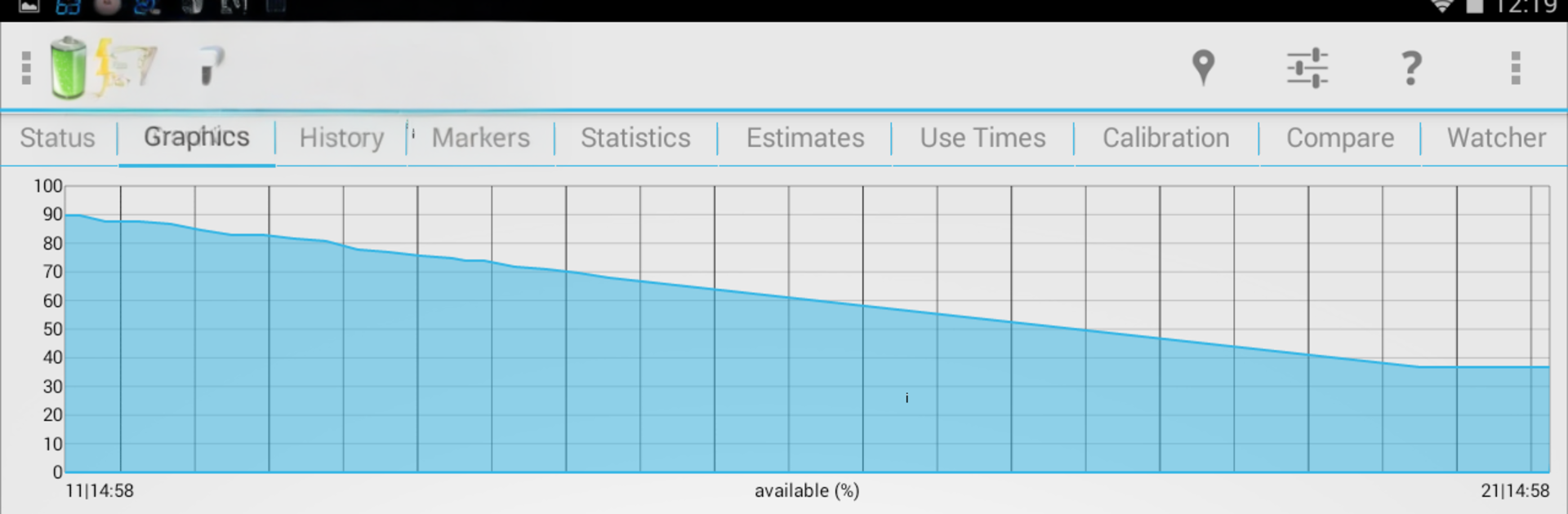
- Rich history graphs — Explore fully scrollable, zoomable charts to spot trends, compare past days, and understand long-term battery behavior.
- Status bar & notifications — Pin key battery info up top and customize what you see so it’s there at a glance.
- Home screen widgets — Add clean widgets to your launcher to keep important numbers or graphs within easy reach.
- Smart estimates — Get time-remaining predictions for both discharging and when charging by AC, USB, or wireless.
- Real capacity check — Measure actual capacity over time to track battery health and aging with real data.
- App power hog finder — Scan installed apps and see which ones are draining you most. The scan runs locally; nothing leaves your device.
- Alarms & alerts — Set alerts for level, temperature, or voltage to catch problems early or manage charging habits.
- Multi-battery friendly — Supports removable batteries and hardware with dual-battery setups without extra fuss.
- Hardware extras — Includes special handling for select dual-battery devices and certain Samsung edge features.
- Root tools (optional) — On supported devices, experiment with limiting max charge to protect longevity; disable if anything acts up.
- Low footprint — Designed to sip power so the monitor doesn’t become the drain.
- Built-in help — Find clear explanations and tips right inside the app.
- Premium upgrades — Remove ads and unlock goodies like advanced graph widgets, unlimited alarms and notification items, automatic history markers, adjustable capacity reference, overlay indicators, and storage for as many batteries as you track.
Switch to BlueStacks and make the most of your apps on your PC or Mac.





