



Multitask effortlessly on your PC or Mac as you try out 3C System Manager (root), a Tools app by 3c on BlueStacks.
About the App
3C System Manager (root) is a power-user toolkit from 3c that puts low‑level Android controls at your fingertips. If your device is rooted and you’re comfortable with Linux/Android internals, this Tools app lets you fine‑tune performance, battery behavior, and hardware features with precision. Prefer working on a larger display? You can run it through BlueStacks and tweak away with a mouse and keyboard.
App Features
- Customizable interface: Tailor the layout, themes, and what you see first so the tools you care about are always front and center.
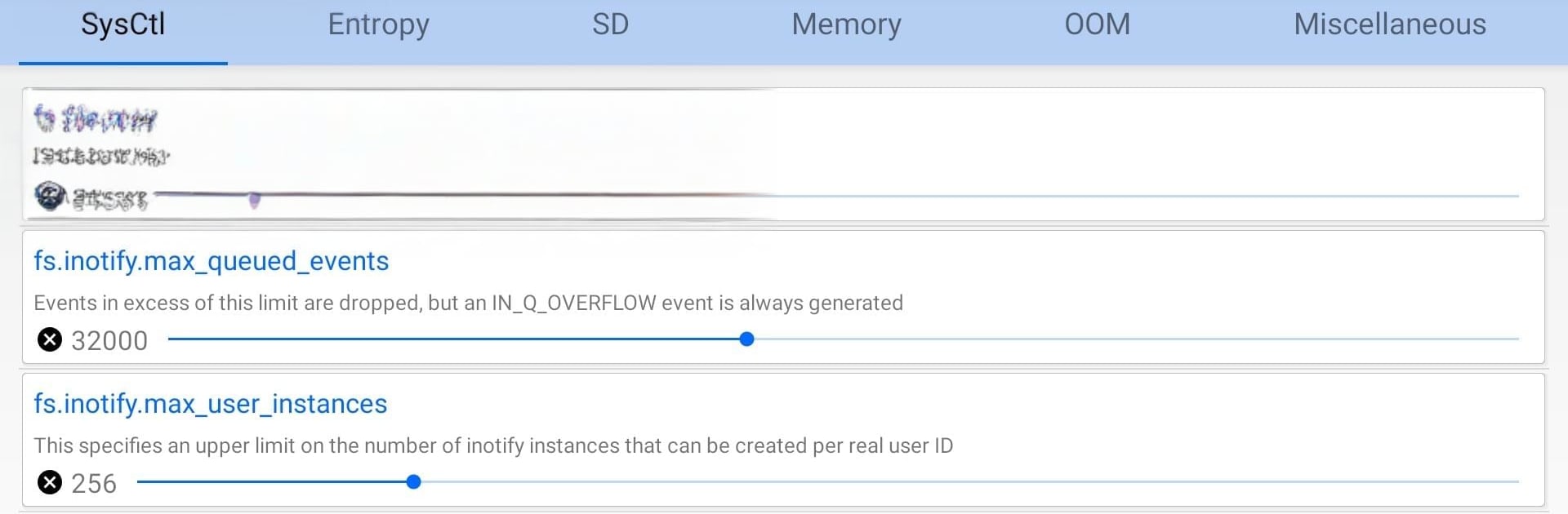
- Sysctl editor: Browse and modify kernel parameters directly, with changes that can help shape system behavior to your needs.
- Entropy controls: Adjust randomness sources for the system; useful for performance experiments—just keep an eye on CPU usage.
- Storage tuning: Set SD read cache size, pick an I/O scheduler, manage syncing, and test different cache values to find the sweet spot.
- Memory management: Tweak OOM (out‑of‑memory) limits on supported setups to better control how apps are kept or killed.
- Built‑in benchmarking: Compare SD read cache settings inside the app to guide your performance choices.
- Display calibration: On kernels that support it, tune screen gamma for more accurate or punchy visuals.
- Audio adjustments: Modify sound output parameters when your device’s kernel exposes those hooks.
- Gesture controls: Enable double‑tap‑to‑wake or sweep‑to‑sleep on compatible kernels for quicker screen interaction.
- Charging behaviors: Toggle fast charging and set a maximum charge percentage to help manage long‑term battery health.
- CPU hotplug options: Use Intelliplug (when available) to manage cores for efficiency and responsiveness.
- Ads and extras: In‑app purchases remove ads and unlock additional features.
Ready to experience 3C System Manager (root) on a bigger screen, in all its glory? Download BlueStacks now.





