
GA Recovery Deleted Message

GA Recovery Deleted Message

Tools

| GAMR Soft

Play on PC with BlueStacks or from our cloud

  • Overview
  • How to Download

Page Modified On: September 19, 2025

Run GA Recovery Deleted Message on PC or Mac

Let BlueStacks turn your PC, Mac, or laptop into the perfect home for GA Recovery Deleted Message, a fun Tools app from GAMR Soft.

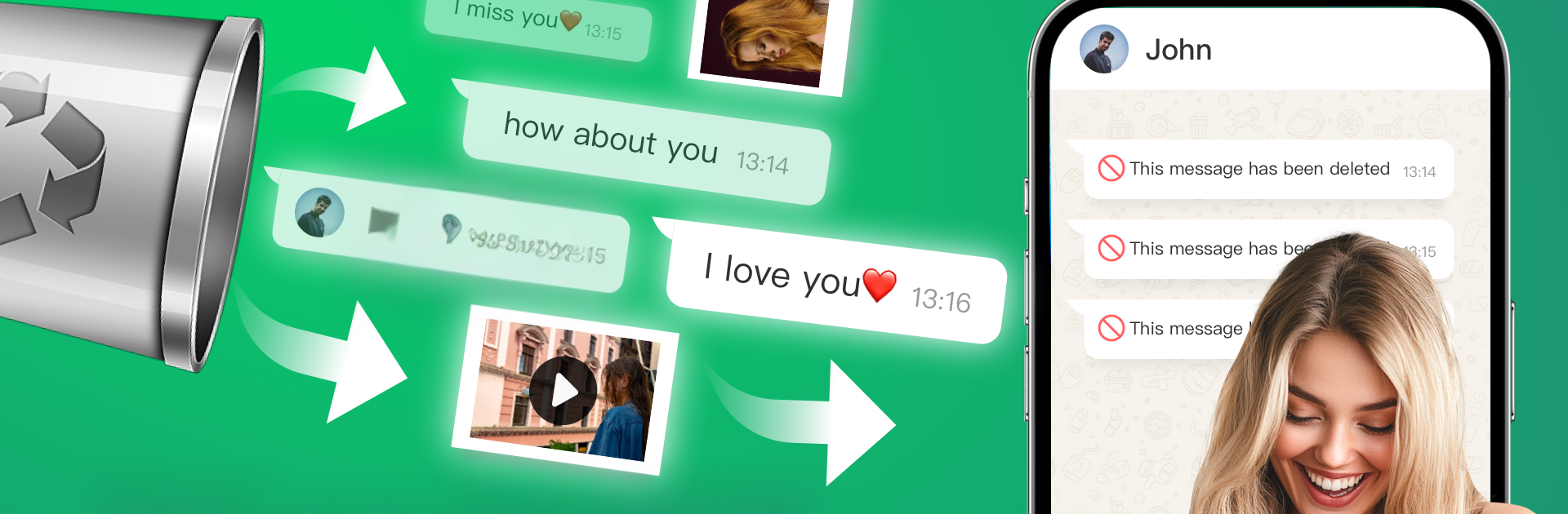
GA Recovery Deleted Message feels like a safety net for chats. It watches notifications from WhatsApp, Messenger, Telegram, Line, and a few others, then builds a timeline of what came in. When someone deletes a text or a photo, the app usually still has it because it already saw the notification or grabbed the media when it arrived. It covers photos, videos, voice notes, audio, GIFs, and stickers, and that part is the standout. There is a quick search for digging up something specific, special alerts with ringtone or vibration or even flash, and an app lock so snoopy roommates do not peek. There is also a simple trick where messages can be read here while keeping them unread in the original app, which is handy.

It is not magic and it does not break encryption. It relies on notifications, so if a chat is muted, or notifications are off, or the message was deleted before this was installed, there will be nothing to recover. Some phones also hide notifications when the chat is open, so timing matters. On a PC through BlueStacks it runs fine, and the bigger window makes it easier to scan the recovery list, copy text, or save media without juggling the phone. Setup is mostly granting notification access and storage. Everything stays on the device, and it is not affiliated with WhatsApp or any of those platforms. Simple layout, straight to the point, does exactly what people expect when that annoying message deleted pops up.

Big screen. Bigger performance. Use BlueStacks on your PC or Mac to run your favorite apps.

How to Download and Run GA Recovery Deleted Message on PC or Mac

  • Download and install BlueStacks on your PC or Mac

  • Complete Google sign-in to access the Play Store, or do it later

  • Look for GA Recovery Deleted Message in the search bar at the top right corner

  • Click to install GA Recovery Deleted Message from the search results

  • Complete Google sign-in (if you skipped step 2) to install GA Recovery Deleted Message

  • Click the GA Recovery Deleted Message icon on the home screen to start playing

video
Watch Video

Minimum System Requirements

With BlueStacks 5, you can get started on a PC that fulfills the following requirements.

  • Operating System

    Microsoft Windows 7 or above, macOS 11 (Big Sur) or above

  • Processor

    Intel, AMD or Apple Silicon Processor

  • RAM

    at least 4GB

  • HDD

    10GB Free Disk Space

Note:

* You must be an Administrator on your PC. Up to date graphics drivers from Microsoft or the chipset vendor.

GA Recovery Deleted Message - FAQs

  • How to Run GA Recovery Deleted Message on Windows PC & Mac?

    Run GA Recovery Deleted Message on your PC or Mac by following these simple steps.

    • Click on ‘Download GA Recovery Deleted Message on PC’ to download BlueStacks
    • Install it and log-in to Google Play Store
    • Launch and run the app.
  • Why is BlueStacks the fastest and safest platform to play games on PC?

    BlueStacks respects your privacy and is always safe and secure to use. It does not carry any malware, spyware, or any sort of additional software that could harm your PC.

    It is engineered to optimize speed and performance for a seamless gaming experience.

  • What are GA Recovery Deleted Message PC requirements?

    Minimum requirement to run GA Recovery Deleted Message on your PC

    • OS: Microsoft Windows 7 and above:
    • Processor: Intel or AMD Processor:
    • RAM: Your PC must have at least 2GB of RAM. (Note that having 2GB or more disk space is not a substitute for RAM):
    • HDD: 5GB Free Disk Space.
    • You must be an Administrator on your PC.




