
GPS Area Measure - FieldCalc

GPS Area Measure - FieldCalc

Tools

| Vasundhara Infotech LLP

Play on PC with BlueStacks or from our cloud

  • Overview
  • How to Download

Page Modified On: November 28, 2025

Run GPS Area Measure - FieldCalc on PC or Mac

Get freedom from your phone’s obvious limitations. Use GPS Area Measure – FieldCalc, made by Vasundhara Infotech LLP, a Tools app on your PC or Mac with BlueStacks, and level up your experience.

About the App

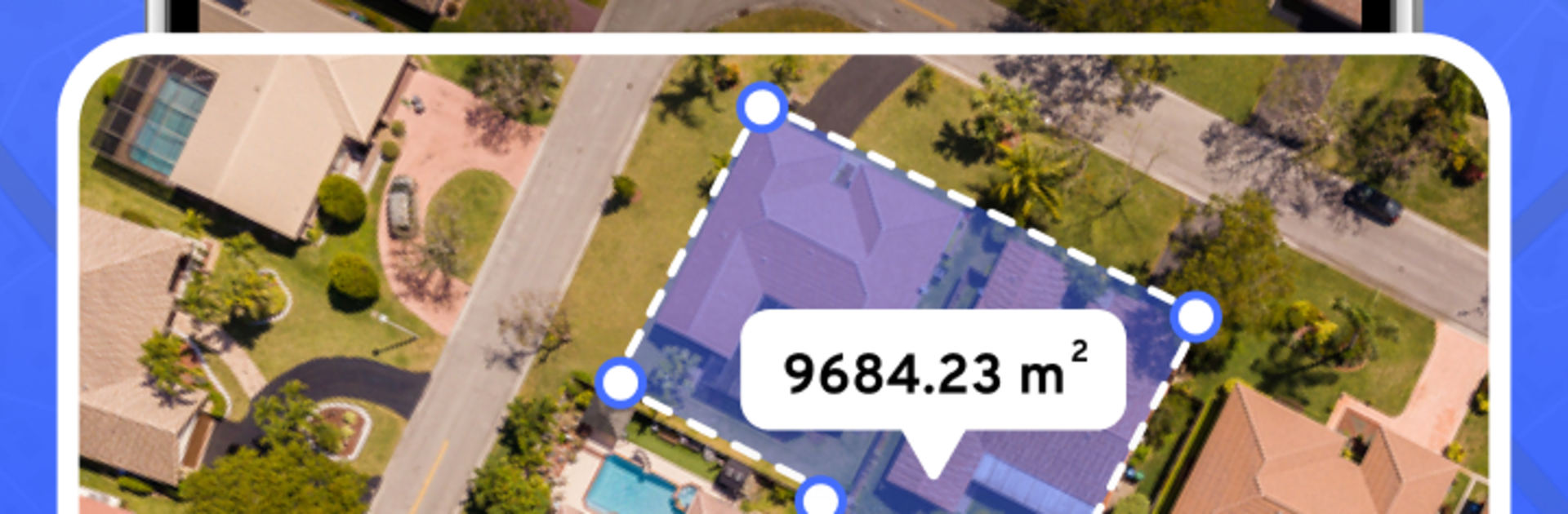
GPS Area Measure – FieldCalc is a straightforward Tools app from Vasundhara Infotech LLP that helps you figure out area, perimeter, and distance without breaking a sweat. Trace on the map, drop points, or walk the boundary with GPS and get numbers you can trust. Farmers, surveyors, real estate folks, or anyone curious about yard size—this one keeps the math simple and the results clear. Prefer a bigger screen? It also works nicely on BlueStacks.

App Features

  • Quick Distance Measure: Tap points on the map to see the length of roads, paths, fence lines, or any straight or winding route across your land.
  • Area & Perimeter Calculator: Outline a plot and instantly get total area and boundary length—handy for landscaping, estimating materials, or property checks.
  • GPS Walk/Drive Mode: Move around the edges of a field or lot and let GPS capture the perimeter as you go, ideal for large or uneven terrain.
  • Draw on Map: Sketch shapes directly on the map to measure irregular boundaries with ease—no perfect rectangles required.
  • Planimeter Mode: Need more detail? Trace complex shapes with high precision, a favorite for survey and engineering tasks.
  • Acreage Made Easy: View results in acres or square footage to match farm work, construction planning, or property comparisons.
  • Fence Planning: Map out fence runs, see total length, and reduce guesswork before you buy materials.
  • Distance + Area in One View: Check both metrics together so you can plan perimeters and total coverage without switching screens.
  • Works Offline: Measure fields and lots even when service is spotty or unavailable.
  • Point-to-Point Precision: Drop exact points for reliable measurements across farm fields, residential yards, gardens, sports areas, forests, orchards—you name it.

BlueStacks brings your apps to life on a bigger screen—seamless and straightforward.

How to Download and Run GPS Area Measure - FieldCalc on PC or Mac

  • Download and install BlueStacks on your PC or Mac

  • Complete Google sign-in to access the Play Store, or do it later

  • Look for GPS Area Measure - FieldCalc in the search bar at the top right corner

  • Click to install GPS Area Measure - FieldCalc from the search results

  • Complete Google sign-in (if you skipped step 2) to install GPS Area Measure - FieldCalc

  • Click the GPS Area Measure - FieldCalc icon on the home screen to start playing

video
Watch Video

Minimum System Requirements

With BlueStacks 5, you can get started on a PC that fulfills the following requirements.

  • Operating System

    Microsoft Windows 7 or above, macOS 11 (Big Sur) or above

  • Processor

    Intel, AMD or Apple Silicon Processor

  • RAM

    at least 4GB

  • HDD

    10GB Free Disk Space

Note:

* You must be an Administrator on your PC. Up to date graphics drivers from Microsoft or the chipset vendor.

GPS Area Measure - FieldCalc - FAQs

  • How to Run GPS Area Measure - FieldCalc on Windows PC & Mac?

    Run GPS Area Measure - FieldCalc on your PC or Mac by following these simple steps.

    • Click on ‘Download GPS Area Measure - FieldCalc on PC’ to download BlueStacks
    • Install it and log-in to Google Play Store
    • Launch and run the app.
  • Why is BlueStacks the fastest and safest platform to play games on PC?

    BlueStacks respects your privacy and is always safe and secure to use. It does not carry any malware, spyware, or any sort of additional software that could harm your PC.

    It is engineered to optimize speed and performance for a seamless gaming experience.

  • What are GPS Area Measure - FieldCalc PC requirements?

    Minimum requirement to run GPS Area Measure - FieldCalc on your PC

    • OS: Microsoft Windows 7 and above:
    • Processor: Intel or AMD Processor:
    • RAM: Your PC must have at least 2GB of RAM. (Note that having 2GB or more disk space is not a substitute for RAM):
    • HDD: 5GB Free Disk Space.
    • You must be an Administrator on your PC.




