
HERZ FBH - Floor Heating Calc

HERZ FBH - Floor Heating Calc

Tools

| Herz Armaturen

Play on PC with BlueStacks or from our cloud

  • Overview
  • How to Download

Page Modified On: November 03, 2025

Run HERZ FBH - Floor Heating Calc on PC or Mac

Why limit yourself to your small screen on the phone? Run HERZ FBH – Floor Heating Calc, an app by Herz Armaturen, best experienced on your PC or Mac with BlueStacks, the world’s #1 Android emulator.

About the App

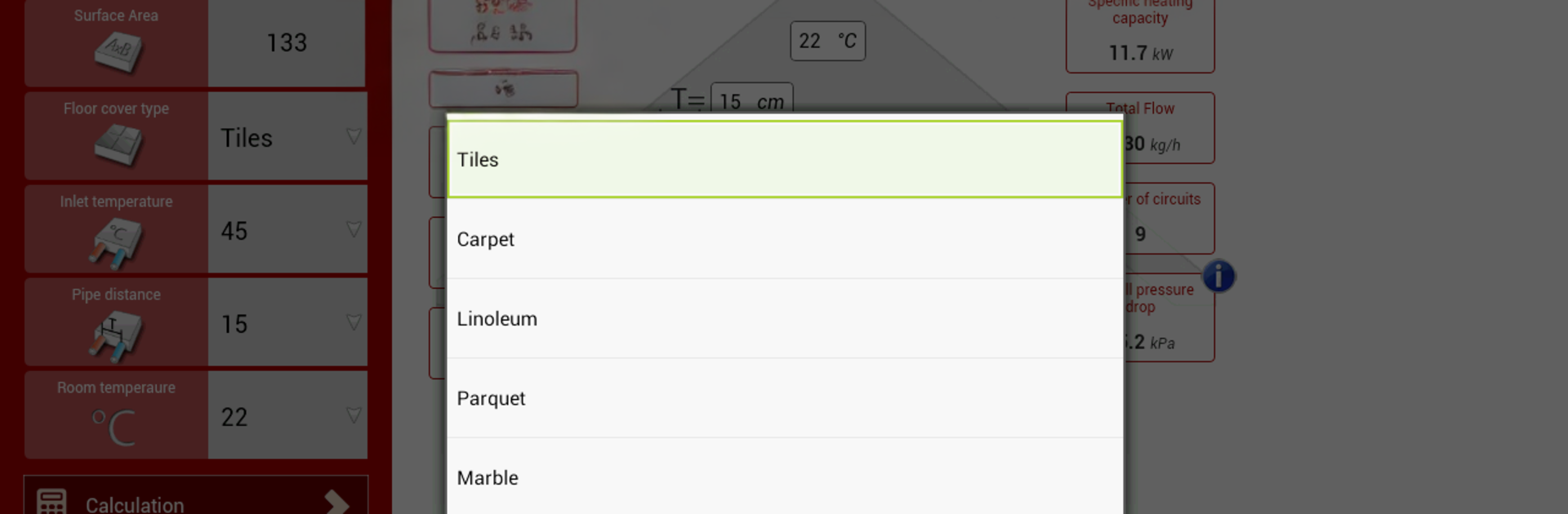
HERZ FBH – Floor Heating Calc is a practical helper for anyone planning or installing hydronic floor heating. Built by Herz Armaturen, it turns tricky sizing and loop planning into quick, confident decisions. Punch in a few basics and get clear numbers and visuals you can trust on-site or at your desk.

App Features

  • Visual System Snapshot: See how your floor heating setup comes together with clean, readable outputs that make sense at a glance.
  • Single-Loop Coverage: Check the maximum surface area you can heat with one loop while respecting pipe length limits (up to 100 m per loop, about 328 ft).
  • Pipe Length Calculator: Get the total pipe length needed for the entire project so you can order materials without guesswork.
  • Loop Count & Manifold Help: Instantly see how many heating loops you’ll need, making distributor and manifold choices much simpler.
  • Flow Requirements: Calculate the overall heating medium flow to match your design goals and keep the system balanced.
  • Heating Capacity Estimates: Understand the heating capacity of the floor heating system to verify it meets the room’s demand.
  • Pressure Drop for Pump Sizing: Get pressure drop values to help you select the right circulation pump and avoid performance issues.
  • Built for Standards-Friendly Planning: Designed to support common design practices so your dimensioning stays consistent and professional.
  • Works Where You Do: Handy on the job with your phone, and just as comfortable on a larger screen using BlueStacks if you prefer a desktop workflow.

Genre: Tools
Developer: Herz Armaturen

Ready to experience HERZ FBH – Floor Heating Calc on a bigger screen, in all its glory? Download BlueStacks now.


How to Download and Run HERZ FBH - Floor Heating Calc on PC or Mac

  • Download and install BlueStacks on your PC or Mac

  • Complete Google sign-in to access the Play Store, or do it later

  • Look for HERZ FBH - Floor Heating Calc in the search bar at the top right corner

  • Click to install HERZ FBH - Floor Heating Calc from the search results

  • Complete Google sign-in (if you skipped step 2) to install HERZ FBH - Floor Heating Calc

  • Click the HERZ FBH - Floor Heating Calc icon on the home screen to start playing

video
Watch Video

Minimum System Requirements

With BlueStacks 5, you can get started on a PC that fulfills the following requirements.

  • Operating System

    Microsoft Windows 7 or above, macOS 11 (Big Sur) or above

  • Processor

    Intel, AMD or Apple Silicon Processor

  • RAM

    at least 4GB

  • HDD

    10GB Free Disk Space

Note:

* You must be an Administrator on your PC. Up to date graphics drivers from Microsoft or the chipset vendor.

HERZ FBH - Floor Heating Calc - FAQs

  • How to Run HERZ FBH - Floor Heating Calc on Windows PC & Mac?

    Run HERZ FBH - Floor Heating Calc on your PC or Mac by following these simple steps.

    • Click on ‘Download HERZ FBH - Floor Heating Calc on PC’ to download BlueStacks
    • Install it and log-in to Google Play Store
    • Launch and run the app.
  • Why is BlueStacks the fastest and safest platform to play games on PC?

    BlueStacks respects your privacy and is always safe and secure to use. It does not carry any malware, spyware, or any sort of additional software that could harm your PC.

    It is engineered to optimize speed and performance for a seamless gaming experience.

  • What are HERZ FBH - Floor Heating Calc PC requirements?

    Minimum requirement to run HERZ FBH - Floor Heating Calc on your PC

    • OS: Microsoft Windows 7 and above:
    • Processor: Intel or AMD Processor:
    • RAM: Your PC must have at least 2GB of RAM. (Note that having 2GB or more disk space is not a substitute for RAM):
    • HDD: 5GB Free Disk Space.
    • You must be an Administrator on your PC.



