
iRoofing
iRoofing

iRoofing

Tools

| iRoofing LLC

Play on PC with BlueStacks or from our cloud

  • Overview
  • How to Download

Page Modified On: November 10, 2025

Run iRoofing on PC or Mac

Upgrade your experience. Try iRoofing, the fantastic Tools app from iRoofing LLC, from the comfort of your laptop, PC, or Mac, only on BlueStacks.

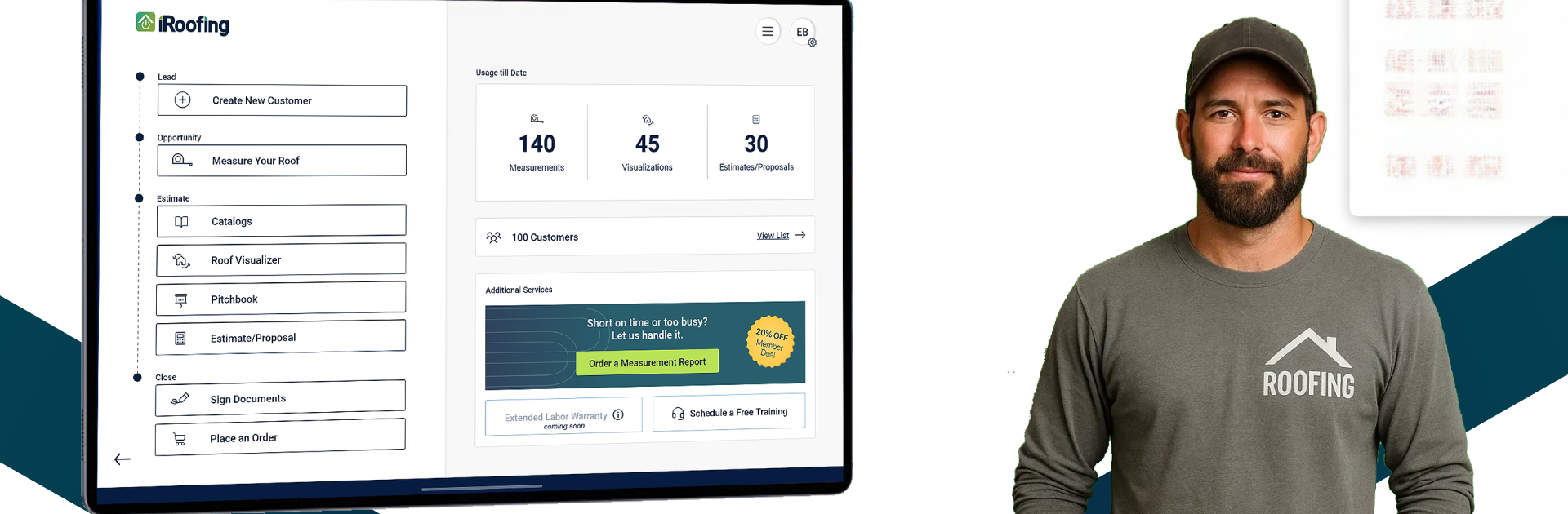
iRoofing comes off like a practical toolbox for roofers, not some flashy sales trick. On a PC with BlueStacks, the mouse and bigger screen make the measuring feel steady and clean. A user can trace a roof from aerial images, pull measurements, and skip the ladder unless it is really needed. Then it shifts into show-and-tell. The app has catalogs for shingles, tiles, metal, and siding, and it filters by what is actually available nearby. Browsing swatches is quick, and there is an option to order samples so nobody is chasing calls later.

The simulator is the standout. Load a photo of the house, try different products, and the homeowner sees a believable preview right away. That makes the talk less theoretical and more about what looks right. There is a big gallery of real jobs with materials listed, which helps when someone wants to see how a color or profile lands in the real world. It keeps technical guides close by so specs do not get mixed up. Suppliers and manufacturers are mapped with GPS details, so finding where to buy is not a scavenger hunt, and the ordering workflow cuts down on phone mistakes.

Everything can be branded, too. Logo, job photos, contract docs, the whole sales kit lives inside the app so proposals look consistent. It is not a game, but it feels good to go from measuring to materials to a concrete quote without jumping across a bunch of different tools.

Switch to BlueStacks and make the most of your apps on your PC or Mac.

How to Download and Run iRoofing on PC or Mac

  • Download and install BlueStacks on your PC or Mac

  • Complete Google sign-in to access the Play Store, or do it later

  • Look for iRoofing in the search bar at the top right corner

  • Click to install iRoofing from the search results

  • Complete Google sign-in (if you skipped step 2) to install iRoofing

  • Click the iRoofing icon on the home screen to start playing

video
Watch Video

Minimum System Requirements

With BlueStacks 5, you can get started on a PC that fulfills the following requirements.

  • Operating System

    Microsoft Windows 7 or above, macOS 11 (Big Sur) or above

  • Processor

    Intel, AMD or Apple Silicon Processor

  • RAM

    at least 4GB

  • HDD

    10GB Free Disk Space

Note:

* You must be an Administrator on your PC. Up to date graphics drivers from Microsoft or the chipset vendor.

iRoofing - FAQs

  • How to Run iRoofing on Windows PC & Mac?

    Run iRoofing on your PC or Mac by following these simple steps.

    • Click on ‘Download iRoofing on PC’ to download BlueStacks
    • Install it and log-in to Google Play Store
    • Launch and run the app.
  • Why is BlueStacks the fastest and safest platform to play games on PC?

    BlueStacks respects your privacy and is always safe and secure to use. It does not carry any malware, spyware, or any sort of additional software that could harm your PC.

    It is engineered to optimize speed and performance for a seamless gaming experience.

  • What are iRoofing PC requirements?

    Minimum requirement to run iRoofing on your PC

    • OS: Microsoft Windows 7 and above:
    • Processor: Intel or AMD Processor:
    • RAM: Your PC must have at least 2GB of RAM. (Note that having 2GB or more disk space is not a substitute for RAM):
    • HDD: 5GB Free Disk Space.
    • You must be an Administrator on your PC.




