
JAVAD Mobile Tools OAF

JAVAD Mobile Tools OAF

Tools

| JAVAD GNSS INC

Play on PC with BlueStacks or from our cloud

  • Overview
  • How to Download

Page Modified On: November 20, 2025

Run JAVAD Mobile Tools OAF on PC or Mac

Why limit yourself to your small screen on the phone? Run JAVAD Mobile Tools OAF, an app by JAVAD GNSS INC, best experienced on your PC or Mac with BlueStacks, the world’s #1 Android emulator.

About the App

JAVAD Mobile Tools OAF is your field sidekick for working with professional GNSS gear. Pair it with compatible JAVAD receivers, manage your base and rover, and capture precise data for RTK or static jobs without juggling extra software. It’s built by JAVAD GNSS INC and sits in the Tools genre—straightforward, powerful, and made for real survey work. Prefer a bigger screen now and then? It also runs nicely through BlueStacks.

App Features

  • Quick pairing: Connect to your receiver over Bluetooth or Wi‑Fi and jump right into configuration and data collection.
  • Field-ready survey modes: Log RTK fixes or run static sessions, with clean controls that keep you moving.
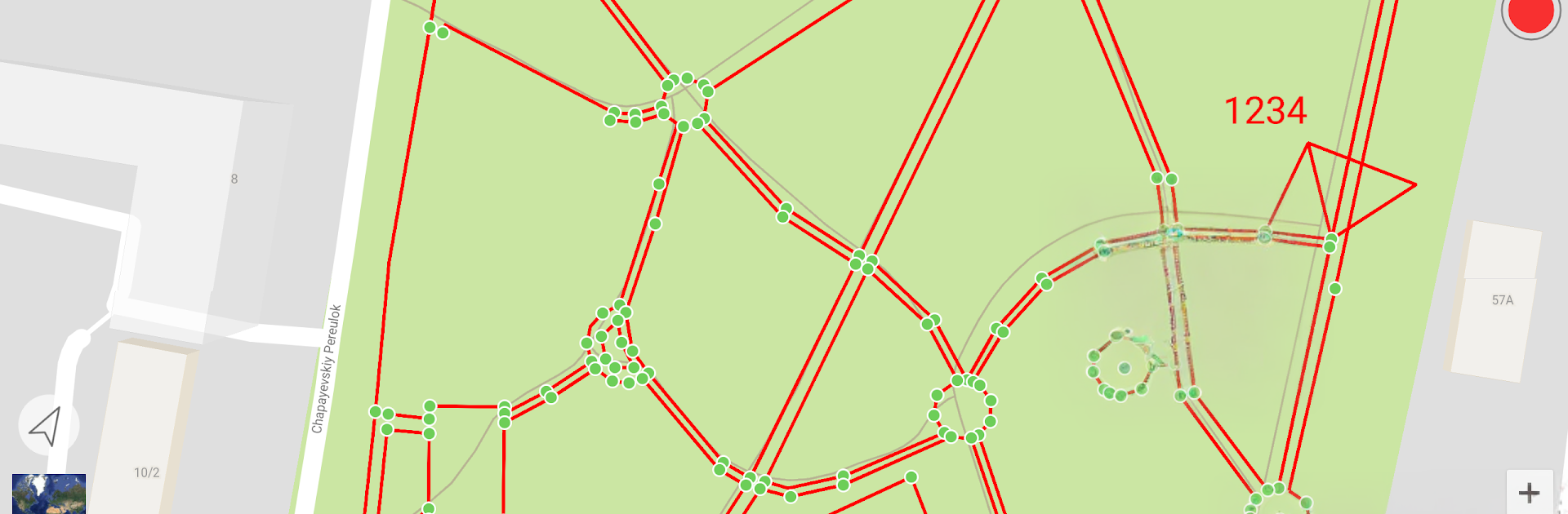
  • Map backgrounds: Work on Google maps, OSM, or bring your own custom backgrounds for jobs that need context.
  • CAD/GIS import & export: Move data in and out with DXF/DWG, Shapefile (ArcView), MapInfo, or plain text—no messy conversions later.
  • Base/Rover setup: Configure base and rover roles the way your project requires and save time on repeat setups.
  • Radio control: Tweak UHF or spread-spectrum radio settings directly from the app for reliable comms.
  • Cellular modem management: Set up and manage modem options when you’re running network RTK.
  • RINEX & DPOS: Convert logs to RINEX and send raw data to DPOS for post-processing when accuracy is everything.
  • Geodesy built in: Use global datums and projections so your coordinates land exactly where they should.
  • COGO tools: Handle common coordinate geometry tasks right in the field.
  • Status and calibration: Check satellite status, run eCompass calibration, and use the Electronic Level to keep gear dialed in.
  • Wide receiver support: Works with TRIUMPH‑2, TRIUMPH‑1/1M, ALPHA, SIGMA, TRIUMPH‑3, TRIUMPH‑OMEGA, and T3NR receivers.

BlueStacks gives you the much-needed freedom to experience your favorite apps on a bigger screen. Get it now.


How to Download and Run JAVAD Mobile Tools OAF on PC or Mac

  • Download and install BlueStacks on your PC or Mac

  • Complete Google sign-in to access the Play Store, or do it later

  • Look for JAVAD Mobile Tools OAF in the search bar at the top right corner

  • Click to install JAVAD Mobile Tools OAF from the search results

  • Complete Google sign-in (if you skipped step 2) to install JAVAD Mobile Tools OAF

  • Click the JAVAD Mobile Tools OAF icon on the home screen to start playing

video
Watch Video

Minimum System Requirements

With BlueStacks 5, you can get started on a PC that fulfills the following requirements.

  • Operating System

    Microsoft Windows 7 or above, macOS 11 (Big Sur) or above

  • Processor

    Intel, AMD or Apple Silicon Processor

  • RAM

    at least 4GB

  • HDD

    10GB Free Disk Space

Note:

* You must be an Administrator on your PC. Up to date graphics drivers from Microsoft or the chipset vendor.

JAVAD Mobile Tools OAF - FAQs

  • How to Run JAVAD Mobile Tools OAF on Windows PC & Mac?

    Run JAVAD Mobile Tools OAF on your PC or Mac by following these simple steps.

    • Click on ‘Download JAVAD Mobile Tools OAF on PC’ to download BlueStacks
    • Install it and log-in to Google Play Store
    • Launch and run the app.
  • Why is BlueStacks the fastest and safest platform to play games on PC?

    BlueStacks respects your privacy and is always safe and secure to use. It does not carry any malware, spyware, or any sort of additional software that could harm your PC.

    It is engineered to optimize speed and performance for a seamless gaming experience.

  • What are JAVAD Mobile Tools OAF PC requirements?

    Minimum requirement to run JAVAD Mobile Tools OAF on your PC

    • OS: Microsoft Windows 7 and above:
    • Processor: Intel or AMD Processor:
    • RAM: Your PC must have at least 2GB of RAM. (Note that having 2GB or more disk space is not a substitute for RAM):
    • HDD: 5GB Free Disk Space.
    • You must be an Administrator on your PC.



