
Look4Sat: Radio satellite tracker

Look4Sat: Radio satellite tracker

Tools

| Arty Bishop

Play on PC with BlueStacks or from our cloud

  • Overview
  • How to Download

Page Modified On: January 09, 2026

Run Look4Sat: Radio satellite tracker on PC or Mac

Why limit yourself to your small screen on the phone? Run Look4Sat: Radio satellite tracker, an app by Arty Bishop, best experienced on your PC or Mac with BlueStacks, the world’s #1 Android emulator.

About the App

Look4Sat: Radio satellite tracker makes it easy to figure out when radio satellites will be overhead and worth listening to. Built by Arty Bishop, this Tools app gives you a clear picture of upcoming passes, where to point your antenna, and what gear settings to prep. Want a bigger view while planning? You can also run it on BlueStacks.

App Features

  • Week-ahead predictions: Get accurate pass forecasts for up to 7 days (168 hours), so you can plan sessions in advance without guessing.
  • Location your way: Use your current GPS position or type in any coordinates to predict passes for home, field ops, or a remote site you’re traveling to.
  • What’s active right now: See a clean list of satellites currently in range plus what’s coming next, so you can jump in at the right moment.
  • Live pass view: Watch each pass progress in real time with a polar plot, elevation details, and clear az/alt info to help you track smoothly.
  • Transceiver details: Check key transmitter and receiver info for each satellite to set up your radio quickly and avoid frequency hunting.
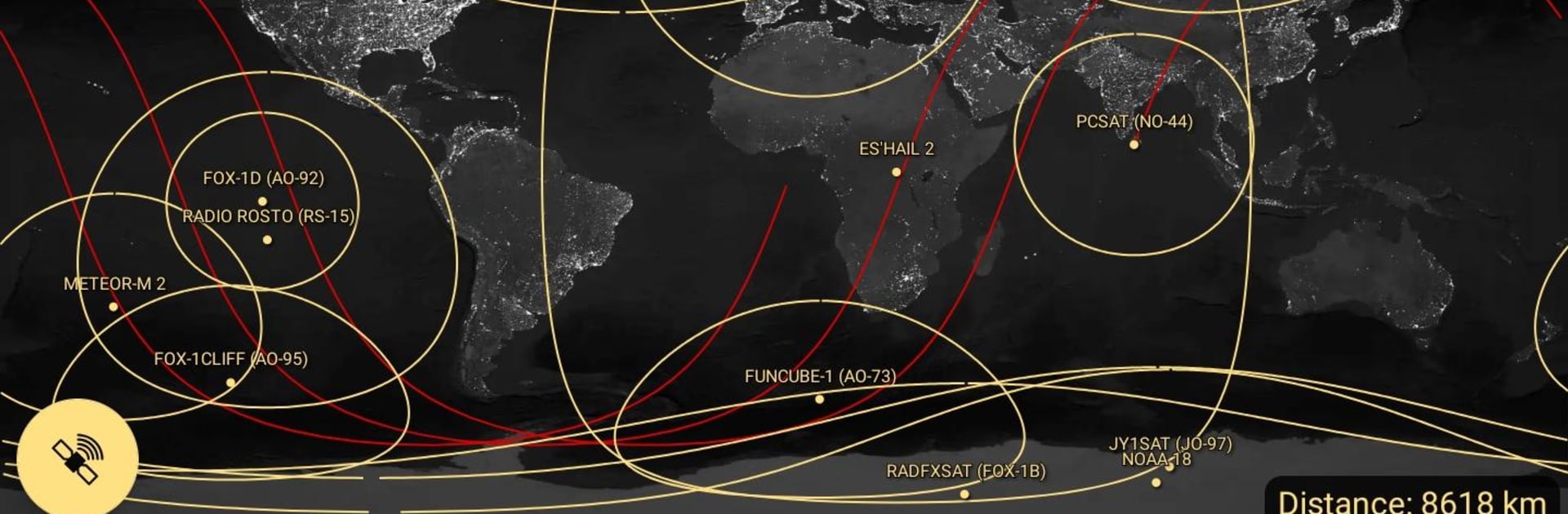
  • Map with footprint and track: View a satellite’s ground track, position, and footprint on an interactive map to visualize coverage at a glance.
  • Offline-first engine: Pass predictions work offline once your data’s synced. Refresh TLEs and the transmitters database weekly for best accuracy.

Ready to experience Look4Sat: Radio satellite tracker on a bigger screen, in all its glory? Download BlueStacks now.


How to Download and Run Look4Sat: Radio satellite tracker on PC or Mac

  • Download and install BlueStacks on your PC or Mac

  • Complete Google sign-in to access the Play Store, or do it later

  • Look for Look4Sat: Radio satellite tracker in the search bar at the top right corner

  • Click to install Look4Sat: Radio satellite tracker from the search results

  • Complete Google sign-in (if you skipped step 2) to install Look4Sat: Radio satellite tracker

  • Click the Look4Sat: Radio satellite tracker icon on the home screen to start playing

video
Watch Video

Minimum System Requirements

With BlueStacks 5, you can get started on a PC that fulfills the following requirements.

  • Operating System

    Microsoft Windows 7 or above, macOS 11 (Big Sur) or above

  • Processor

    Intel, AMD or Apple Silicon Processor

  • RAM

    at least 4GB

  • HDD

    10GB Free Disk Space

Note:

* You must be an Administrator on your PC. Up to date graphics drivers from Microsoft or the chipset vendor.

Look4Sat: Radio satellite tracker - FAQs

  • How to Run Look4Sat: Radio satellite tracker on Windows PC & Mac?

    Run Look4Sat: Radio satellite tracker on your PC or Mac by following these simple steps.

    • Click on ‘Download Look4Sat: Radio satellite tracker on PC’ to download BlueStacks
    • Install it and log-in to Google Play Store
    • Launch and run the app.
  • Why is BlueStacks the fastest and safest platform to play games on PC?

    BlueStacks respects your privacy and is always safe and secure to use. It does not carry any malware, spyware, or any sort of additional software that could harm your PC.

    It is engineered to optimize speed and performance for a seamless gaming experience.

  • What are Look4Sat: Radio satellite tracker PC requirements?

    Minimum requirement to run Look4Sat: Radio satellite tracker on your PC

    • OS: Microsoft Windows 7 and above:
    • Processor: Intel or AMD Processor:
    • RAM: Your PC must have at least 2GB of RAM. (Note that having 2GB or more disk space is not a substitute for RAM):
    • HDD: 5GB Free Disk Space.
    • You must be an Administrator on your PC.



