
PDF Editor & Creator , Tool , Merge , Watermark

PDF Editor & Creator , Tool , Merge , Watermark

Tools

| Indias Big head

Play on PC with BlueStacks or from our cloud

  • Overview
  • How to Download

Page Modified On: August 22, 2025

Run PDF Editor & Creator , Tool , Merge , Watermark on PC or Mac

What’s better than using PDF Editor & Creator , Tool , Merge , Watermark by Indias Big head? Well, try it on a big screen, on your PC or Mac, with BlueStacks to see the difference.

About the App

PDF Editor & Creator, Tool, Merge, Watermark by Indias Big head makes working with PDF files on your Android device feel refreshingly straightforward. Whether you juggle reports, images, or web pages, this app packs a surprising amount of power into a lightweight package. You can expect intuitive tools for creating, tweaking, and organizing your PDF documents—no tech expertise required.

App Features

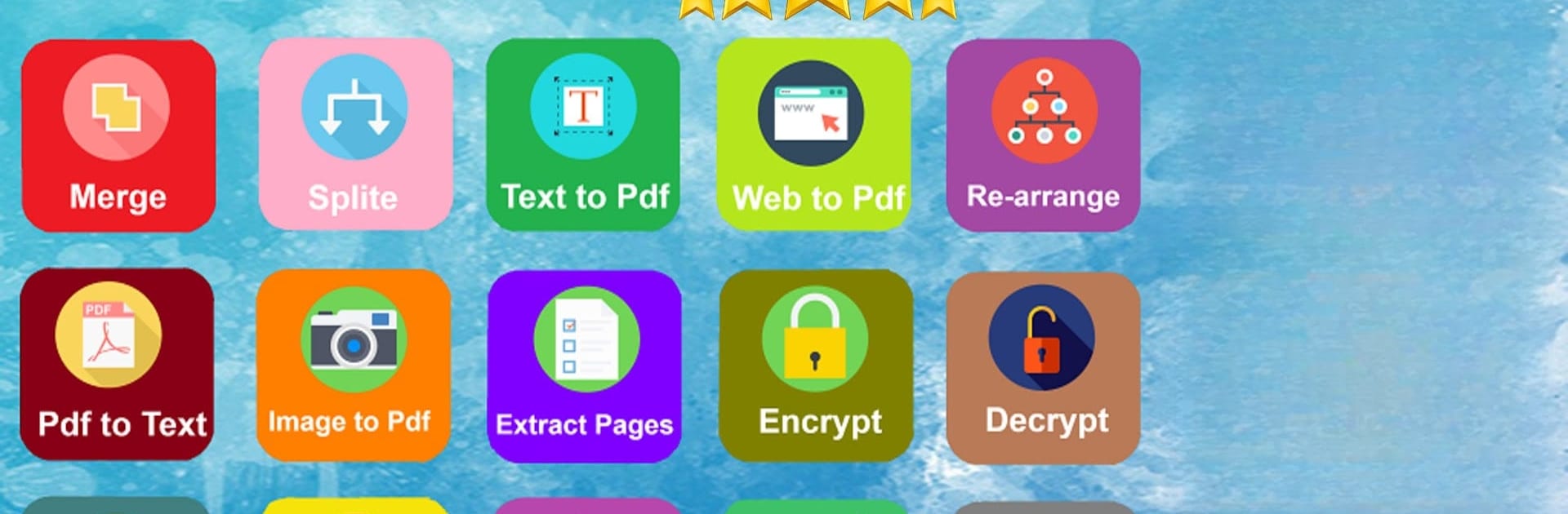
  • Merge PDF Files
    Quickly bring multiple PDFs together into a single, neat document. Perfect for keeping things organized or piecing together notes and reports.

  • Split PDFs
    Don’t need the whole file? Split up a giant PDF into smaller parts within seconds.

  • PDF to Text Conversion
    Need the content in plain text? Just convert your PDF and copy or edit the words with zero hassle.

  • Customizable PDF Backgrounds
    Switch up the background color, or even drop in a new image as the backdrop—handy for personalizing documents.

  • Convert Images to PDF
    Snap a few photos or pick images from your gallery and instantly turn them into a PDF. Great for storing receipts or sharing photo collections.

  • PDF to Image Converter
    Go the other way and save PDF pages as image files. Super useful for sharing specific pages as pictures.

  • Shrink File Size
    Running out of storage? Quickly reduce the size of big PDF files with one tap.

  • Webpage to PDF
    Save any webpage as a tidy PDF, so you can read or share important info offline.

  • Delete Pages from PDFs
    Trim out pages you don’t need with just a couple of taps.

  • Encrypt & Decrypt PDFs
    Add a password to keep your documents private, or remove it when you don’t need the extra security anymore.

  • Extract Images and Pages
    Pull out specific photos or pages from a PDF whenever you need them separately.

  • Rotate Pages
    Give sideways or upside-down pages a quick fix—rotate as needed without fuss.

  • Add Watermarks
    Place your stamp on any PDF with a watermark so everyone knows it’s yours.

  • Handy File Management
    Access your files, rename, delete, share—they’re all manageable straight from the app.

You can even check out how these PDF tools work on a PC using BlueStacks for a bigger workspace, but everything you need is right on your Android device.

Ready to experience PDF Editor & Creator , Tool , Merge , Watermark on a bigger screen, in all its glory? Download BlueStacks now.


How to Download and Run PDF Editor & Creator , Tool , Merge , Watermark on PC or Mac

  • Download and install BlueStacks on your PC or Mac

  • Complete Google sign-in to access the Play Store, or do it later

  • Look for PDF Editor & Creator , Tool , Merge , Watermark in the search bar at the top right corner

  • Click to install PDF Editor & Creator , Tool , Merge , Watermark from the search results

  • Complete Google sign-in (if you skipped step 2) to install PDF Editor & Creator , Tool , Merge , Watermark

  • Click the PDF Editor & Creator , Tool , Merge , Watermark icon on the home screen to start playing

video
Watch Video

Minimum System Requirements

With BlueStacks 5, you can get started on a PC that fulfills the following requirements.

  • Operating System

    Microsoft Windows 7 or above, macOS 11 (Big Sur) or above

  • Processor

    Intel, AMD or Apple Silicon Processor

  • RAM

    at least 4GB

  • HDD

    10GB Free Disk Space

Note:

* You must be an Administrator on your PC. Up to date graphics drivers from Microsoft or the chipset vendor.

PDF Editor & Creator , Tool , Merge , Watermark - FAQs

  • How to Run PDF Editor & Creator , Tool , Merge , Watermark on Windows PC & Mac?

    Run PDF Editor & Creator , Tool , Merge , Watermark on your PC or Mac by following these simple steps.

    • Click on ‘Download PDF Editor & Creator , Tool , Merge , Watermark on PC’ to download BlueStacks
    • Install it and log-in to Google Play Store
    • Launch and run the app.
  • Why is BlueStacks the fastest and safest platform to play games on PC?

    BlueStacks respects your privacy and is always safe and secure to use. It does not carry any malware, spyware, or any sort of additional software that could harm your PC.

    It is engineered to optimize speed and performance for a seamless gaming experience.

  • What are PDF Editor & Creator , Tool , Merge , Watermark PC requirements?

    Minimum requirement to run PDF Editor & Creator , Tool , Merge , Watermark on your PC

    • OS: Microsoft Windows 7 and above:
    • Processor: Intel or AMD Processor:
    • RAM: Your PC must have at least 2GB of RAM. (Note that having 2GB or more disk space is not a substitute for RAM):
    • HDD: 5GB Free Disk Space.
    • You must be an Administrator on your PC.



