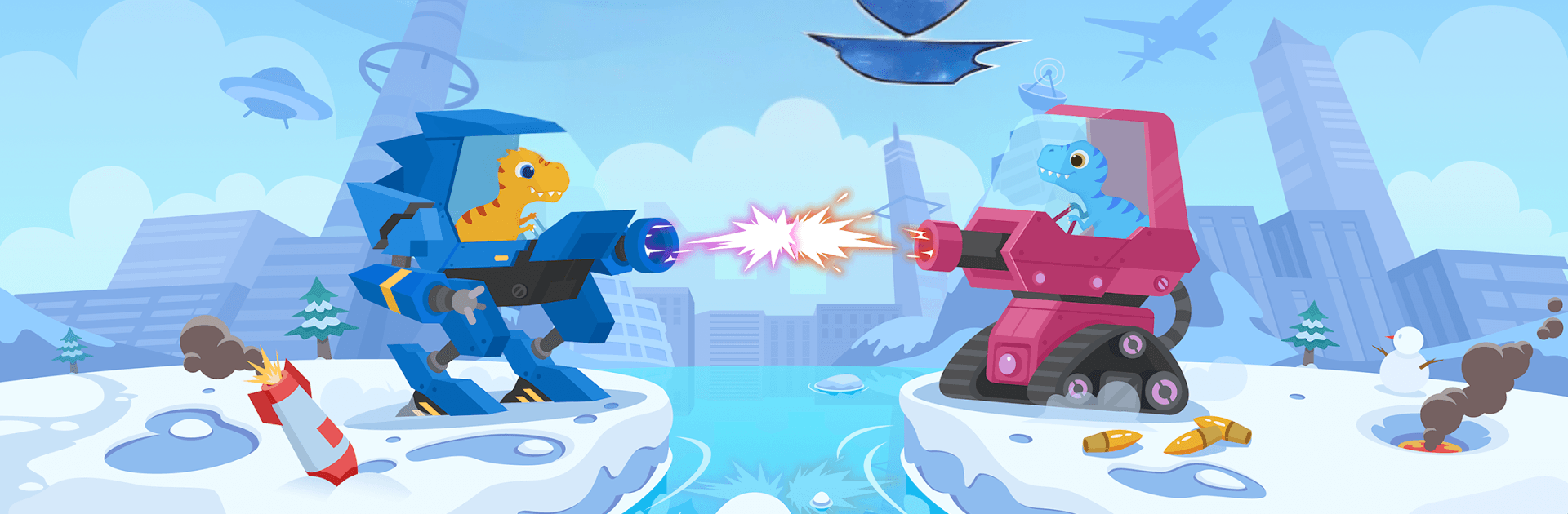
Dinosaur Coding 2 - Fun coding game for kids

Dinosaur Coding 2 - Fun coding game for kids

Trivia

| Yateland - Learning Games For Kids

Play on PC with BlueStacks or from our cloud

  • Overview
  • Game Features
  • How to Play

Page Modified On: August 20, 2026

Play Dinosaur Coding 2 - Fun coding game for kids on PC or Mac

Dinosaur Coding 2 – Fun coding game for kids by Yateland – Learning Games For Kids has plenty to keep you busy. BlueStacks lets you play it on PC or Mac with more screen space, better control, and fewer mobile limits.

About the Game

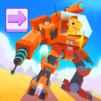
Dinosaur Coding 2 – Fun coding game for kids turns beginner-friendly coding into a hands-on adventure with a brave T-Rex and a fleet of transformable mechas. This Trivia game has kids plan, test, and tweak with drag-and-drop commands as they guard vibrant islands from troublemakers, and it plays nicely on BlueStacks if you prefer a larger display.

Game Features

  • Drag-and-drop coding made simple: Snap colorful blocks to move, turn, loop, and trigger actions—no typing, perfect for early readers and non-readers alike.
  • Pilot 18 transforming mechas: Collect energy crystals to switch into powerful battle forms and unleash unique abilities.
  • Think like a problem-solver: Plan routes, test ideas, and adjust your code to overcome obstacles and tricky layouts.
  • Outsmart eight enemy types: Learn their patterns—straight-line shooters, patrollers, lightning-charged foes, and more—then time your moves to slip past or shut them down.
  • Six themed islands to protect: Forests, snowy peaks, sunny beaches, busy mines, windy deserts, and a rumbling volcano each bring fresh hazards and eco-missions.
  • 108 handcrafted challenges: Short, satisfying stages that scale from gentle tutorials to multi-enemy puzzles that reward patience and curiosity.
  • Friendly hint system: Stuck? Gentle nudges help you spot the next step without giving away the whole solution.
  • Play without interruptions: Works offline and includes no third-party ads, so focus stays on learning and play.
  • Tap, run, transform—then watch it go: Arrange your commands, hit play, and enjoy the satisfying animations as your mecha carries out the plan.

Get ready for a buttery smooth, high-performance gaming action only on BlueStacks.

Game Features

Enhancements

  • Macros
  • Multi Instance
  • Multi Instance Sync
  • Script
  • Enhancements
Macros

Macros

Automate the predictable in Dinosaur Coding 2 - Fun coding game for kids and transform your gameplay with Macros. Get access to inventive Macros in the BlueStacks Macro Community
Multi Instance

Multi Instance

Play Dinosaur Coding 2 - Fun coding game for kids on one window. And chat with your friend on the other. Press CTRL + Shift + 8 to open the Multi-Instance Manager. And start creating fresh instances or clone an existing one.
Multi Instance Sync

Multi Instance Sync

Play Dinosaur Coding 2 - Fun coding game for kids with the power of Multi-Instance Sync. Replicate what you are doing on the main instance on all other instances. Level up faster, play more.
Script

Script

Script your way to gaming glory in Dinosaur Coding 2 - Fun coding game for kids with BlueStacks Script. Write and run a set of commands to automate repeated tasks. Trigger the command by assigning it to any key.
Read More

How to Download and Play Dinosaur Coding 2 - Fun coding game for kids on PC or Mac

  • Download and install BlueStacks on your PC or Mac

  • Complete Google sign-in to access the Play Store, or do it later

  • Look for Dinosaur Coding 2 - Fun coding game for kids in the search bar at the top right corner

  • Click to install Dinosaur Coding 2 - Fun coding game for kids from the search results

  • Complete Google sign-in (if you skipped step 2) to install Dinosaur Coding 2 - Fun coding game for kids

  • Click the Dinosaur Coding 2 - Fun coding game for kids icon on the home screen to start playing

video
Watch Video

Minimum System Requirements

With BlueStacks 5, you can get started on a PC that fulfills the following requirements.

  • Operating System

    Microsoft Windows 7 or above, macOS 11 (Big Sur) or above

  • Processor

    Intel, AMD or Apple Silicon Processor

  • RAM

    at least 4GB

  • HDD

    10GB Free Disk Space

Note:

* You must be an Administrator on your PC. Up to date graphics drivers from Microsoft or the chipset vendor.

Dinosaur Coding 2 - Fun coding game for kids - FAQs

  • How to play Dinosaur Coding 2 - Fun coding game for kids on Windows PC & Mac?

    Play Dinosaur Coding 2 - Fun coding game for kids on your PC or Mac by following these simple steps.

    • Click on 'Play Dinosaur Coding 2 - Fun coding game for kids on PC’ to download BlueStacks
    • Install it and log-in to Google Play Store
    • Launch and play the game.
  • Why is BlueStacks the fastest and safest platform to play games on PC?

    BlueStacks respects your privacy and is always safe and secure to use. It does not carry any malware, spyware, or any sort of additional software that could harm your PC.

    It is engineered to optimize speed and performance for a seamless gaming experience.

  • What are Dinosaur Coding 2 - Fun coding game for kids PC requirements?

    Minimum requirement to run Dinosaur Coding 2 - Fun coding game for kids on your PC

    • OS: Microsoft Windows 7 or above MacOS 11 (Big Sur) or above
    • Processor: Intel, AMD or Apple Silicon Processor
    • RAM: Your PC must have at least 4GB of RAM. (Note that having 4GB or more disk space is not a substitute for RAM)
    • HDD: 10GB Free Disk Space.
    • You must be an Administrator on your PC.