Word Connections Master

Word Connections Master

Word

| QuriousBit Games

Play on PC with BlueStacks or from our cloud

  • Overview
  • Game Features
  • How to Play

Page Modified On: October 21, 2026

Play Word Connections Master on PC or Mac

Explore a whole new adventure with Word Connections Master, a Word game created by QuriousBit Games. Experience great gameplay with BlueStacks, the most popular gaming platform to play Android games on your PC or Mac.

About the Game

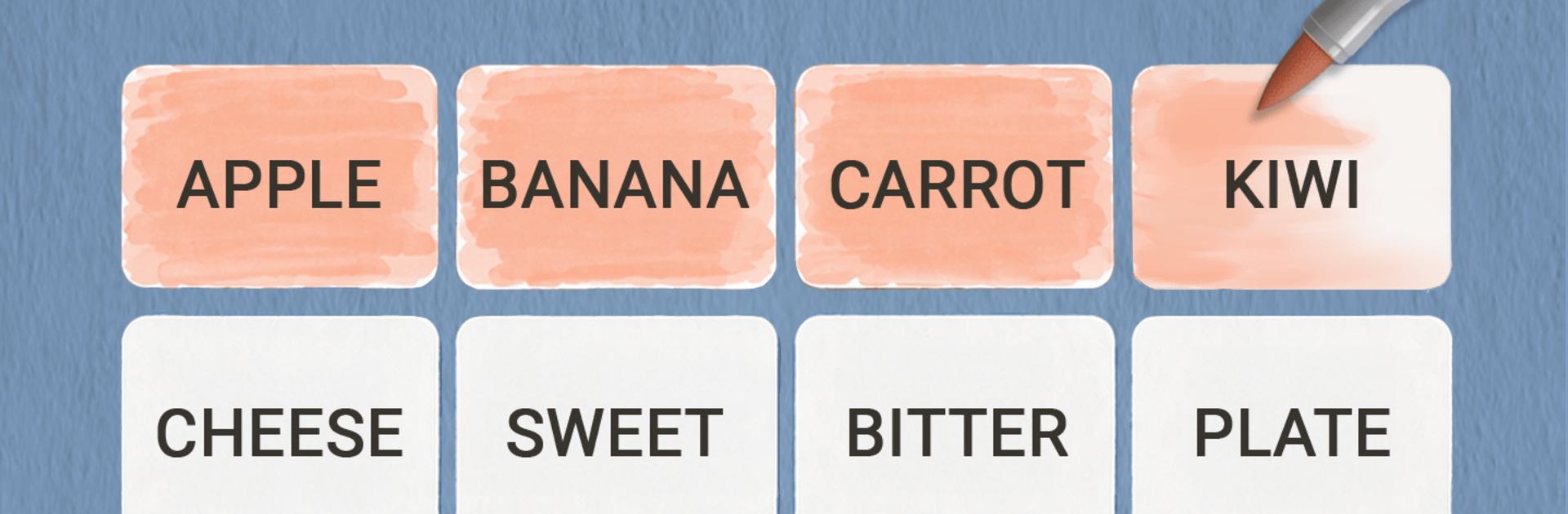
Word Connections Master is a Word game about spotting the link everyone else misses. You’ll get a handful of words that look totally unrelated, then sort them into neat little sets based on a shared idea. It’s calm, clever, and oddly satisfying—extra comfy on BlueStacks if you prefer puzzling on a bigger screen.

Game Features

  • Hidden links, clear goals: Sort mixed word lists into groups of four that share a precise idea; each correct set locks in and helps narrow the rest.
  • Multiple categories per level: Work through several distinct connections in one round, keeping every solve snappy and fresh.
  • No timer, no pressure: Take your time, think it through, and enjoy that click when the pattern finally lands.
  • Clever kinds of connections: Expect everything from real‑world themes to language tricks like shared prefixes, suffixes, or concepts.
  • Progress that feels good: Early puzzles ease you in; later ones bend your brain in the best way.
  • Gentle hint system: Get a nudge that points you in the right direction without giving away the whole idea.
  • Lots to chew on: Hundreds of handcrafted puzzles with new sets added regularly to keep your streak going.
  • Clean, minimal design: A distraction‑free layout that keeps your focus exactly where it should be—the words.
  • Learn without trying: Build vocabulary, sharpen pattern recognition, and train your brain to notice subtle relationships.
  • Play your way: Perfect for quick breaks or long thinking sessions when you want a deeper challenge.

Start playing Word Connections Master on BlueStacks and get a smoother, more comfortable PC or Mac setup.


Game Features

Enhancements

  • Macros
  • Multi Instance
  • Multi Instance Sync
  • Script
  • Enhancements
Macros

Macros

Automate the predictable in Word Connections Master and transform your gameplay with Macros. Get access to inventive Macros in the BlueStacks Macro Community
Multi Instance

Multi Instance

Play Word Connections Master on one window. And chat with your friend on the other. Press CTRL + Shift + 8 to open the Multi-Instance Manager. And start creating fresh instances or clone an existing one.
Multi Instance Sync

Multi Instance Sync

Play Word Connections Master with the power of Multi-Instance Sync. Replicate what you are doing on the main instance on all other instances. Level up faster, play more.
Script

Script

Script your way to gaming glory in Word Connections Master with BlueStacks Script. Write and run a set of commands to automate repeated tasks. Trigger the command by assigning it to any key.
Read More

How to Download and Play Word Connections Master on PC or Mac

  • Download and install BlueStacks on your PC or Mac

  • Complete Google sign-in to access the Play Store, or do it later

  • Look for Word Connections Master in the search bar at the top right corner

  • Click to install Word Connections Master from the search results

  • Complete Google sign-in (if you skipped step 2) to install Word Connections Master

  • Click the Word Connections Master icon on the home screen to start playing

video
Watch Video

Minimum System Requirements

With BlueStacks 5, you can get started on a PC that fulfills the following requirements.

  • Operating System

    Microsoft Windows 7 or above, macOS 11 (Big Sur) or above

  • Processor

    Intel, AMD or Apple Silicon Processor

  • RAM

    at least 4GB

  • HDD

    10GB Free Disk Space

Note:

* You must be an Administrator on your PC. Up to date graphics drivers from Microsoft or the chipset vendor.

Word Connections Master - FAQs

  • How to play Word Connections Master on Windows PC & Mac?

    Play Word Connections Master on your PC or Mac by following these simple steps.

    • Click on 'Play Word Connections Master on PC’ to download BlueStacks
    • Install it and log-in to Google Play Store
    • Launch and play the game.
  • Why is BlueStacks the fastest and safest platform to play games on PC?

    BlueStacks respects your privacy and is always safe and secure to use. It does not carry any malware, spyware, or any sort of additional software that could harm your PC.

    It is engineered to optimize speed and performance for a seamless gaming experience.

  • What are Word Connections Master PC requirements?

    Minimum requirement to run Word Connections Master on your PC

    • OS: Microsoft Windows 7 or above MacOS 11 (Big Sur) or above
    • Processor: Intel, AMD or Apple Silicon Processor
    • RAM: Your PC must have at least 4GB of RAM. (Note that having 4GB or more disk space is not a substitute for RAM)
    • HDD: 10GB Free Disk Space.
    • You must be an Administrator on your PC.