Word Out
Word Out

Word Out

Word

| MCZ Apps developer

Play on PC with BlueStacks or from our cloud

  • Overview
  • Game Features
  • How to Play

Page Modified On: August 31, 2026

Play Word Out on PC or Mac

Bring your A-game to Word Out, the Word game sensation from MCZ Apps developer. Give your gameplay the much-needed boost with precise game controls, high FPS graphics, and top-tier features on your PC or Mac with BlueStacks.

About the Game

Word Out shakes up letter puzzles with a clever mix of strategy and word-smarts. Each level hands you a theme and a letter grid, then dares you to pull the right letters in the right order while juggling a tiny tray that catches every wrong pick. It sits squarely in the Word genre, and if you prefer a bigger screen and crisp controls, it plays nicely on PC with BlueStacks.

Game Features

  • Themed challenges: Every stage centers on a category—think animals, food, countries, movies, and plenty more—so your guesses actually feel connected to something.
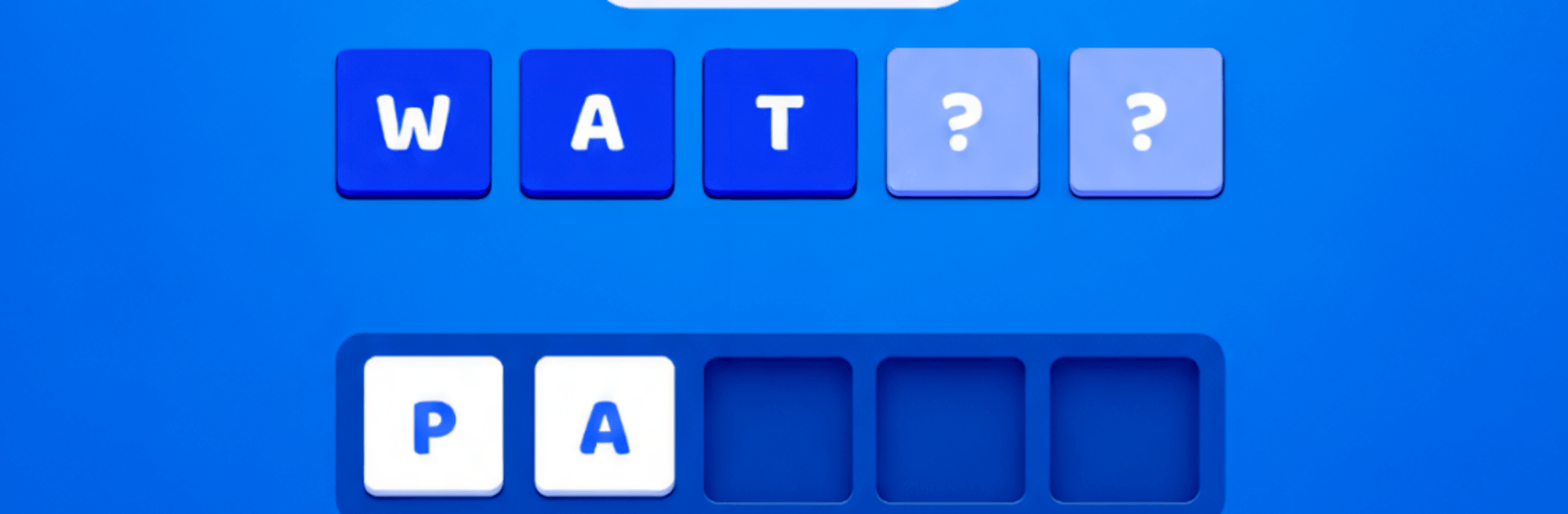
  • Tap with a plan: You can only tap a letter if it has a clear path down; correct picks auto-lock into the hidden word, while wrong ones drop into your tray and eat up precious space.
  • Tray tension: Keep an eye on that small tray—fill it up with mistakes and the run is over, turning every tap into a tiny risk-reward moment.
  • Shaped grids & walls: Levels aren’t plain rectangles; walls block routes and force you to clear paths, changing how you hunt for letters.
  • Mystery letters: Some tiles hide behind a question mark, so you won’t know what they are until you open the route—surprise, it might be exactly (or not at all) what you need.
  • Tunnels that queue: Certain blocks hold a mini line of letters that release one at a time, only after the one in front moves out, adding timing and order to your plan.
  • Second Chance revive: Ran out of tray space? Use a revive to send stuck letters straight where they belong and keep your streak alive.
  • Steady difficulty climb: As you progress, trays get smaller, grids get trickier, and categories get more nuanced, rewarding careful thinking.
  • Clean and snappy feel: Bright visuals and punchy letter animations make every correct snap satisfying and every clear path feel earned.
  • Play at your pace: No timers breathing down your neck—great for a quick brain boost or a longer session when you’re in the mood to untangle a tough set.
  • Real word-game depth: Logic, spelling, vocabulary, and planning all come into play, making each solved word feel genuinely deserved.

Get ready for a buttery smooth, high-performance gaming action only on BlueStacks.

Game Features

Enhancements

  • Macros
  • Multi Instance
  • Multi Instance Sync
  • Script
  • Enhancements
Macros

Macros

Automate the predictable in Word Out and transform your gameplay with Macros. Get access to inventive Macros in the BlueStacks Macro Community
Multi Instance

Multi Instance

Play Word Out on one window. And chat with your friend on the other. Press CTRL + Shift + 8 to open the Multi-Instance Manager. And start creating fresh instances or clone an existing one.
Multi Instance Sync

Multi Instance Sync

Play Word Out with the power of Multi-Instance Sync. Replicate what you are doing on the main instance on all other instances. Level up faster, play more.
Script

Script

Script your way to gaming glory in Word Out with BlueStacks Script. Write and run a set of commands to automate repeated tasks. Trigger the command by assigning it to any key.
Read More

How to Download and Play Word Out on PC or Mac

  • Download and install BlueStacks on your PC or Mac

  • Complete Google sign-in to access the Play Store, or do it later

  • Look for Word Out in the search bar at the top right corner

  • Click to install Word Out from the search results

  • Complete Google sign-in (if you skipped step 2) to install Word Out

  • Click the Word Out icon on the home screen to start playing

video
Watch Video

Minimum System Requirements

With BlueStacks 5, you can get started on a PC that fulfills the following requirements.

  • Operating System

    Microsoft Windows 7 or above, macOS 11 (Big Sur) or above

  • Processor

    Intel, AMD or Apple Silicon Processor

  • RAM

    at least 4GB

  • HDD

    10GB Free Disk Space

Note:

* You must be an Administrator on your PC. Up to date graphics drivers from Microsoft or the chipset vendor.

Word Out - FAQs

  • How to play Word Out on Windows PC & Mac?

    Play Word Out on your PC or Mac by following these simple steps.

    • Click on 'Play Word Out on PC’ to download BlueStacks
    • Install it and log-in to Google Play Store
    • Launch and play the game.
  • Why is BlueStacks the fastest and safest platform to play games on PC?

    BlueStacks respects your privacy and is always safe and secure to use. It does not carry any malware, spyware, or any sort of additional software that could harm your PC.

    It is engineered to optimize speed and performance for a seamless gaming experience.

  • What are Word Out PC requirements?

    Minimum requirement to run Word Out on your PC

    • OS: Microsoft Windows 7 or above MacOS 11 (Big Sur) or above
    • Processor: Intel, AMD or Apple Silicon Processor
    • RAM: Your PC must have at least 4GB of RAM. (Note that having 4GB or more disk space is not a substitute for RAM)
    • HDD: 10GB Free Disk Space.
    • You must be an Administrator on your PC.