Car Parking Multiplayer 2 Beginner’s Guide: Tips to Get Started

Car Parking Multiplayer 2 is more than a traditional parking simulator. It combines realistic driving, precision parking challenges, vehicle customization, open-world exploration, and online multiplayer activities. You can practice your driving skills, build your dream car, compete in races, or simply explore the map with other players.
However, the different driving systems, vehicle upgrades, and multiplayer features can feel overwhelming when you first start playing. Knowing what to focus on early can make your experience much smoother.
In this Car Parking Multiplayer 2 beginner’s guide, we’ll explain the main gameplay features, how to improve your driving and parking skills, how to approach vehicle upgrades, and what to know before entering multiplayer sessions.
Understand the Basics of Car Parking Multiplayer 2
Before spending money on cars or jumping into multiplayer races, take some time to understand what the game offers.

Car Parking Multiplayer 2 features several activities, including:
- Parking challenges: Complete driving tasks that test your ability to park accurately and follow instructions.
- Open-world exploration: Drive around a large environment, visit gas stations, and explore buildings and service locations.
- Racing: Compete against other players in different racing activities, including drag racing.
- Car customization: Change your vehicle’s appearance and adjust performance-related components.
- Multiplayer activities: Meet other players, communicate through voice chat, exchange cars, and explore together.
- Special modes: Try activities such as Police Mode, Taxi Mode, and Drone Mode.
The game also includes a fuel system, adjustable suspension, and a manual transmission option with a clutch. These features make driving more involved than simply accelerating and steering.
As a beginner, you don’t need to master every system immediately. Start with basic driving and parking, then explore the additional activities once you understand how your vehicle behaves.
Learn the Driving Controls
Good driving skills are essential in Car Parking Multiplayer 2. Even if you have played other racing games, the vehicle handling and parking mechanics require some practice.
Start by exploring the control settings and testing the available steering options. Depending on your setup, you may be able to use buttons, a steering wheel, or tilt controls.
Pay attention to these basic functions:
- Steering: Controls the direction of your vehicle.
- Accelerator: Increases your speed.
- Brake: Slows down or stops your vehicle.
- Reverse: Helps you move backwards and position your car.
- Gear shifting: Changes gears when using the manual transmission option.
- Clutch: Works with manual transmission and requires additional coordination.
- Camera: Changes your viewing angle so you can see the road and your vehicle more clearly.
Don’t immediately switch to manual transmission if you’re unfamiliar with it. Start with a simpler driving setup and move to manual controls once you understand acceleration, braking, and steering.
Playing with BlueStacks
When playing the Android version on PC with BlueStacks, you can use the Game Controls editor to configure keyboard and mouse inputs. The exact mapping can depend on the available in-game controls and your BlueStacks configuration.
Open the Game Controls menu, check the existing key mapping, and adjust it to suit your driving style. Test your setup in a safe area before attempting difficult parking challenges.
Practice Parking Before Exploring Other Modes
Parking is one of the most important skills to develop in Car Parking Multiplayer 2. The game includes 82 parking and driving challenges based on real-life scenarios, giving you plenty of opportunities to practice.
Start with easier challenges and gradually move towards more difficult ones.
Here are three parking techniques worth learning:
Parallel Parking
Parallel parking requires you to position your vehicle alongside another parked car or a designated space. Move slowly, use your mirrors, and make small steering adjustments while reversing.
Reverse Parking
Reverse parking involves backing your vehicle into a designated space. Use the rear camera and mirrors to judge the distance between your car and nearby obstacles. Avoid turning the steering wheel too aggressively.
Angle Parking
Angle parking is generally easier for beginners, but you still need to control your speed and approach the space carefully. Align your vehicle before entering the parking area to avoid hitting nearby objects.
Tips to Improve Your Parking Skills
- Reduce your speed before approaching a parking space.
- Use different camera angles to understand your vehicle’s position.
- Make small steering adjustments instead of turning sharply.
- Practice reversing in an open area before attempting tight spaces.
- Pay attention to obstacles around your vehicle.
- Avoid rushing through challenges just to finish quickly.
Remember, accuracy matters more than speed when completing parking tasks.
Choose a Car That Is Easy to Handle
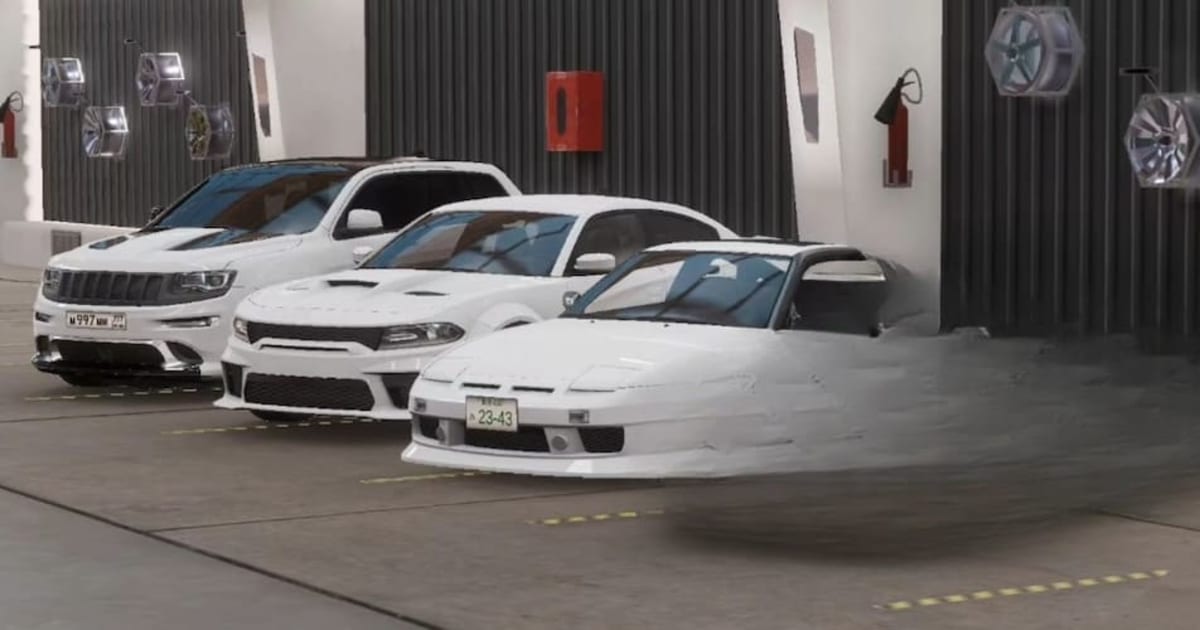
One of the most exciting parts of Car Parking Multiplayer 2 is its vehicle collection. The game features 160 cars with detailed interiors, giving players plenty of options to explore.
However, beginners should avoid choosing a vehicle based only on its appearance or top speed.

A powerful sports car might look impressive, but it may not be the easiest vehicle to control during tight parking challenges. Instead, look for a car with predictable handling and comfortable braking.
Consider these factors before choosing your vehicle:
- Handling: How easily can you steer and control the car?
- Braking: Can you slow down smoothly when approaching obstacles?
- Acceleration: Does the vehicle respond comfortably when you press the accelerator?
- Size: Is the car small enough to fit into tighter parking spaces?
- Performance: Does it suit the activities you want to try?
You don’t need an expensive car to learn the basics. Focus on developing your driving skills before spending heavily on your garage.
Understand Car Tuning and Customization
Car customization is a major part of Car Parking Multiplayer 2. You can modify your vehicle’s appearance and adjust different components to change how it performs.
The game offers several customization options, including engine tuning, adjustable suspension, gearbox settings, and car liveries.
Here are some areas to explore:
Engine and Performance Tuning
Engine upgrades can help change your vehicle’s performance. Experiment with different settings and test the results before making further changes.
Suspension Adjustments
Suspension settings influence how your vehicle sits and behaves. You can experiment with the available adjustments to create a setup that suits your driving preferences.
Gearbox and Transmission
The game includes manual transmission with clutch support. Learning how to use these settings can make driving more engaging, particularly if you enjoy controlling gear changes yourself.

Visual Customization
Use car liveries and other available customization options to personalize your vehicle. You can experiment with different designs and create a look that stands out during multiplayer sessions.
What Should Beginners Upgrade First?
Avoid spending all your available money on visual modifications when you’re still learning the game.
Instead, understand how each performance upgrade affects your vehicle. Make one change at a time, test it, and keep the settings that improve your driving experience.
You can experiment with cosmetic customization once you have a setup you’re comfortable using.
Explore the Open World
Car Parking Multiplayer 2 gives you more freedom than a standard parking game. You can leave your vehicle, explore the environment, visit different locations, and interact with other players.
The open world includes gas stations, car services, and buildings with interiors. These locations add more activities to the driving experience. Take some time to explore instead of immediately focusing on races. Familiarizing yourself with the map can help you find useful locations and understand how different areas connect.
You can also experiment with the available activities, including Taxi Mode, Police Mode, and Drone Mode. Each offers a different way to interact with the game’s environment.
Car Parking Multiplayer 2 offers plenty of activities beyond traditional parking challenges. You can improve your driving skills, customize vehicles, explore an open world, compete in races, and interact with players from around the world.
As a beginner, focus on understanding the controls and completing easier parking challenges first. Once you’re comfortable with your vehicle, experiment with tuning, explore different modes, and start joining multiplayer sessions.
You can also enjoy the Android version on a bigger screen with BlueStacks. Play Car Parking Multiplayer 2 on PC with BlueStacks and start building your driving skills!