Head to Head Guide – FC Mobile 27
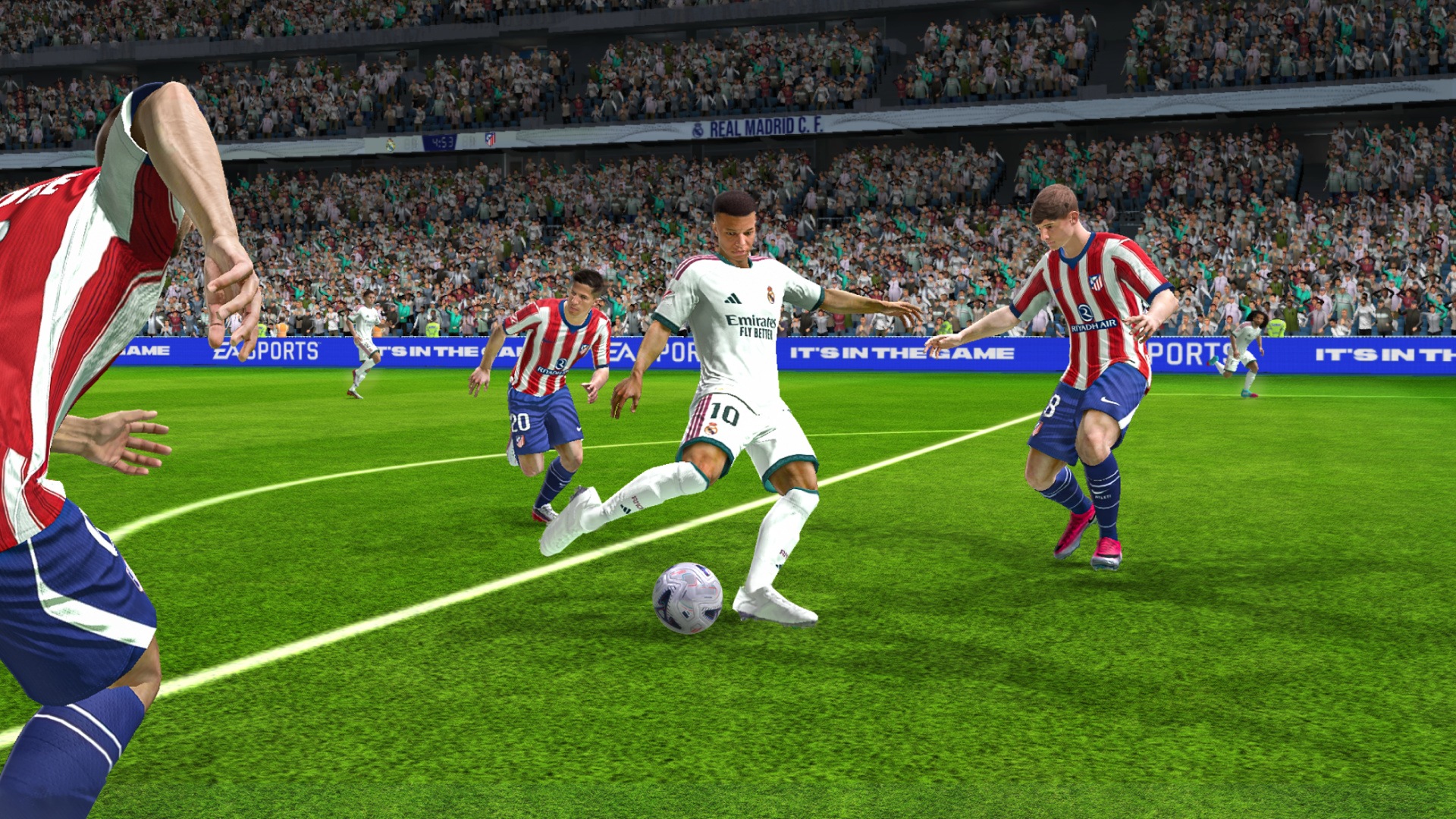

Head to Head is the competitive centrepiece of EA SPORTS FC Mobile, a real-time mode in which you control your Ultimate Team in full matches against another player. Results move you through a ladder of ranks, and every promotion, match, and weekly leaderboard finish pays out rewards. This guide explains where to find the mode, how ranks and stars work, what you earn, how to prepare your lineup and Game Plans, and what to expect from the moment matchmaking finds an opponent to the final whistle.
What Is Head to Head and Where to Find AIt
Head to Head sits in the Play menu, where it appears as the VS Player tile on the Recommended tab. It also belongs to Division Rivals, the game’s ranked competition, which has its own tab along the bottom of the Play menu next to Live Events and Chronicles. Division Rivals groups Head to Head with VS Attack and Manager Mode, the other two competitive modes, and the in-game tutorial sums up Head to Head simply: it is where you play against others in full matches.
Opening the mode for the first time places you at Amateur III, the initial rank. The current Head to Head season is themed around the 70th Ballon d’Or ceremony, and the mode screen shows a countdown to the end of the season at the top, which read 24 days remaining at the time of writing. The main screen also includes a Weekly Rewards card, your leaderboard position, a lineup selector labelled My Team, and two ways to start a match: Play for ranked games and Play Unranked for matches that do not affect your rank.

Ranks, Stars, and Bonus Points
Head to Head progression is built on stars. Each rank shows three star slots, and you move up a step by filling them. A win adds one star, a loss removes one, and a draw leaves your total unchanged. The divisions run from Amateur at the bottom to FC Champion at the top:
| Division | Steps | Notes |
| Amateur | III, II, I | Starting division; bonus stars need 6 bonus points |
| Semi Pro | III, II, I | Bonus stars need 6 bonus points |
| Pro | V, IV, III, II, I | Bonus stars need 8 bonus points |
| World Class | V, IV, III, II, I | Bonus stars need 8 bonus points |
| Legendary | V, IV, III, II, I | Bonus stars need 8 bonus points |
| FC Champion | Top division | The highest tier in Head to Head |
Bonus points work alongside stars and reward every match you complete, including losses. A win is worth 3 points, a draw 2, and a loss 1. Once you collect enough points, you earn a bonus star. In Amateur and Semi Pro, 6 points make a bonus star, and the rank panel at Amateur III shows this as a 0/6 counter beneath the trophy. From Pro to Legendary, the requirement rises to 8 points. Because a loss still pays a point, regular play keeps nudging you forward even on a bad run. While the Ballon d’Or event is live, the same panel also shows a progress bar that pays 40 Ballon d’Or Tokens.

Promotion, Match, and Weekly Rewards
The Rewards screen is split into two tabs. Promotion Rewards lists what you collect when you first reach each rank, along with the Match Rewards for games played at that rank. Weekly Rewards covers the leaderboard, where your finishing position over the week decides your payout. Rewards for ranks you have not reached yet stay locked, but you can scroll through every rank to see what lies ahead.
| Rank | Promotion Rewards | Match Rewards |
| Semi Pro I | 100 Training Transfer Points, 10 Base Players (65 to 74 OVR) | 90 XP, 100 Star Pass Credits |
| Pro V | 150 Training Transfer Points, 2,000 Gems, 50 Rank Up Points, 15 Base Players (65 to 74 OVR), Novice (Ballon d’Or 2026) | 90 XP |
Pro V stands out because of the 2,000 Gems it pays, so pushing out of Semi Pro early in the season is worth the effort. The Weekly Rewards tab works in tiers by finishing position, starting from Top 20, which pays 500 Gems and 3,000 Coins at the opening rank, and continuing through Top 15 and higher positions. Your leaderboard card reads Not Ranked until you play your first match of the week, so a single game is enough to put you in contention.

Setting Up Your Lineup and Game Plans
The My Team selector at the bottom of the Head to Head screen lets you quickly switch between saved lineups, and the formation button above it takes you straight to My Team to adjust the squad. The biggest tactical tool, however, is Game Plans, added in the FC Mobile 27 season update. A Game Plan combines a formation with a mentality, and the in-game guide breaks it into three steps: build your Game Plan, optimise the formation by dragging player items to swap positions, and adapt live by switching Game Plans during the match.
Each Game Plan lists its strengths and weaknesses. The 4-3-3 (1 AM) plan, for example, lists three midfielders controlling the game, wide midfielders providing a safe outlet, and full backs contributing at both ends as strengths, while warning that the wingers drop back and leave the striker isolated and that the back four lacks protection. Reading these notes helps you pick a plan that suits your players rather than copying a formation blindly.
Tapping Edit lets you choose from five mentalities, Ultra Attacking, Attacking, Balanced, Defensive, and Ultra Defensive, and from a list of formations, with recommended options such as 4-3-3 Holding, 4-1-2-1-2 Narrow, and 4-2-3-1 Narrow shown first. Mentality changes more than the label, affecting team width, attacking runs, and the height of your defensive line. New accounts start with a single Game Plan slot, and the remaining three slots unlock at Level 5.

Matchmaking and the Pre-Match Screens
After you tap Play, the game searches for an opponent and confirms the match with an Opponent Found message in the tunnel. A versus screen follows, with your club on the Home side and your opponent on the Away side. A short countdown runs in the centre, and you can tap Ready to confirm early. If both teams’ kits look too similar, the Swap Opponent’s Kit toggle swaps the opponent’s kit, which makes it easier to tell the sides apart during play.
The loading screen then shows the stadium and compares the two squads across Attack, Midfield, and Defence, along with each player’s rank. In one match, both players were Amateur III even though the team ratings were quite different, at 109, 109, and 108 against 89, 95, and 92. This comparison is useful for planning your approach. If your attack outrates the opponent’s defence, pressing forward makes sense, while a weaker midfield is a reason to stay compact and play on the counter.

Match Controls and the In-Game HUD
The top of the screen shows the score, the match clock, a connection indicator for each player, and your active Game Plan with a dropdown for switching it mid-match. The bottom centre has a radar showing every player’s position, along with the names of the players closest to the ball. When defending, the main on-screen controls are:
- Movement joystick on the left, mapped to W, A, S, and D on BlueStacks
- Sprint and Tackle, mapped to Shift
- Slide, for sliding tackles, mapped to Space
- 2nd Def, which calls a second defender to press the ball carrier, mapped to E
- Switch, which changes the player you control, mapped to Q
Set pieces have their own prompts. On a corner, for example, the game asks you to tap on a player to deliver the kick to them. The FC Mobile 27 update also changed several match behaviours that matter in Head to Head. Attackers now stop their runs earlier to stay onside, finesse shots have better foot selection, headers are more accurate at short range, and corner positioning reflects your chosen mentality.

Customising Your Club in the Locker Room
The shirt button on the Head to Head screen opens the Locker Room, where the game invites you to make the club yours by customising its look and choosing the stadiums where it plays. The Customization panel covers your user logo, profile banner, and profile theme, which appear on the versus screen before every match. Home Team sets the club identity your squad represents, and Kit lets you pick separate home and away strips from the kits you own.
The remaining options cover smaller details. Ball sets the match ball, Emotes lets you choose the set of reactions you can use during matches, with at least one emote always required, Number assigns kit numbers to your players, and Appearance adjusts sleeves, jersey fit, waist fit, socks, and shoes. Stadiums can be set separately for VS Attack, Head to Head, and Manager Mode, with Generic, Events, and Authentic categories, although many stadiums and weather options start locked. Additional vanity items come from the Star Pass, Live Events, and the Store.

Tips for Climbing the Ranks
Prepare your Game Plans before you queue rather than during a match. Once more slots unlock at Level 5, set up one attacking plan and one defensive plan using the same squad, so you can switch to Ultra Defensive to protect a late lead or move to Ultra Attacking when you need a goal. Until then, choose a single plan whose listed strengths match your best players.
Use Play Unranked to practise a new formation or squad without risking stars, and keep an eye on the connection indicator. Head to Head is played in real time, so a weak connection can cost you a match regardless of skill. Read the Attack, Midfield, and Defence comparison on the loading screen and adjust your approach for each opponent, and treat corners as a reason to think about mentality, since positioning on them now follows the mentality you have selected.
Finally, play regularly while the Ballon d’Or event is running. Division Rivals matches earn Ballon d’Or Tokens and Star Pass Credits alongside the usual match rewards, bonus points mean even losses move you toward your next star, and playing just one match each week puts you on the weekly leaderboard.

Head to Head rewards players who understand its systems as much as those who are skilled on the ball. Stars and bonus points steadily carry you up from Amateur III, promotion rewards such as the 2,000 Gems at Pro V give each climb a clear target, and the weekly leaderboard adds a reason to play every week. Build Game Plans that suit your squad, read each opponent on the loading screen, and use the Locker Room to give your club its own identity. For the best gaming experience, play EA SPORTS FC Mobile on BlueStacks!