GoreBox 27 Workshop Guide How to Avoid Automatic Bans and Map Rejections
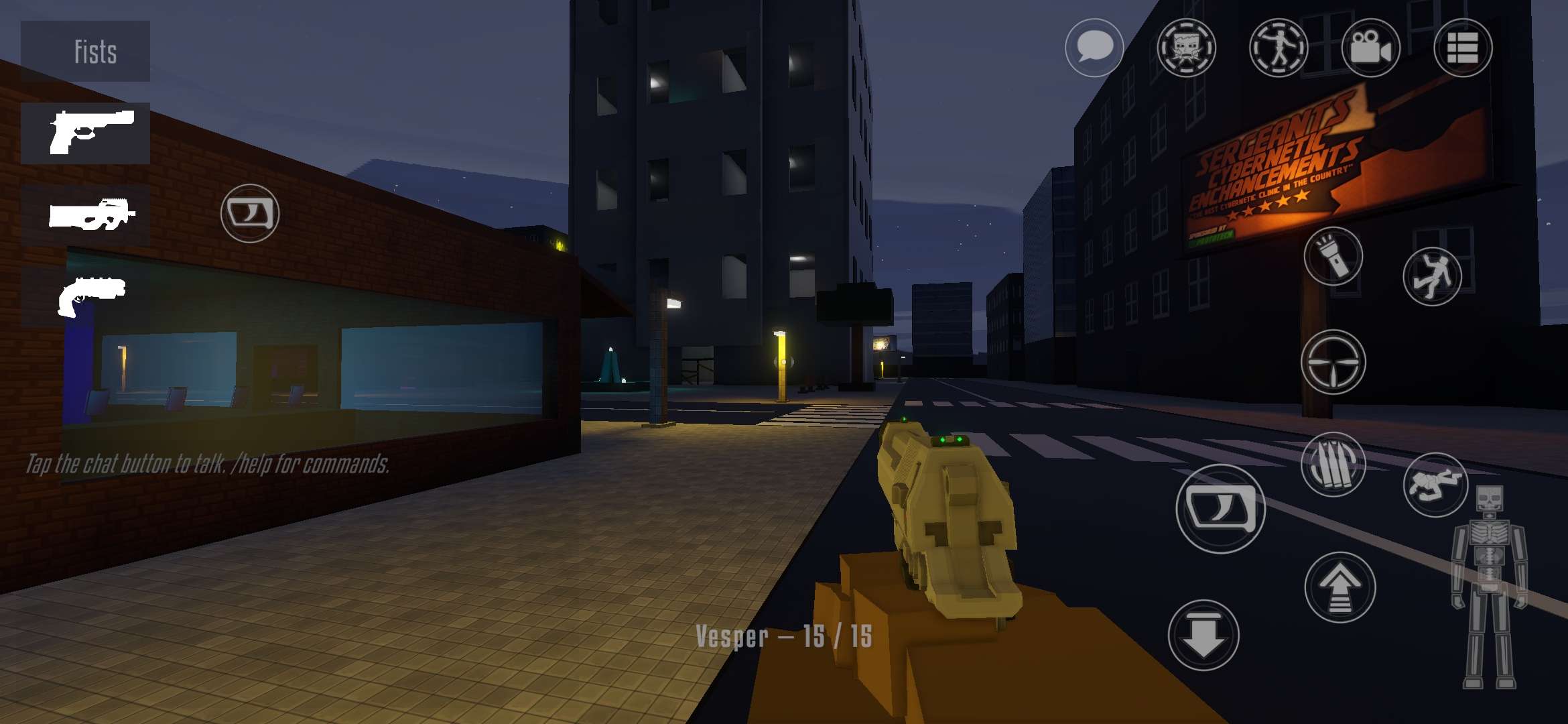

GoreBox 27 gives players the freedom to create custom maps and share them through the Workshop. However, publishing a map involves more than building an environment and uploading it. Every shared map must follow the game’s content rules, and submissions go through a review process before they can be approved.
If you’re worried about automatic bans in GoreBox 27, the first thing to understand is that a rejected Workshop map does not automatically result in an account ban. The game uses automated checks to identify potential rule violations, but moderators make the final decisions.

This guide explains how the Workshop review system works, what content to avoid, and how to prepare your maps for submission.
How GoreBox 27 Workshop Moderation Works
GoreBox 27 uses an automated review system called Automod to inspect maps submitted to the Workshop. According to the in-game rules, Automod examines several parts of a submission, including its screenshots, icon, banners, textures, sounds, and listing information.
The system identifies potential problems and produces a verdict. However, Automod does not approve, reject, or send back maps on its own. A moderator reviews the findings and makes the decision.

Moderators can also inspect maps that have already been published. If they discover a problem, they may request changes by a specified date or take the map down immediately.
Importantly, the Workshop rules distinguish between map moderation and multiplayer penalties. Having a map refused is not itself a ban. However, breaking the game’s broader Multiplayer Rules can result in a multiplayer ban, and a map that violates those rules can be removed.
Content That Can Get Your Workshop Map Rejected
The easiest way to avoid moderation problems is to check everything included in your map, not just the playable environment.
External links and contact information are prohibited. This includes Discord invitations, Telegram or WhatsApp contact details, website links, and QR codes. You cannot place these in your map’s name, description, creator name, pictures, textures, signs, sounds, or other in-game elements.

The Workshop also prohibits several categories of content:
- Sexual content: Explicit sexual material is prohibited, and the Workshop additionally refuses sexual imagery or nudity even when it is not explicit.
- Personal information: Do not include someone’s private details or photographs without consent.
- Hateful or extremist content: Hate symbols, slurs, extremist propaganda, and content glorifying or mocking real-world attacks are not permitted.
- Real-world violence: Do not use real footage or photographs of injuries, deaths, crimes, accidents, or attacks. GoreBox’s fictional violence is different from real-world graphic material.
- Restricted real-world locations: The rules prohibit recreations of real schools, places of worship, sites of real mass-casualty attacks, and locations associated with ongoing wars.
These restrictions apply to imported assets as well as content you create yourself. If you add a model, texture, image, or sound to your map, you’re responsible for ensuring it follows the rules.
Be Careful With Copyrighted Assets and Paid Maps
GoreBox 27 allows some creative freedom when it comes to fan-made content, but the rules are stricter for maps you want to sell.
Free maps can include certain fan-made recreations, memes, and shared concepts such as the Backrooms or SCP, provided the content follows the other rules and any applicable licenses. However, uploading another creator’s map or work as your own is not allowed.
The Workshop also prohibits using songs, soundtracks, or clips from other games, movies, and videos when you don’t have the rights to share them.

If you want to sell, boost, or feature a map, additional requirements apply. The map must be yours to sell, and its models, textures, and sounds must either belong to you or be licensed for commercial use. Permission to share an asset for free does not necessarily mean you can sell it.
Paid maps also cannot contain recreations of another game’s maps, other companies’ branded characters, or real people and memes. Shared fictional concepts may still be acceptable when their licensing conditions are followed.
Avoid Technical Problems and Misleading Listings
Not every Workshop rejection involves prohibited content. The rules also address the quality and functionality of submitted maps.
Maps can be refused if they have broken or missing usable spawn points, run too slowly, or contain too little finished content. An empty environment, a few scattered objects, an unchanged template, or an unfinished test map may not meet the requirements for a published Workshop listing.
Your map’s presentation matters as well. Its title, description, tags, icon, and banners should accurately represent what players will find. Avoid advertising features or environments that aren’t actually included.
Pricing is another consideration. Moderators can lower a map’s price if they determine that it doesn’t match the map’s size, detail, or amount of playable content.
A good approach is to test the map before submission, confirm that players can spawn and move around properly, and check that the listing accurately describes the experience.
What to Do If Your Map Is Rejected
If your Workshop submission is sent back for changes or refused, don’t immediately assume your account has been banned.
The game’s rules state that moderation feedback identifies which rules were broken and explains why, including the assets that were flagged. Use this information to locate the problem and correct it.
For example, you might need to remove an unauthorized sound, replace an inappropriate texture, fix a broken spawn point, or rewrite a misleading description.

Once you’ve made the necessary changes, you can submit an updated version for review. Keep in mind that each update goes through a new review and requires paying the review fee again.
If a published map has been taken down, it remains unavailable until an update addressing the problem is approved.
Checklist Before Publishing a GoreBox 27 Map
Before submitting your creation to the Workshop, check the following:
- Remove external links, QR codes, and contact details from every part of the map and listing.
- Check all imported images, models, textures, and sounds for rule violations.
- Make sure you have the necessary rights to use and, if applicable, sell your assets.
- Avoid prohibited real-world locations, personal information, and other restricted content.
- Test spawn points, performance, and general playability.
- Use accurate screenshots, descriptions, and tags.
- Set a reasonable price if you intend to sell the map.
Taking a few extra minutes to review these details can help you avoid unnecessary revisions and additional review fees.
The GoreBox 27 Workshop is designed to let players share their own creations, but publishing successfully means following both the content rules and the technical requirements.
The most important point is that Automod flags potential issues, while moderators decide what happens to your submission. A rejected map is not automatically an account ban, and creators have an opportunity to correct problems and resubmit their work.

If you’re playing GoreBox 27 on PC through BlueStacks, you can use the larger screen and keyboard-and-mouse controls to build, inspect, and test your environments before submitting them. Checking your work carefully is the best way to reduce the chances of running into Workshop moderation problems.