How to Install and Play Realm Traveler on PC with BlueStacks


Realm Traveler is a fantasy role-playing game set on the Amis Continent, where ancient gods left behind powerful Soulstones that shaped the lives of all who followed. Five elemental orders once kept peace, but the rise of a mysterious sixth knight order sparked new battles across the land. As a player, you step into this large conflict with one goal. This goal is to build a powerful hero team and push through story chapters filled with enemies, bosses, and deep lore.
The game focuses on hero collection and team planning. Characters come in rarity grades from N and R up to SR and SSR, each filling a clear role such as damage dealer, healer, or defender. Teams rely heavily on elemental matchups using Fire, Water, Wind, Light, and Dark types. Picking the right combination gives a strong advantage in combat and keeps battles thoughtful instead of random.
How to Install Realm Traveler on PC
- Head to the game’s page and press the “Play Realm Traveler on PC” button.
- Open the installer file from your browser’s download list.
- Set up BlueStacks and run it on your PC or Mac.
- Log into the Google Play Store, install the game, and begin playing.
How to Install Realm Traveler on Mac with BlueStacks Air
- Download BlueStacks Air: Visit the game’s page and select “Play Realm Traveler on Mac” to get the setup file.
- Install BlueStacks Air: Double-click the BlueStacksInstaller.pkg file and follow the on-screen steps.
- Launch and Sign In: Start BlueStacks Air from your Applications folder or Launchpad, then log into your Google account.
- Install Realm Traveler: Search for the game inside the Play Store and install it.
- Enjoy Playing!: Open the game and jump into your adventure.
Playing If BlueStacks Is Already Installed
- Go to the game’s page and click the “Realm Traveler on PC” button.
- Open BlueStacks on your PC or Mac.
- Install the game using the BlueStacks Store or Google Play Store.
- Start playing right away.
Minimum System Requirements
BlueStacks is built to run games smoothly on many systems with friendly requirements for both PCs and Macs:
- Operating System: Windows 7 or newer, macOS 11 (Big Sur) or newer
- Processor: Intel or AMD CPU, or Apple Silicon chip (M1–M4)
- RAM: At least 4GB system memory
- Storage: 10GB of free disk space
- Permissions: Administrator access on your computer
- Graphics Drivers: Updated drivers provided by your system or chipset maker
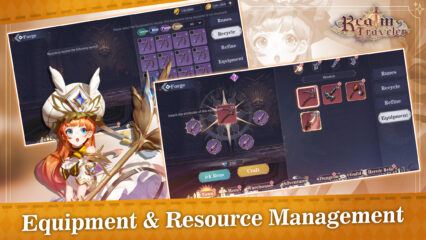
Realm Traveler is a great fit for players who enjoy hero collecting and slow team growth. It works well for solo play during spare time or shared sessions with friends through guild fights and arena matches. The steady reward loop from gear upgrades, rune setup, and event tasks makes it fun for both short play sessions and longer gaming days.
Playing Realm Traveler on PC or Mac with BlueStacks adds even more comfort. The larger screen makes battles easier to follow and lets you track skill effects and enemy movements clearly. Managing heroes, swapping equipment, and setting up team layouts becomes faster using a mouse. Keyboard controls also help navigate menus without tapping small phone screens, which makes long sessions easier on the eyes and hands.