How to Install and Play Temple Run 3 on PC with BlueStacks

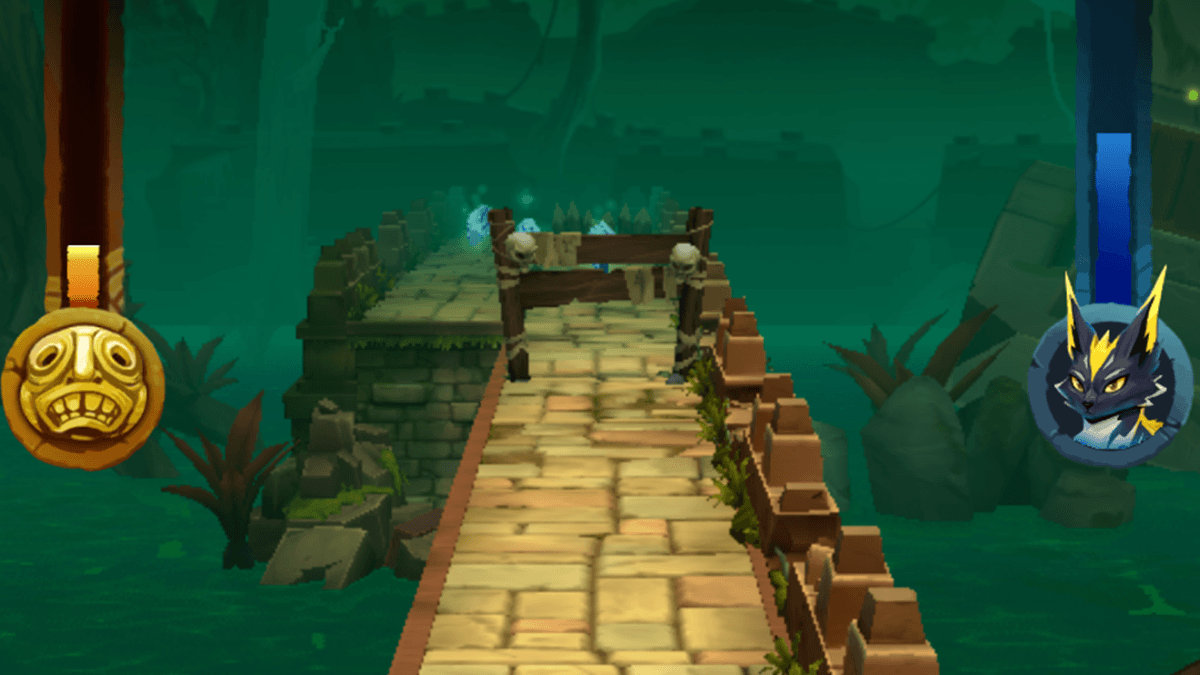
Temple Run 3 is a fast, endless runner where your goal is to run as far as possible without crashing. You guide your runner through jungle temples and swamp paths filled with sharp turns, broken bridges, fire traps, and wild enemies chasing close behind. Each run tests your timing as you jump, slide, and dodge at high speed.
The game adds fresh twists with heroes that have special skills and companions that give helpful boosts during runs. Before starting a run, you can pick perks that change how you play, such as extra coins, speed boosts, or bonus hearts. These choices add a strategy touch to the nonstop action and make each run feel different.
How to Install Temple Run 3 on PC
- Go to the game’s page and click the “Play Temple Run 3 on PC” button.
- Find the downloaded setup file in your browser and open it.
- Install BlueStacks, then launch the app on your computer.
- Log in to the Google Play Store, install Temple Run 3, and begin your runs.
How to Install Temple Run 3 on Mac with BlueStacks Air
- Download BlueStacks Air: Visit the game’s page and press the “Play Temple Run 3 on Mac” button to grab the installer.
- Install BlueStacks Air: Double-click the BlueStacksInstaller.pkg file and follow the setup steps on screen.
- Launch and Sign-In: Open BlueStacks Air from the Applications folder or Launchpad, then sign in with your Google account.
- Install Temple Run 3: Search for Temple Run 3 in the Play Store and install it.
- Enjoy Playing! Open the game and start running right away.
Already Using BlueStacks? Get Started Faster
- Go to the game’s page and tap the “Temple Run 3 on PC” button.
- Open BlueStacks on your PC or Mac.
- Download the game from the BlueStacks Store or Google Play Store.
- Press play and begin your next escape run.
Minimum System Requirements
BlueStacks lets you run Temple Run 3 smoothly on most everyday computers with simple setup needs:
- OS: Microsoft Windows 7 or newer, macOS 11 (Big Sur) or newer
- Processor: Intel, AMD, or Apple Silicon (M1–M4)
- RAM: 4GB or more
- Storage: 10GB free space
- Permissions: Administrator access on the computer
- Graphics drivers: Updated drivers from Microsoft or your chipset maker
Temple Run 3 is perfect for players who like fast games they can jump into anytime. Short runs make it great for quick breaks, while perk goals and leaderboards keep longer sessions fun too. Friends can compare high scores or chase personal records to see who lasts the longest before slipping up. Each run stays tense with tight turns and surprise obstacles, so focus and steady hands always matter.
Playing Temple Run 3 on PC or Mac with BlueStacks adds even more comfort. A keyboard gives you steady controls for fast moves, and the bigger screen makes obstacles easier to spot when the pace speeds up. This setup is great for longer gaming sessions without relying on touch controls on a small screen.