Artillery attack C-RAM

Artillery attack C-RAM

Action

| Cover Shoot Studio

Play on PC with BlueStacks or from our cloud

  • Overview
  • Game Features
  • How to Play

Page Modified On: September 19, 2025

Play Artillery attack C-RAM on PC or Mac

Explore a whole new adventure with Artillery attack C-RAM, a Action game created by Cover Shoot Studio. Experience great gameplay with BlueStacks, the most popular gaming platform to play Android games on your PC or Mac.

About the Game

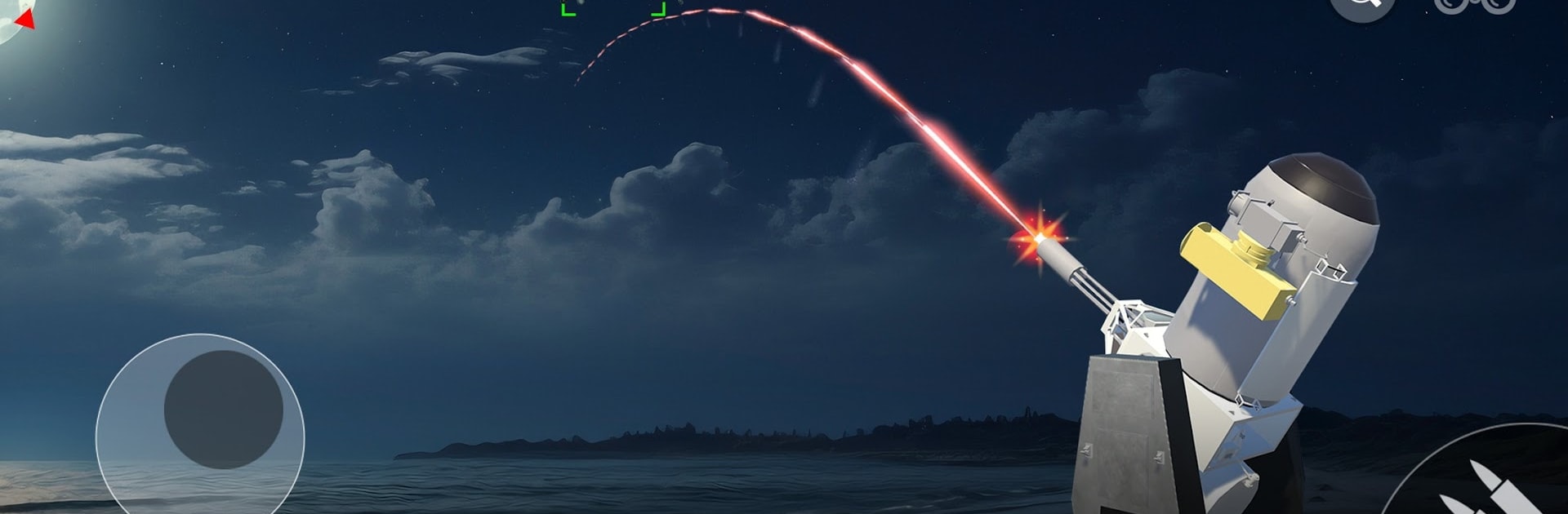
Artillery attack C-RAM puts you in the hot seat of a modern air-defense operator. You’re watching the radar, picking targets, and unleashing controlled bursts before rockets, mortars, drones, or fast movers reach your perimeter. Built by Cover Shoot Studio, this Action experience blends quick decisions with tight, satisfying fire control that rewards calm under pressure. Prefer a bigger screen or mouse aim? You can also play it on PC with BlueStacks.

Game Features

  • Real-time threat decisions: Read trajectories, prioritize targets on the fly, and intercept incoming rockets, mortar rounds, drones, and aircraft before they hit anything vital. Every second counts.

  • CIWS and C-RAM at your fingertips: Operate close-in weapon systems with a focus on timing and accuracy. Track, lock, and engage as the sky lights up with tracer fire.

  • Diverse arsenal options: Choose what fits the moment—miniguns, rifles, ATGM, missile launcher, or an artillery cannon. Different tools, different results.

  • Mission variety that keeps you thinking: Tackle rocket defense, urban defense, and full-on base protection. Expect shifting objectives across military bases, city blocks, and convoy routes.

  • Strategic resource management: Balance coverage and firepower while deploying the right system at the right moment. Smart pacing beats spray-and-pray.

  • Enemy mix with changing pressure: Face drone strike attempts, fighter planes, artillery salvos, and mortar barrages that test both reaction speed and planning.

  • Progression that feels earned: Clear challenges to unlock new missions and scenarios, each pushing your tactics a little further.

  • Clean, readable combat visuals: Clear effects and snappy feedback make it easier to gauge impact, adjust aim, and stay locked in during intense engagements.

Start your journey now. Download the game on BlueStacks, invite your friends, and march on a new adventure.


Game Features

Enhancements

  • Macros
  • Multi Instance
  • Multi Instance Sync
  • Eco Mode
  • Enhancements
Macros

Macros

Skip the boring parts of a game. Play Artillery attack C-RAM with Macros and get the edge. Simply record a sequence of commands and execute them at any moment.
Multi Instance

Multi Instance

Why limit to one game on your phone when you can play many on your PC? Open multiple instances of Artillery attack C-RAM at once with Multi-Instance. Leverage the power of different accounts by doing more.
Multi Instance Sync

Multi Instance Sync

Get the best out of Artillery attack C-RAM with Multi-Instance Sync. Play the game from different accounts and build your own empire. Use Multi-instance sync to repeat the action in the main BlueStacks instance on all other instances.
Eco Mode

Eco Mode

Find the rarest heroes by making multiple summons in Artillery attack C-RAM. And while you are at it, reduce your PC’s resource consumption with the Eco Mode. Farm efficiently. Get the best results.
Read More

How to Download and Play Artillery attack C-RAM on PC or Mac

  • Download and install BlueStacks on your PC or Mac

  • Complete Google sign-in to access the Play Store, or do it later

  • Look for Artillery attack C-RAM in the search bar at the top right corner

  • Click to install Artillery attack C-RAM from the search results

  • Complete Google sign-in (if you skipped step 2) to install Artillery attack C-RAM

  • Click the Artillery attack C-RAM icon on the home screen to start playing

video
Watch Video

Minimum System Requirements

With BlueStacks 5, you can get started on a PC that fulfills the following requirements.

  • Operating System

    Microsoft Windows 7 or above, macOS 11 (Big Sur) or above

  • Processor

    Intel, AMD or Apple Silicon Processor

  • RAM

    at least 4GB

  • HDD

    10GB Free Disk Space

Note:

* You must be an Administrator on your PC. Up to date graphics drivers from Microsoft or the chipset vendor.

Artillery attack C-RAM - FAQs

  • How to play Artillery attack C-RAM on Windows PC & Mac?

    Play Artillery attack C-RAM on your PC or Mac by following these simple steps.

    • Click on 'Play Artillery attack C-RAM on PC’ to download BlueStacks
    • Install it and log-in to Google Play Store
    • Launch and play the game.
  • Why is BlueStacks the fastest and safest platform to play games on PC?

    BlueStacks respects your privacy and is always safe and secure to use. It does not carry any malware, spyware, or any sort of additional software that could harm your PC.

    It is engineered to optimize speed and performance for a seamless gaming experience.

  • What are Artillery attack C-RAM PC requirements?

    Minimum requirement to run Artillery attack C-RAM on your PC

    • OS: Microsoft Windows 7 or above MacOS 11 (Big Sur) or above
    • Processor: Intel, AMD or Apple Silicon Processor
    • RAM: Your PC must have at least 4GB of RAM. (Note that having 4GB or more disk space is not a substitute for RAM)
    • HDD: 10GB Free Disk Space.
    • You must be an Administrator on your PC.