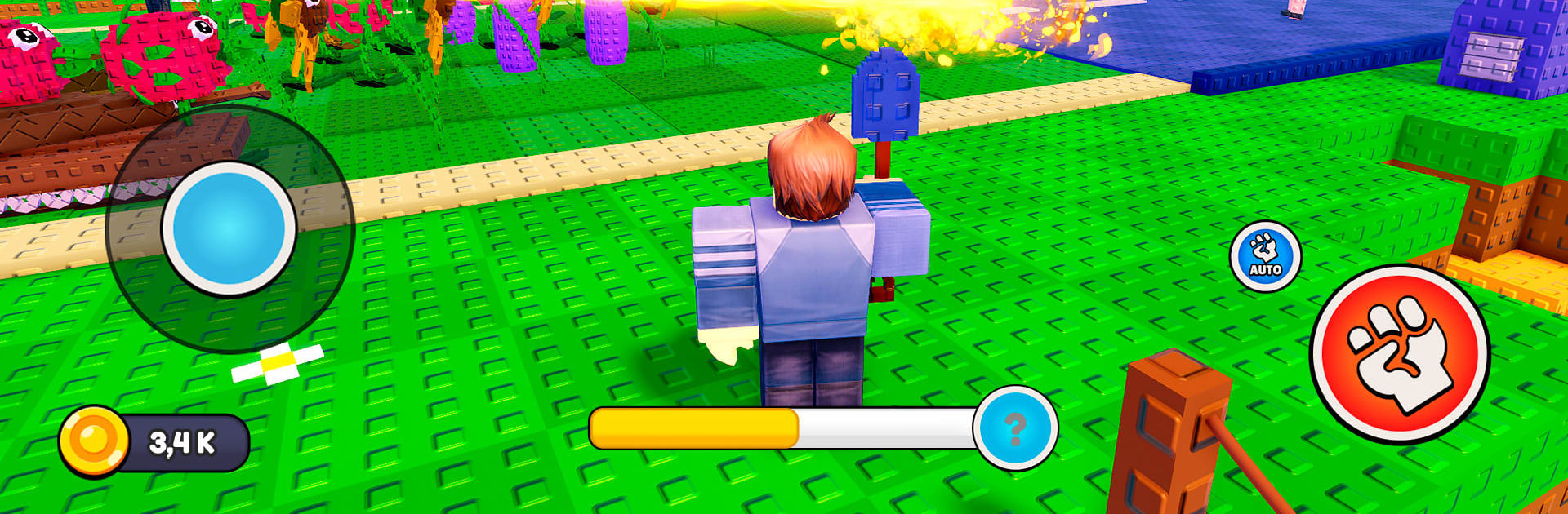
Brainrots vs Plants
Brainrots vs Plants

Brainrots vs Plants

Action

| PSV Apps&Games

Play on PC with BlueStacks or from our cloud

  • Overview
  • Game Features
  • How to Play

Page Modified On: June 09, 2026

Play Brainrots vs Plants on PC or Mac

Brainrots vs Plants brings the Action genre to life, and throws up exciting challenges for gamers. Developed by PSV Apps&Games, this Android game is best experienced on BlueStacks, the World’s #1 app player for PC and Mac users.

About the Game

Brainrots vs Plants is a gleefully chaotic Action mashup where your garden is the front line. You’ll plant, fuse, and upgrade a crew of quirky greens, then watch them smack around waves of brain-hungry oddballs with cartoon flair. Strategy counts, but so does a sense of humor—things get weird fast, in the best way.

Game Features

  • Merge Magic: Combine matching plants to evolve them into tougher, weirder heroes with fresh tricks up their leaves.
  • Build Your Garden Base: Arrange lanes, place defenders, and upgrade your plot so it hits far above its weight.
  • Collect Goofy Heroes: Unlock a growing cast of meme-ready plants, each with a role—from splashy crowd control to single-target nukes.
  • Fast, Satisfying Battles: Snappy rounds packed with chunky hits, over-the-top effects, and “wait, did that just happen?” moments.
  • Light Idle Progress: Keep momentum between sessions with steady gains that make the next battle pop off faster.
  • Unique Maps and Waves: Hop across varied layouts and enemy mixes that nudge you to rethink placement and timing.
  • Brainrot Loot: Turn fallen brainrots into resources to recruit, rank up, and expand your wonderfully odd army.
  • Strategy Meets Mayhem: Pair abilities, time merges, and decide when to upgrade versus dropping another unit on the field.
  • Smooth on PC with BlueStacks: Prefer a keyboard-and-mouse setup? Playing on BlueStacks feels crisp when things get delightfully hectic.

Start playing Brainrots vs Plants on BlueStacks and get a smoother, more comfortable PC or Mac setup.


Game Features

Enhancements

  • Macros
  • Multi Instance
  • Multi Instance Sync
  • Eco Mode
  • Enhancements
Macros

Macros

Skip the boring parts of a game. Play Brainrots vs Plants with Macros and get the edge. Simply record a sequence of commands and execute them at any moment.
Multi Instance

Multi Instance

Why limit to one game on your phone when you can play many on your PC? Open multiple instances of Brainrots vs Plants at once with Multi-Instance. Leverage the power of different accounts by doing more.
Multi Instance Sync

Multi Instance Sync

Get the best out of Brainrots vs Plants with Multi-Instance Sync. Play the game from different accounts and build your own empire. Use Multi-instance sync to repeat the action in the main BlueStacks instance on all other instances.
Eco Mode

Eco Mode

Find the rarest heroes by making multiple summons in Brainrots vs Plants. And while you are at it, reduce your PC’s resource consumption with the Eco Mode. Farm efficiently. Get the best results.
Read More

How to Download and Play Brainrots vs Plants on PC or Mac

  • Download and install BlueStacks on your PC or Mac

  • Complete Google sign-in to access the Play Store, or do it later

  • Look for Brainrots vs Plants in the search bar at the top right corner

  • Click to install Brainrots vs Plants from the search results

  • Complete Google sign-in (if you skipped step 2) to install Brainrots vs Plants

  • Click the Brainrots vs Plants icon on the home screen to start playing

video
Watch Video

Minimum System Requirements

With BlueStacks 5, you can get started on a PC that fulfills the following requirements.

  • Operating System

    Microsoft Windows 7 or above, macOS 11 (Big Sur) or above

  • Processor

    Intel, AMD or Apple Silicon Processor

  • RAM

    at least 4GB

  • HDD

    10GB Free Disk Space

Note:

* You must be an Administrator on your PC. Up to date graphics drivers from Microsoft or the chipset vendor.

Brainrots vs Plants - FAQs

  • How to play Brainrots vs Plants on Windows PC & Mac?

    Play Brainrots vs Plants on your PC or Mac by following these simple steps.

    • Click on 'Play Brainrots vs Plants on PC’ to download BlueStacks
    • Install it and log-in to Google Play Store
    • Launch and play the game.
  • Why is BlueStacks the fastest and safest platform to play games on PC?

    BlueStacks respects your privacy and is always safe and secure to use. It does not carry any malware, spyware, or any sort of additional software that could harm your PC.

    It is engineered to optimize speed and performance for a seamless gaming experience.

  • What are Brainrots vs Plants PC requirements?

    Minimum requirement to run Brainrots vs Plants on your PC

    • OS: Microsoft Windows 7 or above MacOS 11 (Big Sur) or above
    • Processor: Intel, AMD or Apple Silicon Processor
    • RAM: Your PC must have at least 4GB of RAM. (Note that having 4GB or more disk space is not a substitute for RAM)
    • HDD: 10GB Free Disk Space.
    • You must be an Administrator on your PC.